
Welcome To Scorup
In today’s digital marketing landscape, tracking user behaviour accurately is essential for making informed business decisions. Whether you’re measuring website traffic, monitoring conversions, analysing campaign performance, or integrating third-party marketing tools, proper tag management plays a critical role. This is where Google Tag Manager becomes an indispensable solution for businesses, marketers, and web developers.
Google Tag Manager (GTM) is a free tag management system developed by Google that allows users to deploy and manage marketing tags without modifying website code every time a new tracking script is required. Instead of relying on developers for every implementation, marketers can create, edit, test, and publish tracking tags through a user-friendly interface.
This comprehensive guide from Scorup.com explains everything you need to know about Google Tag Manager, from its core features and setup process to advanced capabilities, best practices, and common mistakes. Whether you’re completely new to GTM or looking to improve your implementation, this guide will help you understand how Google Tag Manager simplifies website tracking, enhances marketing performance, and supports accurate analytics in 2026 and beyond.
What Is Google Tag Manager?
Google Tag Manager is a free tag management platform that allows businesses to manage tracking codes, known as tags, from a single dashboard. Instead of editing website source code whenever new analytics or marketing scripts are needed, GTM enables users to deploy tags quickly and efficiently. It supports Google Analytics 4, Google Ads, Meta Pixel, LinkedIn Insight Tag, Microsoft Clarity, Hot jar, and hundreds of third-party integrations. Google Tag Manager simplifies website tracking while reducing dependency on developers, making it an essential tool for modern digital marketing and analytics.
Why Google Tag Manager Is Important
Every website relies on tracking technologies to measure visitor behaviour, campaign performance, and conversions. Without an organised tag management system, websites become cluttered with scripts that are difficult to maintain. Google Tag Manager centralises tag deployment, making updates faster and reducing implementation errors. Businesses can launch marketing campaigns, monitor events, and improve analytics without repeatedly editing website code. This flexibility saves time, improves data accuracy, and enables marketing teams to respond quickly to changing business needs.
How Google Tag Manager Works
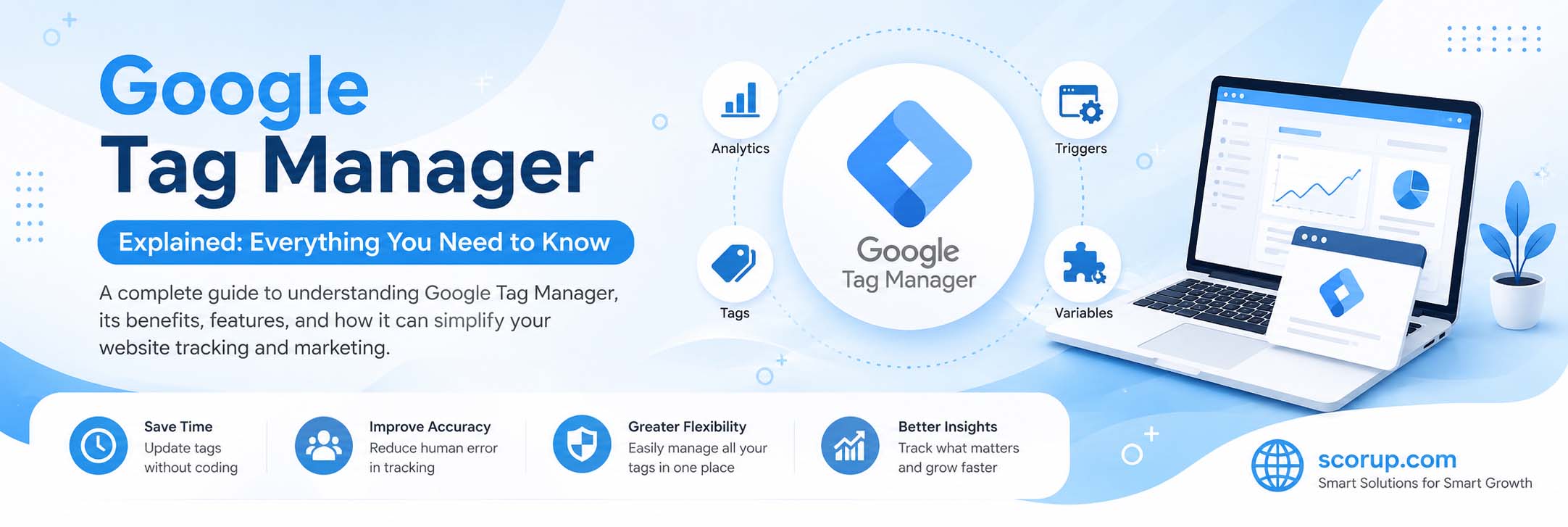
Google Tag Manager operates through three primary components: Tags, Triggers, and Variables. Tags contain tracking codes that send information to analytics or marketing platforms. Triggers determine when a tag should fire, such as after a page view, button click, form submission, or purchase. Variables store dynamic information like page URLs, click text, transaction values, or user actions. Together, these components create a powerful system that delivers accurate tracking while giving marketers complete control over data collection.
Key Features of Google Tag Manager
One of the biggest strengths of Google Tag Manager is its flexibility. Users can deploy tags without coding knowledge, preview implementations before publishing, create custom event tracking, manage version history, and collaborate with multiple team members. GTM also includes built-in templates for popular marketing platforms, reducing setup complexity. Its debugging tools make troubleshooting easier, while workspace management allows multiple users to work simultaneously. These features make GTM suitable for both small businesses and enterprise organisations.
Setting Up Google Tag Manager
Getting started with Google Tag Manager begins by creating a GTM account and container for your website. Google provides two installation snippets that must be added to your website’s header and body sections. After installation, users can begin creating tags, assigning triggers, and configuring variables. The Preview Mode allows thorough testing before changes go live. Proper setup ensures tracking accuracy and prevents data collection issues. Many businesses use Google Tag Manager together with Google Analytics 4 for complete website measurement.
Google Tag Manager and Google Analytics 4
One of the most common uses of Google Tag Manager is implementing Google Analytics 4. Instead of manually inserting GA4 scripts throughout a website, GTM simplifies deployment through configurable tags. Businesses can track page views, scroll depth, video engagement, outbound clicks, file downloads, and custom events without changing website code. This integration makes GA4 implementation cleaner, more flexible, and easier to maintain. As websites evolve, marketers can adjust tracking configurations directly within GTM, saving valuable development time.
Event Tracking with Google Tag Manager
Event tracking allows businesses to measure meaningful user interactions beyond page views. Using Google Tag Manager, marketers can monitor button clicks, contact form submissions, newsletter sign-ups, downloads, video plays, telephone link clicks, outbound links, and e-commerce actions. Each event provides valuable behavioural insights that support marketing optimisation and conversion analysis. Because GTM allows custom event creation, businesses can tailor tracking to match unique objectives. Accurate event tracking leads to better reporting and improved decision-making across marketing campaigns.
Benefits of Using Google Tag Manager
Implementing Google Tag Manager provides numerous advantages. It accelerates marketing deployment, reduces developer workload, improves website organisation, and enhances tracking consistency. Businesses gain greater flexibility when testing new analytics tools or advertising platforms. GTM also reduces the likelihood of duplicate tags and implementation errors. Since all tracking configurations are managed centrally, maintenance becomes much easier over time. These benefits contribute to better data quality, faster campaign execution, and improved return on digital marketing investments.
Best Practices for Google Tag Manager
To maximise the effectiveness of Google Tag Manager, businesses should maintain organised naming conventions for tags, triggers, and variables. Always use Preview Mode before publishing changes and document major implementations for future reference. Remove unused tags regularly to maintain a clean workspace. Enable version control to simplify rollback if problems occur. Limit user permissions according to responsibilities and periodically audit tracking configurations. Following these best practices ensures reliable data collection and long-term scalability as websites continue to grow.
Common Google Tag Manager Mistakes
Many beginners accidentally publish untested changes, create duplicate tags, or configure incorrect triggers that fire at inappropriate times. Another common mistake is failing to organise workspaces or using unclear naming conventions. Businesses sometimes install multiple GA4 configurations, causing duplicate reporting. Ignoring Preview Mode often leads to inaccurate analytics and conversion tracking. Regular audits, consistent testing, and structured implementation practices help prevent these issues. Avoiding these mistakes improves measurement quality and increases confidence in marketing reports.
Google Tag Manager for SEO and Marketing
Although Google Tag Manager does not directly improve search engine rankings, it plays an important role in digital marketing and SEO measurement. GTM enables businesses to implement Google Analytics 4, Google Ads Conversion Tracking, Search Console integrations, and various user engagement events. Marketers can measure scroll depth, outbound clicks, internal search usage, and form interactions to improve website performance. Better measurement leads to stronger optimisation strategies, improved user experiences, and higher conversion rates over time.
The Future of Google Tag Manager
As privacy regulations evolve and businesses increasingly rely on first-party data, Google Tag Manager will continue expanding its capabilities. Server-side tagging, Consent Mode integration, Enhanced Conversions, and privacy-focused tracking will become standard implementations. Google’s ongoing investment in automation and AI-powered measurement will further simplify tag management while maintaining compliance with global privacy standards. Businesses that master Google Tag Manager today will be better positioned to adapt to future changes in digital analytics and online advertising.
Conclusion
Google Tag Manager has become one of the most valuable tools for modern digital marketers, website owners, and businesses seeking accurate analytics and efficient tag management. By simplifying tracking implementation, reducing reliance on developers, and supporting powerful integrations with Google Analytics 4, Google Ads, and other marketing platforms, GTM helps organisations collect reliable data for smarter decision-making. Whether you’re just beginning your analytics journey or managing enterprise-level websites, learning Google Tag Manager is a worthwhile investment. With proper setup, regular testing, and best practices, GTM can significantly improve your marketing performance and website measurement strategy. For more professional digital marketing guides, SEO tutorials, and analytics resources, visit Scorup.com.
FAQs
Google Tag Manager is a free tag management system from Google that allows you to install, update, and manage tracking codes on your website without editing the site’s source code every time.
Google Tag Manager simplifies website tracking, speeds up tag deployment, improves data accuracy, reduces developer dependency, and supports integrations with Google Analytics 4, Google Ads, Meta Pixel, and many other marketing platforms.
Yes. Google Tag Manager is completely free to use and provides powerful features for businesses, marketers, developers, and website owners of all sizes.
Absolutely. Google Tag Manager is one of the best ways to implement Google Analytics 4, allowing you to configure page views, events, conversions, and enhanced measurement without modifying website code.
Yes. Although it offers advanced features, Google Tag Manager is beginner-friendly thanks to its intuitive interface, built-in templates, Preview Mode, version control, and extensive documentation. Learning GTM provides a strong foundation for digital marketing and website analytics.