
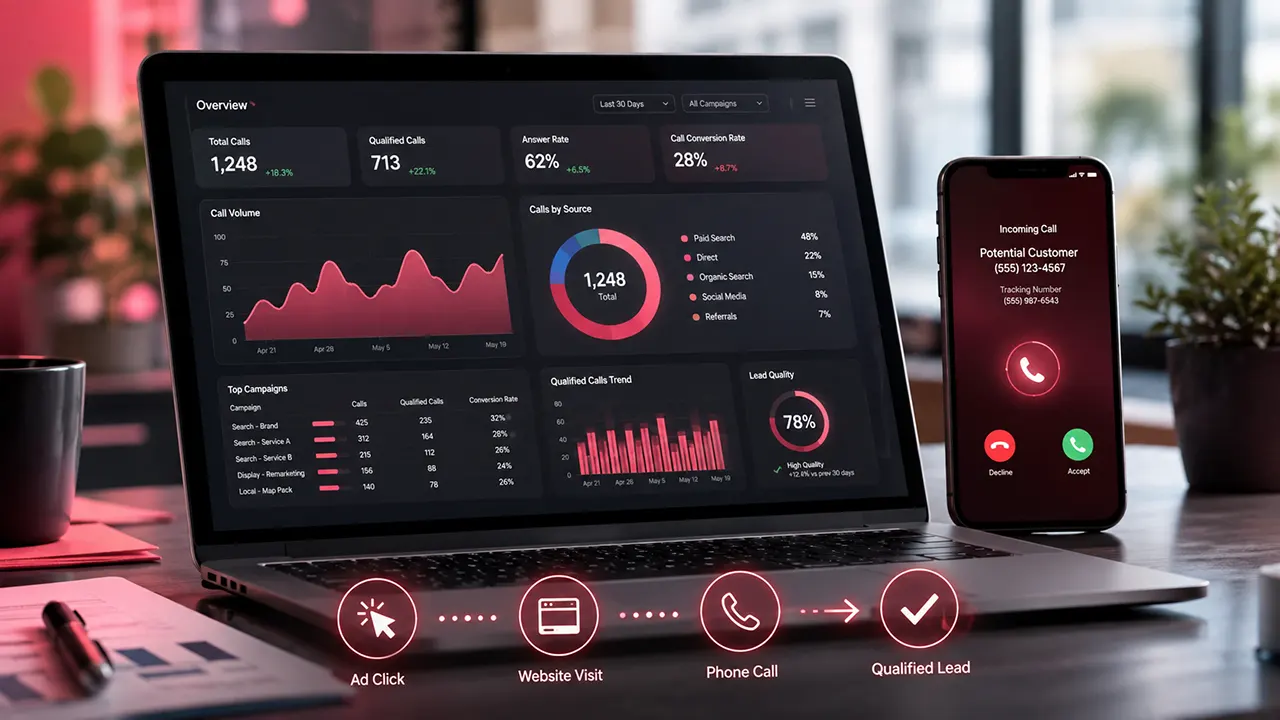
CallRail call tracking helps businesses connect phone calls with the marketing that generated them. It can use tracking numbers and Dynamic Number Insertion (DNI) to identify sources such as Google Ads, organic search, or other campaigns. With the right setup, advertisers can connect calls with campaigns, keywords, landing pages, and other visitor activity.
CallRail Call Tracking: How It Works and What It Can Tell You
If phone calls are an important source of leads, website traffic alone does not tell the whole story. A Google Ads campaign might generate plenty of clicks, but some of its most valuable conversions may happen when someone picks up the phone instead of filling out a form.
That creates a measurement problem: Which ad or marketing channel caused the call?
CallRail call tracking is designed to answer that question. It uses tracking phone numbers and, for website visitors, Dynamic Number Insertion to connect calls with the marketing sources that brought people to the site.
For advertisers, the value is not simply knowing that the phone rang. The useful part is connecting that call to the customer’s journey so you can make better decisions about campaigns, keywords, landing pages, and advertising spend.
What Is CallRail Call Tracking?
CallRail call tracking is a system for measuring phone leads and connecting them with marketing sources. Depending on the tracking method, a business can use unique phone numbers to identify sources or use Dynamic Number Insertion to connect individual website visitors with their calls.
What Is Call Tracking?
Call tracking is the process of collecting information about incoming calls so you can understand where those calls came from and what happened after the marketing interaction.
For example, suppose someone searches Google for an emergency plumber, clicks your ad, visits your website, and calls the number on the page.
Without call tracking, you may see:
Google Ads click → phone call
But you may not know which campaign, ad, or keyword produced the lead.
With the right visitor-level setup, CallRail can associate the caller’s web session with information such as the marketing source and keyword that brought the visitor to the site.
That makes phone calls measurable alongside other advertising conversions.
What Does CallRail Track?
The exact information depends on how you configure the system. CallRail’s tracking tools can provide information about the call and its marketing source, while additional features can provide recordings, transcripts, and conversation insights.
For an advertising team, useful data can include:
- Marketing source
- Campaign
- Ad group
- Keyword, where supported by the tracking setup
- Landing-page activity
- Caller information
- Call time and duration
- Answered or missed status
- Call recording, when enabled
- Transcripts and conversation insights, when the relevant features are enabled
The important distinction is that call tracking and call recording are not the same thing. Tracking tells you about the call and its attribution. Recording and conversation tools can help you understand what was discussed.
Why Call Tracking Matters for Advertising
A click is not always the final conversion.
For businesses such as law firms, home-service companies, medical practices, and other service businesses, a person may click an ad and call instead of submitting a form. If those calls are missing from your conversion data, you can underestimate the value of campaigns that generate phone leads.
Call tracking helps bring those offline actions into your marketing measurement.
That can change how you evaluate an ad. A campaign with fewer clicks might still deserve more budget if its visitors generate more valuable phone leads.
How Does CallRail Call Tracking Work?
CallRail uses tracking numbers to connect calls with marketing sources. For website visitors, Dynamic Number Insertion can replace the normal phone number on a page with a tracking number based on how the visitor reached the site. More advanced visitor-level tracking uses a pool of numbers so individual visitors can be associated with their sessions and calls.
The basic process looks like this:
Marketing interaction → Website visit → Tracking number → Phone call → Attribution data
Tracking Numbers and Call Routing
A CallRail tracking number is a number assigned to your business for measurement. When someone calls it, CallRail can route the call to your actual business number.
This lets the customer reach your normal destination while CallRail collects information about the tracked call.
The setup guide also allows businesses to configure a destination number and, where appropriate, options such as call recording.
The customer does not need to understand the tracking system. They simply call the number they see.
Dynamic Number Insertion Explained
Dynamic Number Insertion, or DNI, is one of the key technologies behind website call tracking.
CallRail uses JavaScript to detect the visitor’s traffic source and replace the phone number displayed on the website with an appropriate tracking number.
Imagine two people visiting the same website:
- Person A arrives through a Google Ads campaign.
- Person B arrives through organic search.
With DNI, they can be shown different tracking numbers. If Person A calls the Google Ads tracking number, CallRail can use that number to connect the call with the appropriate marketing source.
For more detailed visitor-level tracking, CallRail uses a pool of numbers and assigns a number to an individual website visitor during that visitor’s session. This can provide a deeper view of the visitor’s journey.
Source-Level vs. Visitor-Level Tracking
These two approaches are easy to confuse.
Source-level tracking uses a tracking number to identify a marketing source or campaign. It can work well when you want to measure channels such as a particular offline advertisement or marketing campaign.
Visitor-level tracking goes further. A pool of tracking numbers can associate an individual website visitor with their browsing session and eventual call. CallRail says this approach can connect calls with information such as keywords, campaigns, and pages visited.
For Google Ads optimization, visitor-level tracking can be especially useful because it can connect a phone conversion with the search and advertising information available from the visitor’s journey.
What Happens When Someone Calls?
The customer sees a tracking number and calls it.
CallRail receives the call and routes it to the configured destination number. The system can then record the call’s available tracking information and associate it with the relevant source or visitor when the setup supports that attribution.
That gives marketers a much more useful question to answer than:
“How many people called?”
They can instead ask:
“Which marketing activity generated those calls?”
That is the foundation of using CallRail for advertising measurement.
How Does CallRail Track Calls From Google Ads?
CallRail can connect eligible Google Ads traffic with phone calls and report those calls as conversions in Google Ads. The setup requires visitor tracking and Google Ads auto-tagging. CallRail captures the Google Click ID (GCLID), then uses it to associate a later call with the original paid click.
Connecting Google Ads Clicks to Calls
The basic path looks like this:
Google Ads click → Website visit → Visitor tracking → Call → Google Ads conversion
When someone clicks a Google ad and lands on your website, CallRail’s tracking system can capture the GCLID associated with that visitor. If the visitor later calls a CallRail website-pool number, CallRail can report that phone call as a Google Ads conversion.
This matters because a phone call happens outside the webpage where the original ad click occurred. Without a system that connects the two events, Google Ads may not have a complete view of the lead.
There is an important setup requirement, though. CallRail says visitor tracking and Google Ads auto-tagging must be enabled for its standard Google Ads integration to report website calls as conversions.
Tracking Campaigns, Ad Groups, and Keywords
CallRail can bring Google Ads attribution data into its reporting, including source, campaign, ad group, keyword, and conversion information. Its Google Ads integration also sends attribution data about calls, texts, and forms back to Google Ads.
This gives advertisers a more useful view of performance.
For example, imagine two campaigns both generate 100 clicks. One produces several qualified phone leads while the other produces mostly low-value traffic.
Looking only at clicks, the campaigns may appear similar.
Adding call-conversion data changes the picture.
You can evaluate the campaigns based on the actions that matter to the business, not just the number of visitors they attract.
Sending Call Conversions Back to Google Ads
Once the integration is active, CallRail reports qualifying Google PPC calls to Google Ads as conversions. CallRail’s documentation says only calls made to the website pool with a source of Google Ads report as conversions through this integration. Calls to source trackers do not report as conversions through the standard integration.
That distinction is easy to miss.
A business might have several CallRail tracking numbers and assume every tracked call will automatically become a Google Ads conversion. That is not how the standard integration works.
The tracking configuration has to match the conversion method you want to use.
Why Call Data Can Improve Ad Optimization
Phone leads can carry information that clicks cannot.
If your business treats qualified calls as valuable conversions, sending those conversion signals into Google Ads can give your advertising team a better basis for optimization.
The goal is not to generate more calls at any cost. It is to understand which advertising activity produces useful calls.
That distinction matters for businesses where a 10-minute sales conversation is worth far more than a simple website visit.
What Information Can CallRail Tell You About a Call?
CallRail can combine call information with marketing attribution, depending on your tracking configuration. This can help you understand not only that a call happened, but also how the caller reached your business. Additional features can provide recordings, transcripts, and conversation insights.
Marketing Source and Campaign
A tracking setup can identify the source associated with a visitor or campaign.
For website tracking, CallRail’s JavaScript can detect the visitor’s source and swap the phone number displayed on the page. CallRail stores that source information so the visitor can continue seeing the appropriate tracking number when they return.
Depending on the configuration and integration, this can help connect calls with information such as:
- Google Ads
- Organic search
- Other paid campaigns
- Referral sources
- Offline marketing sources
- Campaigns and keywords
The exact data available depends on the tracking method and marketing platform involved.
Caller and Call Details
Call tracking can also provide information about the call itself.
For example, your reporting can help distinguish between answered and missed calls and show call-related details such as duration.
That is useful for lead analysis. A campaign generating 50 very short calls may deserve a different interpretation from one generating 20 substantial sales conversations.
The number of calls alone does not tell you whether the leads are valuable.
Call Recordings and Transcripts
Call tracking answers where the call came from.
Call recording and transcription can help answer what happened during the call.
CallRail supports call recording for tracking numbers, and its setup documentation recommends using an appropriate automated announcement when recording calls.
This creates another layer of analysis.
A marketer can compare the source of a call with the conversation itself. That can help identify recurring questions, objections, or lead-quality patterns.
However, recording calls can involve legal and privacy requirements. Businesses should review the laws that apply to their location and callers before enabling recording.
Conversation and Lead Insights
CallRail also offers tools that analyze conversations. These can turn recordings and transcripts into additional information for marketing and sales teams.
That can be useful when call volume becomes too high for someone to listen to every conversation manually.
The practical value is not simply having more data. It is being able to connect marketing source + call outcome + conversation quality.
That combination can reveal problems that basic conversion tracking misses.
Is It Possible to Track Phone Calls?
Yes, phone calls can be tracked, but the type of information you can capture depends on how the tracking system is configured. A call-tracking platform can identify the tracking number, source, campaign, and other call details. With visitor-level tracking and integrations, it can connect a call to a preceding website visit or advertising click.
What Call Tracking Can Tell You
A properly configured system can help answer questions such as:
- How many calls did we receive?
- Which marketing source generated the call?
- Which Google Ads campaign generated it?
- Which keyword was associated with the visitor?
- How long did the call last?
- Was the call answered?
- Which tracking number received it?
- Did the call become a meaningful lead?
The exact answers depend on the tracking method and integration.
What Call Tracking Cannot Tell You Automatically
Call tracking is not magic.
It does not automatically know every detail about a customer or prove that every call became a sale.
For example, attribution may tell you that a Google Ads visitor called. It does not necessarily tell you whether that person eventually purchased unless your systems are configured to capture that later outcome.
This is why good measurement connects several stages:
Ad → Click → Website visit → Call → Qualified lead → Sale
The farther you can reliably connect that chain, the more useful your advertising data becomes.
Inbound vs. Outbound Calls
Call tracking is most commonly associated with inbound leads, where a customer calls a business after seeing a tracked number.
Outbound calls are a different measurement problem. You should not assume that tracking an outbound call automatically provides the same advertising attribution as an inbound call from a tracked website visitor.
If outbound activity matters to your reporting, verify the specific CallRail feature and configuration you plan to use before building your measurement system.
Call Tracking vs. Call Recording
These terms are often mixed together.
Call tracking measures the call and its marketing context.
Call recording captures the conversation itself when recording is enabled.
You may need tracking without recording if your main goal is Google Ads attribution.
You may want both if you also need to review lead quality, train sales staff, or analyze customer conversations.
The right choice depends on what you are trying to measure.
Can CallRail Track Text Messages Too?
Yes. CallRail supports text messaging alongside its call-tracking and communication features. Its current Google Ads integration can also send attribution data for texts, calls, and forms back to Google Ads.
That matters for businesses where prospects often text instead of calling.
A marketing campaign may generate:
Click → Website visit → Text
rather than:
Click → Website visit → Phone call
Tracking both actions can give advertisers a more complete view of lead generation.
CallRail’s API documentation also shows support for message flows for inbound texts and automated replies, although messaging features and registration requirements can vary by setup.
The key point is that phone calls are only one type of lead interaction. If customers regularly switch between calls, texts, and forms, measuring those channels together can produce a clearer picture of campaign performance.
How to Set Up CallRail Call Tracking
Setting up CallRail call tracking involves creating a tracking number, routing calls to the business’s real number, adding website tracking when needed, and connecting relevant advertising platforms. For website attribution, the important step is installing CallRail’s JavaScript so it can dynamically replace the site’s phone number for visitors from tracked sources.
Create a Tracking Number
Start by choosing a CallRail tracking number. You can use a local or toll-free number, depending on how you want the business to appear to customers.
CallRail says tracking numbers can be ready for immediate use. Its current service also supports local numbers across more than 300 U.S. and Canadian area codes.
The number then forwards calls to the business’s destination number.
This creates a simple path:
Customer → CallRail tracking number → Business phone
The customer still reaches the business. The tracking layer sits between the caller and the destination.
Choose the Destination Number
The destination number is where CallRail sends the incoming call.
For example, a business might keep its existing office number as the destination while using a different CallRail number on its website.
CallRail says its tracking numbers forward calls to the main business number, allowing the business to answer calls normally while CallRail gathers call statistics.
Set Up Your Tracking Source
Next, decide what you want to measure.
For an advertising-focused setup, that could include:
- Google Ads
- Organic search
- Social campaigns
- Referral traffic
- Offline advertising
- Specific marketing campaigns
The tracking method should match the question you want to answer.
If the goal is simply to measure calls from a particular offline advertisement, a dedicated tracking number may be enough.
If the goal is to understand which Google Ads traffic generated individual calls, website visitor tracking and DNI are more appropriate.
Install Dynamic Number Insertion
For website call tracking, CallRail provides a JavaScript snippet that can dynamically replace phone numbers on the site. CallRail says its JavaScript detects the visitor’s tracked source and swaps the displayed number with the appropriate tracking number.
This is the part that turns a basic tracking number into a more detailed website attribution system.
A common mistake is to install a tracking number but skip the website tracking configuration. That can leave advertisers with call counts without the deeper visitor-level attribution they expected.
Connect Google Ads
If Google Ads is the main acquisition channel, connect the CallRail account to Google Ads and make sure the required tracking settings are active.
The goal is to let the two systems share the information needed to associate qualifying calls with advertising activity.
Do not assume that connecting two accounts automatically makes every call a Google Ads conversion. The tracking method and conversion configuration determine which calls can be attributed and reported.
Test the Tracking Setup
Testing should happen before relying on the data for budget decisions.
Check the complete journey:
Ad click → Website visit → Tracking number appears → Call → CallRail record → Attribution → Google Ads conversion
A test should confirm that the correct number appears, the call reaches the intended destination, and the resulting record contains the expected source information.
A tracking system that has not been tested can create false confidence. Missing or incorrect attribution may look like poor campaign performance when the real problem is the measurement setup.
How Much Does CallRail Call Tracking Cost?
CallRail’s current pricing is usage-based rather than a simple unlimited flat fee. Its Lead Tracking plan currently starts at $50 per month plus additional usage, while CallRail’s dedicated Call Tracking page and agency pricing materials show a $55 starting price for the call-tracking base. The exact amount depends on the plan and billing setup, so pricing should be checked before purchase.
Current CallRail Pricing
The current Lead Tracking plan includes five numbers and 250 local minutes, along with call and text tracking, attribution, recording, routing, transcription, analysis, and automation features. Additional usage can increase the monthly cost.
CallRail currently lists these Lead Engagement plans:
| Plan | Starting monthly price | Main focus |
|---|---|---|
| Lead Tracking | $50 + usage | Calls and texts |
| Lead Tracking Complete | $95 + usage | Calls, texts, and forms |
| Lead Conversion | $150 + usage | Advanced conversation insights |
| Lead Conversion Complete | $195 + usage | Calls, texts, forms, and advanced insights |
These prices are current according to CallRail’s pricing page and can change.
What Is Included?
The entry Lead Tracking plan currently includes:
- 5 local numbers
- 250 local minutes
- Call and text tracking
- Attribution
- Call recording and routing
- Call transcription and analysis
- Automation rules
Additional local numbers, minutes, toll-free numbers, SMS, and other usage can incur extra charges.
This matters when comparing CallRail with simpler tracking options. A low starting price does not necessarily equal the final monthly cost for a business with high call volume.
Is There a Free Call Tracking Option?
CallRail currently offers a 14-day free trial and says no credit card is required to start the trial. That is different from having a permanently free call-tracking plan.
So if someone searches for free call tracking, the important distinction is:
Free trial ≠ free ongoing service.
A business should also estimate its expected call minutes, number of tracking numbers, SMS volume, and optional AI or form features before deciding what the service will actually cost.
Is CallRail Worth the Cost?
CallRail can make sense when phone calls represent a meaningful part of lead generation and advertising decisions depend on knowing where those calls originate.
It becomes harder to justify when a business receives very few calls, does not need marketing attribution, or can measure its conversions adequately with simpler tools.
The real question is not:
“Is CallRail cheap?”
It is:
“Will better attribution help us make better advertising decisions?”
If the answer is yes, the cost needs to be compared with the value of the leads and the advertising spend being measured.
What Is the CallRail Support Number?
The current CallRail support number is (888) 219-2787. CallRail lists phone support Monday through Friday, from 8:30 a.m. to 7 p.m. EST. It also provides a support-ticket option and a Help Center.
CallRail Customer Support Options
CallRail provides several ways to get help.
You can use:
- Phone support
- Support tickets
- The Help Center
- Account-based customer support after signing in
CallRail says customers can access one-on-one support after logging into their account.
For agencies, account management works differently. CallRail’s Account Center allows agencies to manage client accounts, while individual client users can receive controlled access to their assigned company data.
When Should You Contact CallRail Support?
Support can be useful when:
- A tracking number is not routing correctly
- DNI is not replacing the website number
- Attribution data looks wrong
- An integration is not working as expected
- You need help with account or billing issues
- You need guidance on a technical setup
Before contacting support, collect the affected tracking number, website URL, advertising platform, and a description of what you expected to happen. That gives the support team a clearer starting point.
Who Should Use CallRail Call Tracking?
CallRail is most useful for businesses where phone calls are an important part of the customer journey and marketing attribution matters. It is particularly relevant to advertisers and agencies that need to connect phone leads with campaigns rather than measuring clicks alone. CallRail also positions its platform for marketing agencies and businesses that need to connect leads with campaigns and revenue.
Businesses That Depend on Phone Leads
A phone-based business can lose valuable marketing data when calls sit outside its analytics system.
Examples include:
- Home-service companies
- Law firms
- Dental practices
- Professional services
- Real estate businesses
- Local service businesses
- Other companies where customers often call before buying
The stronger the role of phone calls in the sales process, the more useful call attribution becomes.
PPC and Google Ads Teams
CallRail can be especially useful when Google Ads is driving traffic to pages that encourage visitors to call.
Instead of evaluating a campaign only through:
Impressions → Clicks → Website activity
the advertiser can work toward:
Impressions → Click → Website visit → Phone call → Qualified lead
That gives the advertising team a better measurement model.
Agencies Managing Multiple Clients
Agencies often need to show clients where leads come from.
CallRail’s Account Center is designed to let agencies manage client accounts, while different user roles control access to reporting and account functions.
This can make call attribution more useful in client reporting because the agency can connect marketing activity with actual lead interactions.
When CallRail May Be More Than You Need
Call tracking is not automatically necessary for every advertiser.
It may be excessive if:
- Almost all conversions happen through online forms
- Phone leads are rare
- Advertising spend is small
- You only need basic website analytics
- There is no need to identify which marketing sources generate calls
A business should first define the measurement problem. Then choose the tracking system that solves it.
CallRail Call Tracking: Benefits and Limitations
CallRail’s main advantage is that it can connect phone interactions with marketing data instead of treating calls as an isolated offline event. Its current platform combines call and text attribution with recording, routing, transcription, analysis, and integrations.
Where CallRail Can Help
Better marketing attribution
You can see which tracked sources generate calls.
Better Google Ads measurement
Qualifying calls can become part of the conversion picture when the Google Ads integration is configured correctly.
More useful call data
Call duration, call status, recordings, transcripts, and conversation analysis can add context beyond the basic call count.
Centralized lead information
CallRail connects calls and texts with broader marketing and CRM workflows through its integrations. CallRail currently advertises connections with more than 50 marketing, CRM, and automation platforms.
Where You Need to Be Careful
Attribution depends on setup
A tracking platform cannot recover information that was never captured.
Not every call is automatically a Google Ads conversion
The Google Ads integration has specific requirements for which calls are reported as conversions.
Costs can grow with usage
The advertised starting price is not necessarily the final monthly bill. Additional minutes, numbers, texts, and other usage can increase the cost.
Recording raises privacy considerations
If calls are recorded or transcribed, businesses need to consider applicable privacy and call-recording requirements.
More data requires better processes
CallRail can give a marketing team more information, but more information does not automatically produce better decisions. Someone still needs to define what counts as a qualified lead and use that information when evaluating campaigns.
The strongest setup is therefore not simply “install CallRail.”
It is:
Track → attribute → qualify → analyze → improve advertising.
Is CallRail Call Tracking Worth It?
CallRail call tracking is worth considering when phone calls are an important part of your lead generation and you need to connect those calls to advertising activity. It becomes especially useful for Google Ads because CallRail can connect paid clicks with calls, texts, and forms and send attribution data back to Google Ads.
The main question is not whether CallRail has enough features. It is whether your business needs the extra attribution.
If your customers often call after clicking an ad, basic click reporting can leave a major gap. CallRail can help close that gap by showing which marketing activity is producing phone leads.
If almost all of your conversions happen through online forms, or you receive very few calls, the additional cost and setup may not be justified.
What Makes CallRail Useful for Google Ads?
The strongest reason to use CallRail is the connection between advertising and offline conversations.
Instead of measuring:
Ad → Click
you can work toward:
Ad → Click → Website visit → Call → Qualified lead
CallRail’s current Google Ads integration can exchange attribution data for calls, texts, and forms. It also provides source, campaign, ad group, keyword, and conversion information within the integration.
That can help you make better decisions about where to spend your advertising budget.
When CallRail May Not Be the Right Choice
CallRail may be unnecessary if:
- Your business rarely receives phone calls.
- Phone leads are not important to your sales process.
- Your existing analytics already measure the conversions you care about.
- You only need basic website analytics.
- The expected value of additional attribution is lower than the cost of the service.
There is also a learning curve. Tracking numbers, DNI, Google Ads settings, conversion definitions, and attribution all need to work together.
For an advertising program with significant phone-lead volume, that complexity may be worthwhile. For a small campaign with only occasional calls, it may not be.
The Bigger Lesson About Call Tracking
The goal of call tracking is not to collect as much data as possible.
The goal is to answer a business question:
Which marketing activities generate leads that are worth pursuing?
A call from an ad is only useful as a marketing signal if you can connect it to the source and, ideally, determine whether it became a qualified opportunity or customer.
That is why the best measurement setup goes beyond call volume:
Source → Call → Lead quality → Customer → Revenue
CallRail can help with the first parts of that journey. Your CRM, sales process, and conversion definitions still matter.
Frequently Asked Questions About CallRail Call Tracking
CallRail tracking connects phone calls and other lead interactions with marketing sources. Its website call-tracking system can use Dynamic Number Insertion to replace a website’s phone number with an appropriate tracking number based on the visitor’s traffic source.
CallRail assigns tracking numbers that can route calls to a business’s destination number. For website tracking, its JavaScript can dynamically replace phone numbers based on the visitor’s source. This lets marketers connect calls with marketing activity rather than treating every phone call as an untracked offline event.
Yes. CallRail has a direct Google Ads integration that is designed to track calls as conversions and connect paid clicks with calls, texts, and forms. The integration can also bring campaign, ad group, keyword, and conversion information into CallRail.
Yes. Call tracking can record information about calls and connect them with marketing sources when the appropriate tracking setup is in place. CallRail also supports additional features such as call recording, transcription, and analysis depending on the plan and configuration.
Yes. CallRail supports text tracking as part of its lead-tracking platform. Its Google Ads integration can also send attribution data for texts, calls, and forms back to Google Ads.
CallRail’s platform includes call tracking and call records, but you should not assume that an outbound call receives the same advertising attribution as an inbound call from a tracked website visitor. The available attribution depends on the specific CallRail configuration and integration.
CallRail’s current Lead Tracking plan starts at $50 per month plus additional usage and includes five numbers and 250 minutes. CallRail also lists higher-tier plans at $95, $150, and $195 per month plus usage. Pricing and included usage can change, so check the current pricing page before purchasing.
CallRail offers a 14-day free trial and says a credit card is not required to start it. This is a free trial rather than a permanently free call-tracking plan.
CallRail’s current support number is (888) 219-2787. Its contact page lists phone support Monday through Friday, 8:30 a.m. to 7 p.m. EST. CallRail also offers support tickets.
Yes. CallRail is an established call-tracking and lead-engagement platform. Its current website says more than 220,000 businesses use the platform and that it serves more than 7,000 marketing agencies. These figures are company-reported rather than independent market statistics.
There is no single best option for every business. A permanently free solution may have limitations around tracking numbers, call volume, attribution, integrations, or reporting. If you need reliable Google Ads attribution, compare tools based on the specific conversions and data you need rather than choosing solely on price.
Yes. CallRail has a Google Analytics 4 integration that can send call, text, and form submission data as events into Google Analytics. This lets businesses view those interactions alongside other website visitor events.
Yes. CallRail offers a Google Business Profile integration that can connect calls from the profile with other tracked calls and provide call-related reporting.
No. CallRail works alongside these platforms. Its Google Ads integration focuses on connecting marketing activity with calls and other lead interactions, while its GA4 integration can send CallRail events into Google Analytics.
Choose the Right Call Tracking Setup for Your Ads
If phone calls are a meaningful source of leads, CallRail call tracking can give you a much clearer view of how your advertising produces business results.
The most important part is not simply installing CallRail. Your tracking should connect the full path from advertising source to phone call and, where possible, to qualified lead and revenue.
For Google Ads, that means making sure the account, website tracking, attribution, conversion setup, and reporting all work together.
If you need help setting up CallRail, Google Ads call conversions, Google Tag Manager, or a complete lead-attribution system, ScorUp can help build the tracking setup around your actual advertising goals.