
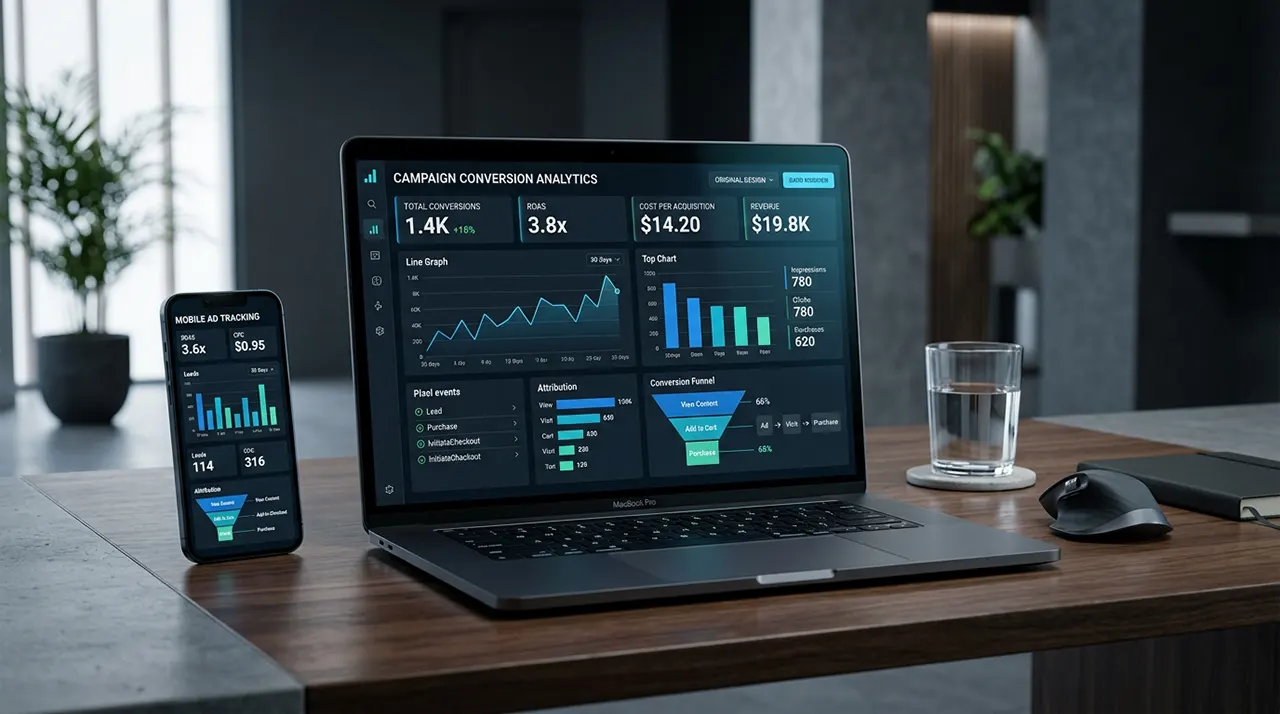
Conversion tracking in Facebook Ads lets you measure actions people take after interacting with your Meta ads, such as purchases, leads, registrations, or other website events. You can use the Meta Pixel, Conversions API, or both to send conversion signals to Meta, check the resulting data, and optimize campaigns toward valuable actions.
Conversion Tracking in Facebook Ads: How It Works and How to Set It Up
A Facebook ad can get plenty of clicks and still produce little business value. What matters is what people do after they interact with the ad.
Do they buy? Submit a lead form? Register for an account? Add a product to the cart?
Conversion tracking in Facebook Ads connects those actions to your advertising measurement. It gives Meta signals about what happens after people interact with your ads, so you can measure results and make better campaign decisions.
The important part is that installing the Meta Pixel is only one piece of the system. You also need to define the right events, make sure they fire correctly, and check that the resulting data is useful.
This guide explains how the system works, how to set it up, how to test it, and what to check when your conversion data does not look right.
What Is Conversion Tracking in Facebook Ads?
Conversion tracking in Facebook Ads is the process of measuring valuable actions that happen after people interact with your Meta ads. These actions can include purchases, leads, registrations, or other events on your website or app.
Think of it as a connection between your advertising and your business outcome.
Without tracking, you might know that an ad received 500 clicks. You may not know how many of those visitors became customers.
With conversion tracking, you can connect advertising activity with tracked actions.
For example:
Facebook ad → website visit → product page → checkout → purchase
If your website sends a Purchase event to Meta when the transaction is completed, that event becomes a measurable signal.
Tracking is not the same as attribution
These terms are closely related, but they are not identical.
Tracking means collecting information about an action.
Conversion means the action you have decided is valuable, such as a purchase or lead submission.
Attribution is the process of assigning credit for a conversion according to a platform’s measurement rules.
Optimization means using conversion signals to help improve campaign delivery toward the outcome you want.
This distinction matters. A correctly installed Pixel does not automatically mean your advertising measurement is perfect.
How Does Facebook Ads Conversion Tracking Work?
The basic process looks like this:
Meta ad → user interaction → website or app → conversion event → Meta measurement system → Ads Manager → campaign optimization
When someone interacts with your ad and later takes a tracked action, your website or other data source can send an event to Meta. Meta can then use that event for measurement and, depending on your campaign setup, optimization.
Meta supports website event tracking through the Meta Pixel and also provides Conversions API for sending event data from a server or other supported source. Meta says the two can be used together.
What happens after someone clicks an ad?
Suppose you sell shoes online.
A person sees your Meta ad and clicks it. They land on your product page, add a pair of shoes to their cart, start checkout, and complete the purchase.
Your tracking setup can record events along this path, such as:
ViewContentAddToCartInitiateCheckoutPurchase
The Purchase event is usually more valuable for an ecommerce campaign than the initial page view because it represents the business outcome.
What counts as a conversion?
A conversion is any action that you choose to measure as an important outcome.
For an ecommerce business, it may be a purchase.
For a service company, it could be a lead.
For a SaaS company, it might be a registration or another meaningful step in the customer journey.
The right conversion depends on your business model. Do not choose an event simply because it is easy to track.
How Meta uses conversion signals
Conversion data can help you understand how your campaigns perform and, when your campaign is configured for conversion-focused optimization, provide signals that Meta can use to improve delivery.
Meta’s current advertising guidance emphasizes choosing an objective based on the business outcome you want to achieve and measuring relevant customer actions.
That creates an important rule:
Track the action that represents business value, not just the action that produces the biggest number.
A campaign that generates 1,000 landing-page views is not necessarily better than one that generates 50 qualified leads.
What Do You Need to Set Up Conversion Tracking?
You need a few basic pieces before setting up conversion tracking.
Meta Ads Manager
You need access to the Meta advertising account where you create and manage campaigns.
Meta Pixel
The Meta Pixel is a browser-based tracking tool that can send website events to Meta.
It is useful for tracking actions that happen on your website, such as page views, product interactions, leads, and purchases.
Conversion events
You need to decide which actions matter.
Common examples include:
- Purchase
- Lead
- ViewContent
- AddToCart
- InitiateCheckout
- CompleteRegistration
The exact events you use should match your website and business model.
Meta Events Manager
Events Manager is where you work with your data sources and examine incoming event activity.
This is also where you can investigate whether your tracking setup is receiving the events you expect.
Conversions API
Conversions API provides another way to send conversion-related data to Meta. Instead of relying only on a browser-based event, data can be sent from a server or supported business system.
Meta describes CAPI as a way to connect marketing data with its systems for measurement and optimization. It can support data from websites, apps, CRM systems, offline sources, and other channels.
You do not need to assume that every advertiser must build a complex CAPI setup. The right approach depends on your website, technical resources, data sources, and measurement needs.
A key point to remember before moving into setup: conversion tracking is only useful when the event you measure represents a meaningful action and the data is collected correctly.
How to Set Up Conversion Tracking in Facebook Ads
To set up conversion tracking in Facebook Ads, create a Meta Pixel in Events Manager, connect it to your website, configure the events that represent important actions, and test those events before using them for campaign optimization. Meta currently offers Pixel-only and Pixel + Conversions API setup options, including partner integrations and manual setup.
The exact screens can change, but the setup logic stays the same.
Step 1: Create your Meta Pixel
Start in Meta Events Manager.
Meta’s current setup flow is:
- Open Events Manager.
- Select Connect data.
- Choose Web.
- Click Connect.
- Give your Pixel a name.
- Create the Pixel.
Meta now also uses the term dataset for a unified view of website, app, and offline events. A new dataset created from a Pixel uses the same ID as that Pixel.
If you’re following an older tutorial that tells you to look for a separate “Facebook Pixel” area, the interface may look different.
Step 2: Connect your website
After creating the Pixel, Meta asks how you want to connect your website data.
Depending on your setup, you may see options such as:
- A partner integration
- Manual Pixel installation
- Meta Pixel + Conversions API
- Conversions API Gateway
If your website platform has a supported integration, it can be easier than manually editing your site’s code. Meta’s current setup process checks your website URL for available partner integrations.
For a custom website, manual installation may require developer help.
Step 3: Install the Meta Pixel
The Pixel needs to be connected to your website before it can collect website events.
For manual installation, Meta provides the Pixel code that needs to be added to your website. If you use a supported website or ecommerce platform, the integration may handle this connection without requiring you to paste code manually.
Do not stop here.
A common mistake is to think:
Pixel installed = conversion tracking finished
It isn’t.
The Pixel gives you the foundation for collecting website events. You still need to decide which actions matter and configure those events correctly.
Step 4: Choose the events you want to track
Now define what counts as an important action for your business.
For an ecommerce store, you might track:
ViewContent → AddToCart → InitiateCheckout → Purchase
For a lead-generation website, the important event may simply be:
Lead
For a membership website, it might be:
CompleteRegistration
The best event is the one that represents a meaningful step in your business funnel.
Do not track every possible click just because you can. Too many low-value events can make your measurement harder to understand.
Step 5: Configure event details
Some events need additional information.
For example, a purchase event may need:
- Purchase value
- Currency
- Product information
That lets your reporting contain more useful information than a simple count of purchases.
This matters particularly for ecommerce campaigns. A campaign that produces ten $20 purchases is not equivalent to one producing ten $200 purchases.
Your tracking should therefore capture business value, not just event volume, when the platform and event support it.
Step 6: Set up Conversions API if appropriate
Meta currently lets advertisers choose between Meta Pixel only and Meta Pixel + Conversions API during setup. It also provides partner integrations, Conversions API Gateway, and manual setup options.
Conversions API sends event data directly from a server, website platform, CRM, or another supported source to Meta. Meta says this can help improve connectivity, measurement, event matching, and optimization.
For example, a CRM could send information about what happened to a lead after the original form submission. That can give Meta a deeper signal than simply knowing that someone filled out a form.
However, CAPI is not a way to bypass privacy requirements. Meta explicitly says Conversions API is not designed to bypass privacy rules or Apple’s App Tracking Transparency framework.
Step 7: Test your tracking
Before trusting your conversion data, test the setup.
Visit your website and perform the action you want to track.
For example:
- Open the landing page.
- Complete the form.
- Submit it.
- Check whether the expected event reaches Meta.
- Confirm that the event contains the information you expect.
Meta’s Pixel setup documentation specifically directs advertisers to check that the Pixel is working after installation.
This step is easy to skip and expensive to ignore.
If the event does not fire correctly, every campaign decision based on that event becomes less trustworthy.
Step 8: Use the conversion event in your campaign
Once the tracking setup works, configure your campaign around the business outcome you want.
For example, an ecommerce campaign may optimize toward a purchase-related event rather than simply trying to generate more clicks.
Meta’s current Sales objective documentation says advertisers can optimize for conversion events such as add to cart, registration, and checkout, and recommends integrating the Pixel before starting a campaign.
The goal is not to get the largest number of tracked events.
The goal is to give Meta a useful signal that matches the result you actually want.
Which Conversion Events Should You Track?
Track the events that represent meaningful steps in your customer’s journey. For ecommerce, that may include product views, cart additions, checkout starts, and purchases. For lead generation, a lead submission may be the main conversion. The correct event depends on your business model and the decision you want Meta to optimize toward.
Ecommerce events
An ecommerce funnel often looks like this:
ViewContent → AddToCart → InitiateCheckout → Purchase
Each event answers a different question.
- ViewContent: Did someone show meaningful product interest?
- AddToCart: Did they show buying intent?
- InitiateCheckout: Did they move further toward purchase?
- Purchase: Did the transaction happen?
The purchase is usually the most important business outcome, but the earlier events can help you understand where people leave the funnel.
Lead-generation events
A lead-generation business might track:
Landing page visit → form submission → qualified lead → customer
The first important conversion could be a Lead event.
But there is a deeper issue.
Not every lead has equal value.
If 100 people submit forms but only five become customers, optimizing only for form submissions may not give Meta the strongest signal about what a valuable customer looks like.
For businesses with a CRM and suitable technical setup, sending later customer-journey information through Conversions API can help connect deeper outcomes with Meta’s systems. Meta specifically describes CAPI as supporting later customer-journey actions and CRM data.
Service-business conversions
For a service company, useful conversions might include:
- Lead form submission
- Booking request
- Appointment request
- Phone inquiry
- Other measurable high-intent actions
The best choice depends on where the actual business value appears.
For example, if a form submission is only the beginning of a sales process, you should not automatically treat every submission as equally valuable.
When to use custom events
Use a custom event when the predefined event types do not describe the action you need to measure.
The important question is:
Does this action give you useful information for your advertising or measurement?
If the answer is no, adding another event may create more data without creating more insight.
When to use custom conversions
Custom conversions can be useful when you need to define a conversion based on specific conditions rather than simply using a standard event.
They can be helpful for actions that are meaningful to your business but do not require a separate custom event implementation.
The key is to keep the conversion definition clear. If several pages or actions can accidentally satisfy the same rule, your numbers can become misleading.
Meta Pixel vs Conversions API: What’s the Difference?
The Meta Pixel collects website event information through the browser, while Conversions API sends event data through a server or another supported business system. They can work together. Meta says CAPI can provide a more direct connection to marketing data and can be less affected by browser loading errors, connectivity problems, and ad blockers.
| Meta Pixel | Conversions API | |
|---|---|---|
| Main data path | Browser | Server or supported data source |
| Website events | Yes | Yes |
| CRM/offline data | Limited | Stronger use case |
| Browser dependency | Higher | Lower |
| Can be used together | Yes | Yes |
| Developer involvement | Not always required | Depends on setup |
How the Meta Pixel works
The Pixel runs on your website and sends supported event information to Meta when visitors take tracked actions.
It is useful for common website activity such as product views, cart additions, registrations, leads, and purchases.
For many smaller websites, starting with a supported Pixel integration can be a practical first step.
How Conversions API works
Conversions API creates a direct connection between your business’s data source and Meta.
That source could be:
- Your server
- Website platform
- CRM
- App
- Offline system
- Other supported business data source
Meta says CAPI supports website, app, offline, and messaging events.
This makes it particularly useful when important customer information exists outside the browser.
When the Pixel is enough
Pixel-only tracking can make sense when:
- Your website is simple.
- Your main conversions happen directly on the website.
- Your platform has a straightforward Meta integration.
- You do not have important offline or CRM conversion data.
- Your technical setup does not justify additional complexity.
Starting simple is better than building a complicated tracking system that nobody maintains.
When to add Conversions API
CAPI becomes more useful when:
- You have a CRM.
- Sales happen after the initial online lead.
- You have offline conversions.
- Browser-based tracking has limitations.
- You need deeper customer-journey signals.
- You want to strengthen the connection between your business data and Meta.
Meta specifically recommends considering CAPI alongside the Pixel for website event sharing.
Why Pixel and CAPI can work together
Using both does not mean you should count the same event twice.
The two systems can provide complementary signals. Meta links website events sent through CAPI to the Pixel, and those events can appear in the same Meta measurement surfaces and support similar optimization uses.
That makes the next issue important: event deduplication.
Avoiding duplicate events
Suppose a customer makes one purchase.
Your browser sends a Purchase event.
Your server also sends a Purchase event for the same transaction.
If the setup does not properly identify these as the same event, you risk making one purchase look like two.
So adding CAPI is not simply a matter of “sending the same data again.” The implementation needs to be designed correctly.
The setup is only half the job. Before using conversion data to judge or optimize a campaign, verify that the events arriving in Meta actually represent the actions you intended to measure.
How to Check Whether Facebook Ads Conversion Tracking Is Working
The safest way to check conversion tracking is to verify the complete path: the event fires on your website, Meta receives it, the event contains the expected data, and the resulting conversion appears correctly in Ads Manager. Do not judge a tracking setup only because the Pixel is installed. A working Pixel can still have incorrectly configured events.
1. Check the event in Meta Events Manager
Open Meta Events Manager and select the relevant dataset or Pixel.
Look for the event you configured, such as:
PageViewViewContentLeadAddToCartInitiateCheckoutPurchase- A custom event
Meta’s current Pixel setup flow uses Events Manager to create the Pixel and connect website data. Meta also provides a point-and-click event setup tool and manual implementation options.
If you perform a test action on your website and the expected event never appears, stop there and fix the implementation before evaluating campaign performance.
2. Check whether the event fires at the right moment
An event can exist but still be wrong.
For example, suppose you want to track completed purchases.
If the Purchase event fires when someone clicks Buy Now, it does not represent a completed purchase. A visitor could click the button and then abandon the checkout.
The event should represent the action you actually want to measure.
This is one of the most important conversion-tracking rules:
Track the business outcome, not merely the click that happens before it.
3. Check event parameters
For valuable events, inspect the information being sent with the event.
A purchase may need information such as:
- Value
- Currency
- Product IDs
- Product information
A lead event may need different information depending on your implementation.
Bad parameters can produce misleading reporting even when the event itself is firing.
For example, if every purchase reports a value of $1, Meta may record the purchase correctly while your revenue reporting becomes useless.
4. Check for duplicate conversions
This becomes especially important when you use both Meta Pixel and Conversions API.
Meta recommends using Conversions API alongside the Pixel for website events. CAPI can provide a more direct connection between your business data and Meta’s systems, while the Pixel continues to provide browser-based signals.
But the same purchase should not become two purchases simply because it was sent through two channels.
Your implementation needs proper event matching and deduplication.
This is why adding CAPI is not just a matter of “sending the event twice.”
5. Compare Meta with your own business data
Suppose your store processed 20 actual orders.
Meta reports 35 purchases.
That does not automatically mean Meta is wrong, and it does not automatically mean your store data is wrong. The two systems can use different attribution rules, reporting windows, and measurement methods.
But a large or persistent difference deserves investigation.
Look at:
- Actual orders
- CRM leads
- Payment records
- Meta conversions
- Website analytics
- Campaign dates
- Attribution settings
The goal is not to force every platform to show the same number.
The goal is to understand why the numbers differ.
Why Facebook Ads and GA4 May Show Different Conversion Numbers
Meta Ads Manager and Google Analytics 4 can report different conversion totals because they use different attribution systems and reporting rules. Attribution determines how credit is assigned to touchpoints along a customer’s path to a meaningful action. Google Analytics, for example, supports data-driven attribution and other reporting settings for key events.
Imagine this customer journey:
Facebook ad → website → Google search → website → purchase
One platform may assign some credit to the Facebook interaction.
Another reporting system may assign credit differently based on its attribution settings and the dimensions being used.
That does not necessarily indicate a tracking failure.
Use Meta for Meta campaign optimization
Meta’s conversion data is useful for understanding how its advertising system is performing and for campaign optimization.
Meta says Conversions API data can support measurement, attribution, and ad optimization across Meta technologies.
Use GA4 for broader analysis
GA4 can help you examine how paid social fits into the wider customer journey.
Google Analytics describes attribution as assigning credit to different ads, clicks, and other factors that contribute to a meaningful action.
That makes GA4 useful when you want to compare Facebook, Google, email, organic search, direct traffic, and other channels in one analytics environment.
The practical lesson is simple:
Do not expect Meta Ads Manager and GA4 to become identical reporting systems. Use each for the job it is designed to perform.
How to Track Facebook Ad Conversions in GA4
You can use GA4 alongside Meta conversion tracking by tagging your Meta ad URLs with UTM parameters and sending your important website actions to GA4 as events or key events.
Google recommends consistent UTM values for source, medium, campaign, and related parameters. It also notes that missing or inconsistent UTM parameters can reduce the accuracy of traffic-source reporting.
A basic structure could look like:
utm_source=facebookutm_medium=paid_socialutm_campaign=summer_sale
For more granular reporting, you can add campaign, ad set, or creative information where your setup supports it.
Google’s current guidance also recommends consistent naming. Different capitalization or naming conventions can fragment reporting because values such as Meta and meta can be treated as different values.
Why UTM tracking matters
The Meta Pixel answers questions such as:
Did this Meta ad produce a tracked conversion?
UTM parameters help GA4 answer:
Where did this session come from, and which campaign was associated with it?
These are related questions, but they are not the same measurement system.
How to Optimize Facebook Ads for Conversions
To optimize Facebook ads for conversions, give Meta a reliable conversion signal that matches the business outcome you want. Then evaluate conversion volume, cost, and quality rather than optimizing for clicks alone. Meta’s Sales objective supports optimization around conversion events such as add-to-cart, registration, and checkout.
Start with the right conversion
Your optimization event should match your actual goal.
If you sell products:
Purchase is generally more meaningful than a simple page view.
If you generate leads:
Lead may be more useful than a landing-page visit.
If leads need qualification before they become valuable, deeper CRM signals can become useful.
Meta says Conversions API can send later customer-journey events, including post-purchase actions and customer scores, which can help its systems optimize toward higher-value outcomes.
Don’t optimize for a cheap conversion that has no business value
Suppose Campaign A generates leads at $3 each.
Campaign B generates leads at $8 each.
At first glance, Campaign A looks better.
But imagine:
- Campaign A: 100 leads → 2 customers
- Campaign B: 50 leads → 10 customers
The cheaper conversion is not necessarily the better campaign.
This is why conversion quality matters.
For lead-generation businesses, feeding deeper CRM outcomes back into Meta can provide a more useful optimization signal than stopping at the initial form submission. Meta specifically describes CAPI as supporting later customer-journey actions.
What Is a Good Conversion Rate for Facebook Ads?
There is no single Facebook Ads conversion rate that is “good” for every campaign. A useful conversion rate depends on the offer, traffic quality, landing page, audience, industry, conversion definition, price, sales process, and attribution method.
A 4% conversion rate means that about 4 out of every 100 measured visitors or sessions completed the action used in the calculation.
But you must define the denominator.
For example:
Conversions ÷ landing-page visitors × 100
is not the same as:
Conversions ÷ ad clicks × 100
And neither necessarily equals the conversion rate shown by another advertising or analytics platform.
So avoid comparing your number with an arbitrary industry benchmark unless the measurement definitions are comparable.
A better question is:
Is the conversion rate producing profitable customers at an acceptable acquisition cost?
How to Optimize Conversion Tracking, Not Just the Ads
When conversions look unusually low, do not immediately change your targeting or creative.
First check the measurement system.
Use this troubleshooting order:
- Is the Pixel connected?
- Is the expected event firing?
- Does it fire at the correct stage?
- Are event parameters correct?
- Are browser and server events being handled correctly?
- Are duplicate events being prevented?
- Are conversions attributed to the correct campaigns?
- Does your own business data support the reported result?
This order matters.
If tracking is broken, changing the campaign can hide the real problem instead of solving it.
How iOS and Browser Privacy Affect Facebook Ads Conversion Tracking
Privacy changes can make browser-based advertising measurement less complete than it once was. Meta says Conversions API can reduce the impact of browser loading errors, connectivity issues, and ad blockers, but it also clearly states that CAPI is not a way to bypass privacy rules or Apple’s App Tracking Transparency framework.
This distinction matters.
CAPI is a measurement and data-connection method.
It is not permission to collect or send information that you are not allowed to share.
If your business operates in jurisdictions with privacy requirements, your tracking implementation should follow the applicable consent and data-protection rules.
Should You Use Meta Pixel and Conversions API Together?
For many websites, using both can be a sensible setup. Meta itself recommends using Conversions API alongside the Pixel for website event sharing.
A simple model is:
Browser activity → Meta Pixel
Server/CRM/business data → Conversions API
Meta → combines eligible signals for measurement and optimization
This can give Meta more reliable data than relying on browser events alone.
But the technical setup still matters. Poor event mapping, missing identifiers, incorrect values, or duplicate events can reduce the usefulness of the data.
So Pixel + CAPI is not automatically better just because two tools are involved.
The quality of the implementation matters more than the number of tracking tools.
A Practical Facebook Ads Conversion Tracking Checklist
Before launching a conversion-focused campaign, check:
- Meta Pixel is connected to the correct website.
- The correct dataset or Pixel is selected.
- Important conversion events are configured.
- Events fire at the correct point in the customer journey.
- Purchase values and currencies are correct where applicable.
- CAPI is configured if it makes sense for the business.
- Browser and server events are properly matched.
- Duplicate conversions are prevented.
- Events have been tested.
- Meta Ads Manager receives the expected conversion data.
- UTM parameters are consistent if GA4 is being used.
- Your conversion definition matches your actual business goal.
- Privacy and consent requirements have been considered.
One final check is worth adding:
Ask whether the tracked conversion represents something the business actually cares about.
A perfectly implemented tracking system can still produce poor decisions if it measures the wrong event.
How to Improve Facebook Ads Conversion Tracking
The best way to improve conversion tracking is to make the data match the real customer journey. Track meaningful actions, send accurate values, avoid duplicate events, and connect deeper outcomes when your business has them. More tracking does not automatically mean better tracking. A smaller set of accurate events is often more useful than a large set of unclear ones.
Match the conversion to the business goal
Start with one question:
What action tells you that the advertising worked?
For an online store, that may be a purchase.
For a lead-generation business, it may be a qualified lead rather than a form submission.
For a service business, it could be a booked appointment.
This distinction matters because Meta optimizes around the signals you provide. If you optimize for a low-value action, you may get more of that action without getting more business.
Track value when value matters
If two conversions have different monetary values, a simple conversion count does not tell the whole story.
For example:
- 10 purchases worth $20 each = $200
- 10 purchases worth $200 each = $2,000
Both campaigns produced 10 purchases. Their business results are completely different.
For ecommerce, make sure purchase events send accurate value and currency information where required by your implementation.
Connect your CRM when the sale happens later
A form submission may not be the final conversion.
Imagine a B2B company:
Facebook ad → form → sales call → qualified opportunity → customer
If Meta only receives the form submission, it cannot use the later customer outcome as the same optimization signal.
For businesses with suitable CRM data, Conversions API can help send later customer-journey events to Meta. This is one reason CAPI can be useful beyond simply replacing browser-based tracking.
Common Facebook Ads Conversion Tracking Mistakes
Tracking clicks instead of completed actions
A button click is not necessarily a conversion.
If someone clicks Submit, but the form fails, the person has not become a lead.
Where possible, trigger the conversion when the meaningful action actually succeeds.
Installing the Pixel but never configuring events
Installing the base Pixel does not automatically tell Meta which business actions matter.
You still need to configure the relevant events and verify that they fire correctly.
Counting the same conversion twice
This is a common risk when Pixel and Conversions API are both implemented.
If the browser sends one purchase and the server sends another event for the same purchase without proper matching, reporting can become inflated.
Sending incorrect purchase values
If your tracking reports the wrong currency or transaction value, your return-on-ad-spend calculations can become misleading.
Always compare reported values with your actual order or payment data.
Using inconsistent UTM parameters
UTMs are useful when you want to analyze Meta traffic in GA4.
Google recommends using consistent values for utm_source, utm_medium, and utm_campaign. It also warns that inconsistent capitalization can fragment reporting. For example, facebook and Facebook can become different values.
A simple naming system is easier to maintain:
utm_source=facebookutm_medium=paid_socialutm_campaign=summer_sale
You can add utm_content to distinguish different ads or creatives.
Expecting Meta and GA4 to report identical numbers
They may not.
Attribution systems assign credit according to their own rules and settings. Google Analytics defines attribution as assigning credit to ads, clicks, and other factors along the path to a key event.
Use the difference as something to investigate, not automatically as proof that one platform is broken.
How to Track Meta Ads Conversions in GA4
If you want to analyze Meta traffic in GA4, use properly tagged landing-page URLs and make sure the important website actions are recorded in GA4.
Google Analytics uses UTM parameters to identify campaign source, medium, campaign, content, and other traffic dimensions. These values appear in acquisition and attribution reports.
For example:
https://example.com/landing-page/?utm_source=facebook&utm_medium=paid_social&utm_campaign=summer_sale&utm_content=video_1
You can then analyze the resulting traffic in GA4 by campaign and other available traffic-source dimensions.
What Meta and GA4 are each good at
| Tool | Best use |
|---|---|
| Meta Ads Manager | Meta campaign delivery, conversion results, and ad optimization |
| Meta Events Manager | Event setup, diagnostics, and event data |
| Meta Pixel | Browser-based website events |
| Conversions API | Server, CRM, and other supported business data |
| GA4 | Cross-channel website and conversion analysis |
| CRM | Lead quality, sales stages, and actual customer outcomes |
The strongest setup does not force every system to report identical numbers. Instead, each system answers the questions it is best equipped to answer.
FAQ
Conversion tracking in Facebook Ads measures actions people take after interacting with your Meta advertising. Depending on the business, a conversion could be a purchase, lead, registration, checkout, or another meaningful action. Meta can use these conversion signals for reporting and, where supported by the campaign setup, ad optimization.
Create a Meta Pixel in Events Manager, connect it to your website, configure the events that represent important customer actions, and test those events. You can use a partner integration, manual Pixel installation, or a Pixel plus Conversions API setup depending on your website and technical requirements.
Use Meta Events Manager to create or select your website data source and configure the events you want to measure. Then connect those events to your advertising campaigns. Test the implementation before relying on the resulting conversion data for campaign decisions.
Meta Pixel is a piece of code that helps send website event information to Meta. It can be used to measure actions such as page views, leads, purchases, and other supported events. Meta also supports Conversions API, which can send event information through server-side or other supported business data sources.
Meta Pixel primarily sends website event data through the browser. Conversions API sends supported event data through a server, CRM, website platform, or another business data source. They can be used together. CAPI is particularly useful when important customer information exists outside the browser.
Test the desired action on your website and check the corresponding event in Meta Events Manager. Confirm that the correct event fires, that its parameters are accurate, and that the conversion eventually appears in the appropriate reporting view. Also compare important business outcomes with your own order, payment, or CRM records.
There is no universal good conversion rate. The answer depends on what you define as a conversion, how you calculate the rate, the offer, audience, landing page, industry, and sales process. A 4% conversion rate means four conversions per 100 measured opportunities when the calculation uses those 100 opportunities as its denominator.
A 4% conversion rate means that 4% of the population included in the calculation completed the defined conversion. If the denominator is 1,000 landing-page visitors, that would equal 40 conversions. If the denominator is ad clicks, the result means something different.
Add consistent UTM parameters to your Meta ad destination URLs and make sure your important website actions are recorded in GA4. Google Analytics uses UTM values to populate campaign and traffic-source dimensions, which you can analyze in acquisition and attribution reports.
For many websites, using both can be useful. The Pixel can provide browser-based website events while CAPI can send supported events from a server, CRM, or other business system. The implementation must prevent duplicate events and respect applicable privacy requirements.
Use conversion tracking whenever you need to know whether advertising produces a meaningful business action. It is especially important when you want to compare campaigns, measure acquisition costs, optimize toward purchases or leads, or understand which advertising activity contributes to business results.
CTR, or click-through rate, measures the percentage of impressions that result in clicks. CVR, or conversion rate, measures the percentage of the selected traffic or opportunities that complete the defined conversion. They answer different questions: CTR helps assess response to the ad, while CVR helps assess what happens after the interaction.
Conclusion: Track the Outcome That Actually Matters
Conversion tracking Facebook Ads is not simply about installing a Pixel.
The real goal is to build a reliable connection between ad → action → business result.
Start with the Meta Pixel and the events that matter most. Test them. Check the values. Add Conversions API when your website, CRM, or sales process makes it useful. Use GA4 with consistent UTM parameters when you need broader cross-channel analysis.
Most importantly, do not optimize for a number just because it is easy to measure.
A cheap click is not necessarily a good result. A cheap lead is not necessarily a good customer.
The best conversion signal is the one that comes closest to the outcome your business actually wants. You can check one of the best conversion tracking services here.