
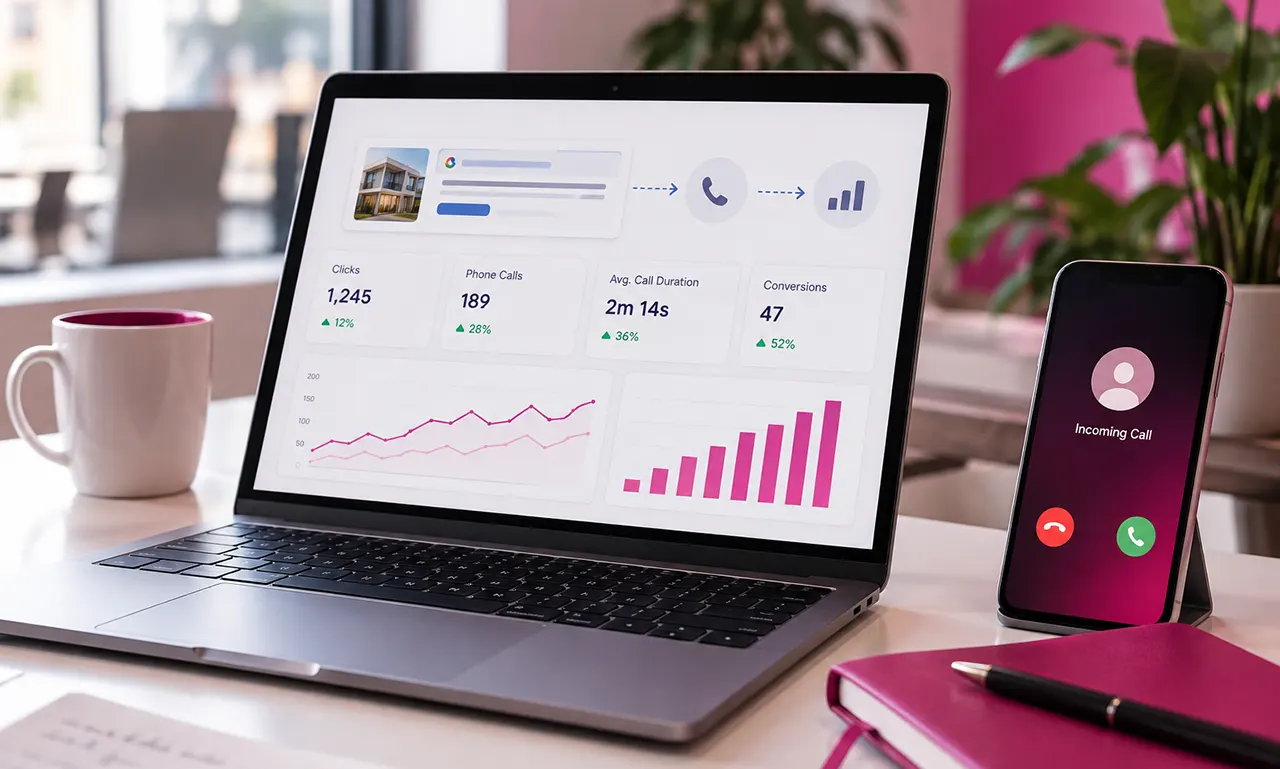
Google Ads call tracking measures phone calls generated by your Google Ads campaigns and connects eligible calls with advertising activity. You can track calls from ads, calls from website visits, or offline phone conversions uploaded from your CRM. Google can use forwarding numbers, call duration, and eligible AI-qualified call data to help identify valuable phone leads.
Why Google Ads Call Tracking Matters When Phone Calls Drive Leads
A Google Ads click is easy to measure. The harder question is what happens after someone clicks and calls your business. Google Ads call tracking connects that phone conversation to your advertising activity, helping you understand which campaigns and ads generate calls instead of measuring clicks alone.
For businesses that sell through phone conversations, that distinction matters. A campaign can produce fewer clicks but more valuable calls, while another can generate plenty of traffic without producing meaningful leads.
This guide explains how Google Ads tracks calls, how to set it up, how website call tracking works, what changed in 2026, how Google Ads compares with CallRail, and what to check when call conversions are missing.
What Is Google Ads Call Tracking?
Google Ads call tracking is a form of conversion measurement that helps advertisers identify phone calls generated by Google Ads. Depending on the tracking method, Google can measure calls made directly from an ad experience or calls made after someone visits your website.
The important distinction is between a phone number being displayed and a phone call being counted as a conversion. Call reporting and conversion actions determine what Google records and how that data is used for campaign measurement.
What Google Ads can measure
Google Ads supports several phone conversion paths, including calls from ads, calls from website visits, and imported call conversions. Your setup determines which path applies to your campaign.
For example, a person might:
- Search for a service.
- Click your Google ad.
- Visit your website.
- See your phone number.
- Call your business.
- Become a qualified lead.
Call tracking attempts to connect that phone interaction with the advertising activity that preceded it.
What a Google forwarding number does
For eligible call-tracking setups, Google can use a Google forwarding number instead of displaying your regular business number in the relevant Google Ads experience.
The forwarding number receives the call and routes it to your business. This gives Google a way to collect call-related information and attribute the interaction to advertising activity.
That means the number a potential customer sees does not necessarily have to be the permanent number printed on your website or storefront.
What Google Ads call tracking does not automatically solve
Tracking that a call happened is not the same as proving that the caller became a valuable customer.
You may still need CRM data, sales outcomes, call qualification, or offline conversion measurement to understand whether a call produced revenue.
That is one of the most important concepts in call attribution:
Call volume tells you what happened. Lead-quality data helps explain what mattered.
How Google Ads Tracks Phone Calls
Google Ads essentially gives advertisers several routes for measuring phone conversions.
| Call path | Typical customer journey | Main purpose |
|---|---|---|
| Calls from ads | Search → ad → phone call | Measure calls generated directly from advertising |
| Calls from website | Search → ad → website → phone call | Measure calls after an ad-driven website visit |
| Imported/offline conversions | Ad interaction → phone call → CRM/business system → Google Ads | Connect later business outcomes with advertising data |
The right method depends on how customers contact your business.
Calls directly from Google Ads
A customer can interact with a Google Ads placement that provides a way to call the business. Google can use call reporting and conversion actions to measure eligible calls.
This approach is useful when the phone call begins directly from the advertising experience.
Calls from website visits
Website call tracking is different.
The customer first clicks the ad and reaches your website. Google can use a forwarding number or dynamic number replacement to connect the subsequent call with the advertising interaction.
This is especially useful for businesses where customers need to visit a landing page before deciding to call.
Calls via imported or offline conversions
Some businesses need more than the initial call event.
Imagine a customer calls, speaks with a salesperson, receives a quote, and purchases several days later. The valuable event is not simply “phone rang.”
An offline conversion workflow can help connect downstream business outcomes with the original advertising interaction.
This becomes increasingly important when Google Ads bidding is being optimized around lead quality rather than raw lead volume.
How to Set Up Google Ads Call Tracking
The exact interface can change over time, but the basic process is built around call reporting and phone-call conversion actions.
Turn on call reporting
Start by making sure call reporting is available and enabled for the relevant Google Ads account or campaign setup.
Call reporting provides the measurement layer needed for eligible calls.
Create a phone call conversion action
Create a conversion action that represents the phone call you want Google Ads to count.
Think carefully about what qualifies as a meaningful conversion before choosing the settings.
A 5-second accidental call and a 10-minute sales conversation should not necessarily have the same business value.
Choose an appropriate call duration
A minimum call duration can help separate meaningful calls from very short interactions.
For example, a business might decide that calls lasting at least a certain amount of time are more likely to represent genuine leads.
The correct threshold depends on the business. A locksmith, restaurant, law firm, and home-services company may have very different call patterns.
Decide how conversions should be counted
Conversion settings matter.
For some lead-generation businesses, counting every qualifying call can make sense. For other situations, counting one conversion per ad interaction may better represent the business outcome.
Do not choose the setting simply because it is the default. Define what a conversion means for your business first.
Decide whether the conversion is Primary or Secondary
A conversion action can play different roles in Google Ads reporting and optimization.
If a phone call is the business’s main lead event, it may be appropriate to use it as a primary conversion. If the action is mainly useful for observation or supporting analysis, a secondary conversion may make more sense.
The key is to align the setting with the actual optimization goal.
How to Track Calls From a Google Ads Landing Page
Website call tracking becomes more important when the customer journey looks like this:
Google search → ad click → landing page → phone call
Google supports website call conversion tracking using a Google forwarding number and the appropriate website implementation.
Google forwarding numbers for website calls
With eligible website call tracking, Google can replace the phone number displayed on your website with a forwarding number for visitors who qualify for tracking.
The customer sees a number they can call, but the call can still be connected with the advertising measurement system.
Google tag and phone conversion implementation
Website call tracking may require the Google tag and a phone snippet or equivalent implementation, depending on the setup.
This is where many tracking problems begin.
A conversion action can be configured correctly inside Google Ads while the website implementation is incomplete or incorrectly installed.
Google Tag Manager implementation
Google Tag Manager can make tag deployment easier for teams that manage their website tracking through a central tag-management system.
However, using Google Tag Manager does not automatically guarantee correct attribution. The tags, triggers, variables, conversion configuration, and website number replacement all need to work together.
How Dynamic Number Insertion works
Dynamic Number Insertion (DNI) changes the phone number displayed to a website visitor according to the traffic source or visitor session.
Google’s own website call-tracking functionality and dedicated platforms can use number replacement techniques for this purpose.
Third-party platforms such as CallRail use JavaScript-based DNI to dynamically replace website numbers and associate calls with marketing sources.
The important concept is simple: the tracking number is the bridge between the website visit and the phone call.
Google Ads Call Tracking vs CallRail
Google Ads native tracking and CallRail can both help measure calls, but they serve somewhat different needs.
| Capability | Google Ads native tracking | CallRail |
|---|---|---|
| Google Ads call conversion measurement | Yes | Yes, through integration |
| Google forwarding numbers | Available for eligible Google tracking | Uses CallRail tracking numbers |
| Website call tracking | Supported | Supported |
| Dynamic number insertion | Supported in applicable Google implementation | Core CallRail capability |
| Google Ads attribution | Native | Integration-based |
| Visitor-level attribution | More limited depending on setup | Stronger visitor-level tracking |
| Cross-channel attribution | More limited | Designed for broader marketing attribution |
| Call recording | Available for eligible Google call features | Available on applicable plans |
| Conversation analysis | Available for eligible Google features | Available through applicable features/plans |
| Separate software subscription | No | Yes |
| Best fit | Businesses needing native Google Ads measurement | Businesses needing broader call attribution and analytics |
Google’s native solution can be enough when your primary objective is straightforward Google Ads call conversion measurement.
CallRail becomes more relevant when phone calls are a major part of the marketing funnel and you need deeper visitor, campaign, keyword, cross-channel, or offline attribution.
CallRail’s current Google Ads integration can send call, text, and form attribution data into Google Ads while also pulling Google Ads campaign, ad group, keyword, and conversion information into CallRail.
The important question is therefore not simply “Which one is better?”
It is:
How much attribution detail does your business actually need?
Is Google Ads Call Tracking Free?
Google’s native conversion-tracking functionality does not require a separate call-tracking software subscription.
That makes native Google Ads call tracking attractive to businesses that want to measure phone conversions without adding another monthly SaaS bill.
However, “free call tracking” does not mean there are no implementation or advertising costs.
You may still need:
- Google Ads spend
- Website development or technical support
- Google Tag Manager configuration
- CRM integration
- Offline conversion setup
- Analytics implementation
Dedicated call-tracking software adds another recurring cost.
For example, CallRail’s current pricing page lists its Lead Tracking plan at $50 per month, with 5 numbers and 250 minutes included, plus additional usage. Its higher plans add features such as form tracking and broader lead-conversion functionality.
Pricing can change, so treat vendor pricing as a point-in-time reference rather than a permanent industry benchmark.
How Much Does Call Tracking Cost?
Call tracking can range from native platform measurement with no separate software subscription to paid platforms with monthly plans, included usage, additional numbers, minutes, and optional advanced features.
The real cost depends on what you need.
| Requirement | Potential cost factor |
|---|---|
| Basic Google Ads call conversion tracking | No separate call-tracking subscription |
| Website call tracking | Implementation effort |
| Dedicated tracking numbers | Monthly number fees |
| Call minutes | Usage fees or plan limits |
| Call recording | Plan-dependent |
| Transcription | Plan-dependent |
| Conversation intelligence | Plan-dependent |
| CRM integration | Platform/implementation dependent |
| Offline conversion workflows | Technical implementation |
This is why comparing only the advertised monthly subscription can be misleading.
A $50 software plan may not remain a $50 monthly cost if your business requires additional numbers, minutes, transcription, integrations, or other services.
Why Google Ads Call Tracking Is Not Working
When call tracking fails, the problem is often not the phone number itself.
The complete measurement chain needs to work:
Ad interaction → tracking identifier → website/ad experience → phone number replacement or forwarding → call → conversion action → Google Ads reporting
If one link breaks, the final conversion may not appear.
Call reporting is disabled
Check whether call reporting is enabled for the relevant Google Ads setup.
Without the required reporting functionality, Google cannot provide the expected call measurements.
The conversion action is misconfigured
Review the phone conversion action.
Check:
- Conversion source
- Conversion status
- Duration requirement
- Counting method
- Primary/Secondary status
- Conversion window
- Campaign association
A conversion action can exist in the account while still being unsuitable for the call journey you are trying to measure.
The call duration threshold is too high
Suppose your conversion requires a call to last 60 seconds, but most legitimate customers call for 40 seconds before booking through another channel.
Your tracking may appear broken even though Google is simply applying the rule you configured.
Review the duration requirement against real customer behavior.
The Google forwarding number is not appearing
A forwarding number may not appear in every situation.
Eligibility, location, campaign configuration, traffic conditions, and other Google requirements can affect availability.
Do not assume that every website visitor will automatically see a Google forwarding number.
Website call tracking code is incorrect
If website number replacement is not occurring, inspect the implementation.
Check whether:
- The Google tag is installed correctly.
- The relevant phone number is detected.
- The phone snippet or implementation is present where required.
- The conversion action is correctly connected.
- Recent website changes removed or altered the tracking code.
Google recommends using its available diagnostic tools, including Tag Assistant where applicable, when troubleshooting website conversion implementations.
Auto-tagging or click attribution is being lost
For advanced workflows, the Google Click ID, commonly called the GCLID, can be important for connecting an ad click with downstream conversion information.
If tracking parameters are lost during redirects, landing-page transitions, or technical implementations, attribution can break.
The conversion is Secondary
If you are expecting a phone conversion to influence Google Ads optimization but it is configured as a secondary conversion, your expectations may not match how Google uses the action.
Always distinguish between:
reported conversion
and
conversion used for optimization.
You are checking the wrong report
A call can exist in call reporting while not appearing in the exact conversion column you expected.
Check call details, conversion actions, campaigns, ad groups, and relevant reporting columns before concluding that tracking has failed.
How to Check Google Ads Call Tracking Data
Once tracking is working, the next question is where to look.
Google’s call details reporting can provide information such as call timing, duration, call status, campaign, ad group, keyword, and other available call attributes.
Start with call details
Use call details to understand the actual phone interactions being reported.
Look for patterns such as:
- Received vs missed calls
- Call duration
- Campaign source
- Ad group
- Keyword
- Call time
Compare calls with conversions
Do not automatically expect:
number of calls = number of conversions
A call may fail to meet the conversion conditions you configured.
For example, if only calls longer than a specified duration count, a short call can appear in call reporting without becoming a conversion.
Compare Google Ads with your CRM
The most useful measurement chain is often:
Google Ads → call → qualified lead → opportunity → customer → revenue
Google Ads tells you what advertising activity generated measurable conversions. Your CRM or sales system can tell you what happened afterward.
That distinction becomes critical when automated bidding is involved.
What Changed With Google Call Ads in 2026?
Google’s call-only ad format is being phased out.
As of February 2026, advertisers can no longer create new call-only ads. Existing call-only ads are scheduled to stop receiving impressions in February 2027.
Google recommends moving to responsive search ads with call assets instead.
For advertisers maintaining older campaigns, this means call tracking strategy should no longer be built around the assumption that call-only ads will remain the primary format.
What advertisers should use instead
The current direction is:
Responsive Search Ad + Call Asset + Call Reporting + Phone Conversion Tracking
This approach allows advertisers to continue generating phone leads while using Google’s newer ad structure.
If you still have older call-only campaigns, review them before the February 2027 deadline rather than waiting for the format to stop serving.
When Should You Use Google Ads Native Call Tracking vs Dedicated Software?
The choice depends on the complexity of your measurement needs.
Native Google Ads tracking may be enough when
- Google Ads is your primary paid acquisition channel.
- You mainly need Google Ads phone conversions.
- You want to avoid another software subscription.
- Your reporting requirements are relatively straightforward.
- You do not need extensive cross-channel visitor attribution.
Dedicated call tracking becomes more useful when
- Phone calls are a major source of revenue.
- Multiple marketing channels generate calls.
- You need visitor-level attribution.
- You want deeper keyword and campaign attribution.
- You need call recording or conversation analysis.
- Your CRM needs detailed call information.
- You want to connect offline lead quality with advertising data.
The key trade-off is straightforward:
Native tracking reduces software complexity. Dedicated tracking can increase attribution depth.
What Is the Best Call Tracking Platform for Your Business?
There is no universal platform that is best for every advertiser.
Instead, match the tool to the measurement problem.
| Your main requirement | Look for |
|---|---|
| Basic Google Ads call conversions | Native Google Ads tracking |
| Website visitor attribution | Dynamic Number Insertion |
| Multiple marketing channels | Multi-source call attribution |
| Keyword-level call attribution | Visitor/session tracking |
| CRM-based lead qualification | CRM integration |
| Offline conversion measurement | Conversion-import capabilities |
| Call recording | Recording functionality |
| Conversation analysis | Transcription and conversation intelligence |
| Minimal software cost | Native Google Ads measurement |
| Agency/client reporting | Multi-account reporting and integrations |
For a simple Google Ads campaign, adding a dedicated platform may create unnecessary complexity.
For a business where every qualified phone lead has significant value, deeper attribution can justify the additional cost and implementation work.
Advanced Google Ads Call Tracking for Lead Quality
A mature call-tracking system should answer more than:
“How many people called?”
It should eventually help answer:
“Which advertising activity generated the calls that became valuable customers?”
From phone call to qualified lead
A useful funnel looks like this:
Ad click → phone call → qualified lead → sales opportunity → customer
Each stage answers a different question.
Google Ads measures advertising performance. Your sales or CRM system can provide the downstream business outcome.
GCLID and offline conversion measurement
Google Ads uses click identifiers such as GCLID to connect ad interactions with later conversion activity in applicable workflows.
This becomes particularly valuable when the meaningful conversion happens outside the website.
For example, a caller might speak with a salesperson today but purchase next week. An offline conversion workflow can help bring that later business outcome back into the advertising measurement system.
Connecting call data with CRM outcomes
For businesses with substantial phone lead volume, CRM integration can make call tracking much more useful.
Instead of optimizing around every call, you can distinguish between:
- Unqualified calls
- Sales inquiries
- Qualified leads
- Appointments
- Closed deals
That creates a much clearer connection between advertising spend and business outcomes.
Why call volume alone is not enough
Suppose Campaign A generates 100 calls and Campaign B generates 30.
That does not automatically mean Campaign A is more valuable.
If 20 calls from Campaign B become qualified opportunities while only 5 from Campaign A do, the raw call count tells an incomplete story.
This is why call tracking should ultimately support lead-quality measurement, not simply call counting.
Google Ads Call Tracking Best Practices
Define a valuable phone conversion
Before configuring tracking, decide what a meaningful call looks like.
Duration can be one signal, but it should not be treated as a universal definition of lead quality.
Test after website changes
Tracking can break after:
- Theme changes
- Number changes
- Landing-page redesigns
- Tag-management changes
- Analytics migrations
- JavaScript changes
Run a controlled test after important implementation changes.
Keep conversion actions organized
Use clear names that identify the source and purpose of each conversion.
This makes reporting easier and reduces confusion when multiple phone actions exist.
Reconcile systems by definition
If Google Ads reports a different number of conversions than CallRail, do not immediately assume one system is wrong.
First compare:
- What each system counts
- Minimum call duration
- Attribution windows
- Time zones
- Duplicate handling
- Conversion definitions
- Reporting delays
Two systems can legitimately report different totals because they are measuring different events.
Optimize for qualified outcomes
If your business can identify qualified calls, appointments, opportunities, or sales, consider building your measurement strategy around those outcomes rather than maximizing call volume alone.
Frequently Asked Questions About Google Ads Call Tracking
Google Ads call tracking measures phone interactions generated by Google advertising and can attribute eligible calls to advertising activity. Depending on the setup, this can include calls from ads, calls after website visits, or imported offline conversion events.
Enable the relevant call reporting functionality, create a phone-call conversion action, configure the appropriate call source, and verify the implementation. For website calls, additional Google tagging and phone-number replacement functionality may be required.
Google’s native conversion tracking does not require a separate call-tracking software subscription. However, you still pay for Google Ads and may incur technical implementation or development costs. Dedicated call-tracking platforms add their own subscription and usage charges.
Use an eligible website call conversion setup that connects the visitor’s advertising interaction with the phone number displayed on the website. Depending on the implementation, Google can use a forwarding number and website tagging to measure the resulting call.
A Google forwarding number is a Google-provided phone number that can be used in eligible call-tracking experiences. Calls to the forwarding number are routed to the business while Google collects relevant call information for reporting and conversion measurement.
Check call reporting, conversion-action settings, call-duration requirements, Google forwarding-number eligibility, website tagging, number replacement, click attribution, and reporting columns. Testing the complete customer journey is more useful than checking only whether a conversion action exists.
Yes. Google Ads supports phone-call conversion measurement through several supported call paths, including calls from ads and calls from websites, with additional options for importing offline conversion information.
Google Ads provides native measurement for Google advertising. CallRail is a dedicated call-tracking platform that can provide broader marketing attribution, visitor tracking, Dynamic Number Insertion, call analytics, and integrations with Google Ads and other systems.
Native Google Ads call conversion tracking does not require a separate call-tracking subscription. Dedicated software varies by provider, included numbers, minutes, recording, transcription, attribution, and other features. For example, CallRail currently lists its Lead Tracking plan at $50 per month plus additional usage.
Yes. Google removed the ability to create new call-only ads in February 2026, and existing call-only ads are scheduled to stop receiving impressions in February 2027. Google recommends responsive search ads with call assets instead.
Dynamic Number Insertion replaces a website’s visible phone number with a tracking number based on the visitor’s traffic source or session. It can help connect a website visitor with the phone call that follows.
The appropriate platform depends on your measurement requirements. Native Google Ads tracking can suit businesses that need straightforward Google Ads call conversion measurement, while dedicated platforms can be useful when businesses need deeper visitor, cross-channel, CRM, or call analytics.
Turn Google Ads Phone Calls Into Measurable Conversions
Google Ads call tracking becomes most useful when it moves beyond a simple question – “Did someone call?”
The stronger measurement question is – “Which advertising activity generated the phone leads that actually mattered to the business?”
For a straightforward Google Ads account, native call tracking may provide everything you need. As your campaigns, channels, CRM, and phone-lead volume become more complex, dedicated call-tracking and offline conversion workflows can provide a deeper view of the customer journey.
The right setup is the one that matches your actual sales process, measures meaningful conversions, and gives you reliable data for better advertising decisions.