
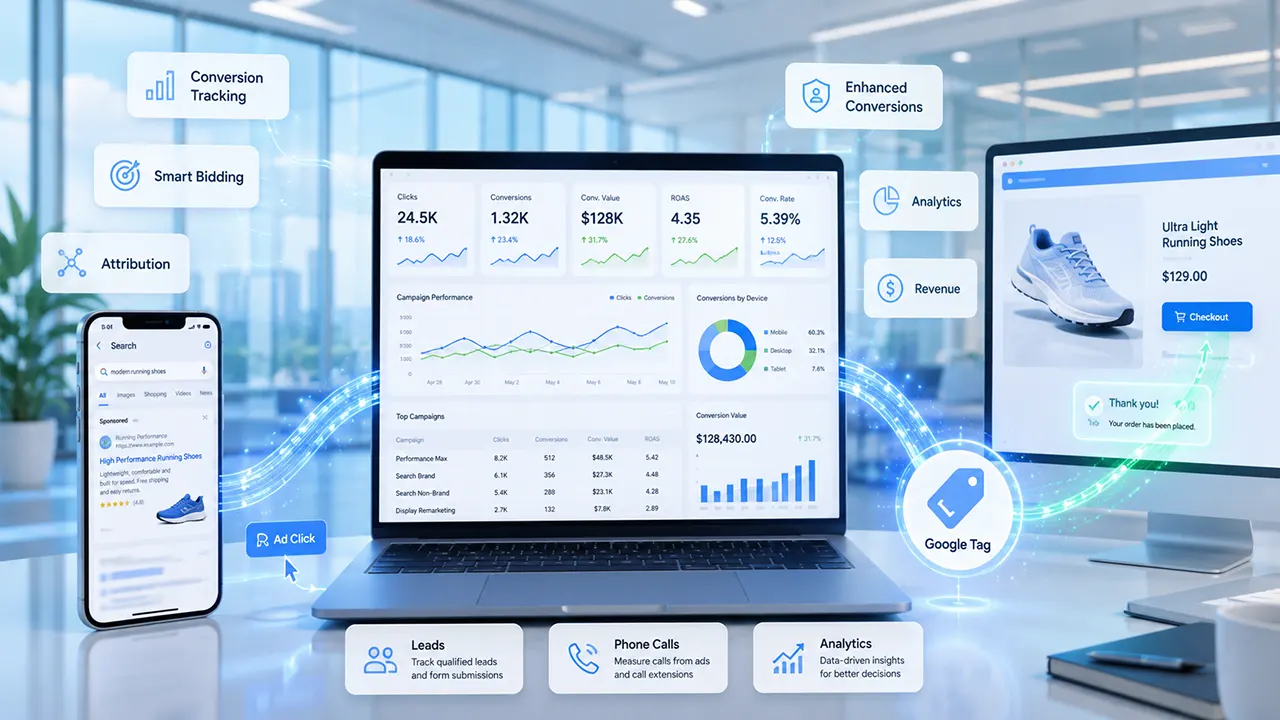
Google Ads conversion tracking works by placing a Google tag on your website, app, or other conversion source. When someone clicks your ad and later completes a valuable action – such as making a purchase, submitting a form, or calling your business – the tag records the event and sends conversion data to Google Ads. This data helps advertisers measure campaign performance, optimize bidding, and improve return on ad spend (ROAS).
Overview
Running Google Ads without conversion tracking is like driving with your eyes closed. You might know how many people clicked your ad, but you won’t know whether those clicks turned into leads, sales, phone calls, or other valuable actions.
That’s where Google Ads conversion tracking comes in. It helps you measure what happens after someone interacts with your ad, allowing you to identify which campaigns generate real business results rather than just traffic.
In this guide, you’ll learn how does Google Ads conversion tracking works, how Google tracks conversions, what the purpose of the feature is, and the technologies behind it. You’ll also discover common mistakes, best practices, and practical insights that many introductory guides overlook.
What Is Google Ads Conversion Tracking?
Google Ads conversion tracking is a measurement system that records valuable actions users take after interacting with your advertisements. It helps advertisers determine whether campaigns generate meaningful business outcomes, such as purchases, leads, phone calls, or app installs, instead of measuring clicks alone.
A click is only the beginning of the customer journey. Most businesses care about what happens next.
For example, imagine someone searches for “best running shoes,” clicks your Google Ad, browses your website, and completes a purchase later that day. Conversion tracking connects that purchase to the earlier ad click, allowing Google Ads to report that your campaign generated a sale.
Without conversion tracking, you would know how many people visited your website but not whether your advertising budget produced actual business value.
What Counts as a Conversion?
A conversion is any action that contributes to your business goals. The right conversion depends on your objectives.
Common examples include:
- Purchasing a product
- Submitting a contact form
- Requesting a quote
- Scheduling an appointment
- Calling your business from an ad
- Signing up for a newsletter
- Downloading a guide or white paper
- Installing a mobile app
- Completing an in-app purchase
The same action may be valuable for one business but irrelevant for another. For instance, an ecommerce store usually tracks purchases, while a law firm may prioritize consultation requests.
Golden Nugget: Don’t track every possible action. Focus on actions that directly contribute to revenue or qualified leads. Tracking too many low-value actions can make campaign optimization less effective.
Why Conversion Tracking Matters
Conversion tracking transforms advertising from guesswork into measurable decision-making.
Instead of asking:
- Which ad received the most clicks?
You can answer more important questions:
- Which campaign generated the most sales?
- Which keywords produced qualified leads?
- Which landing page converts better?
- Which audience delivers the highest return on investment?
This information allows advertisers to allocate budgets more effectively and continuously improve campaign performance.
Conversion tracking also powers automated features such as Smart Bidding, which rely on conversion data to optimize bids for better outcomes.
What Is the Purpose of the Google Ads Conversion Tracking Feature?
The primary purpose of Google Ads conversion tracking is to measure the real business impact of advertising campaigns. Instead of focusing on clicks alone, it helps advertisers understand which ads, keywords, audiences, and campaigns produce valuable actions and revenue.
Conversion tracking serves several important purposes beyond simple reporting.
Measure Campaign Success
Clicks and impressions indicate engagement, but conversions indicate business results.
For example:
| Metric | What It Tells You |
|---|---|
| Impressions | How often your ad appeared |
| Clicks | How many users visited your website |
| Conversions | How many users completed a valuable action |
| Conversion Rate | How efficiently clicks become customers |
| Conversion Value | The financial value generated by conversions |
By combining these metrics, advertisers can evaluate campaign effectiveness more accurately.
Improve Return on Investment (ROI)
Knowing which campaigns generate conversions allows you to invest more confidently.
For example, suppose two campaigns each receive 1,000 clicks:
| Campaign | Clicks | Conversions |
|---|---|---|
| Campaign A | 1,000 | 80 |
| Campaign B | 1,000 | 12 |
Without conversion tracking, both campaigns appear equally successful.
With conversion tracking, it’s clear that Campaign A delivers substantially better business results and deserves a larger share of the advertising budget.
Enable Smart Bidding
Google’s automated bidding strategies rely heavily on conversion data.
When sufficient conversion information is available, smart bidding can optimize bids to maximize outcomes such as:
- Leads
- Sales
- Revenue
- Target CPA
- Target ROAS
Without accurate conversion tracking, these automated strategies have significantly less information to guide bidding decisions.
Support Better Business Decisions
Conversion tracking isn’t just useful for Google Ads specialists.
Business owners can also answer strategic questions like:
- Which products generate the most profitable traffic?
- Which services attract high-quality leads?
- Which geographic regions convert best?
- Which devices generate the highest sales?
- Which landing pages require improvement?
These insights help improve marketing decisions far beyond advertising.
Golden Nugget: High click-through rates don’t always lead to high profits. Businesses that optimize for conversions rather than clicks typically make better advertising decisions over time.
How Does Google Ads Conversion Tracking Work?
Google Ads conversion tracking works by connecting an ad interaction with a later valuable action. Google records the ad click, associates it with a unique identifier, detects the conversion through a tracking tag or supported measurement method, attributes the action to the correct campaign, and reports the conversion inside Google Ads.
Although the technology behind conversion tracking is sophisticated, the overall process follows a logical sequence.
5-Step Workflow:
Ad Click → Identifier Association → Google Tag Detects Conversion → Attribution → Reporting.
Step 1: Someone Clicks Your Google Ad
The process begins when a potential customer clicks your advertisement.
At this moment, Google records important information related to the interaction, such as:
- The campaign
- The ad group
- The keyword
- The device
- The time of the click
- Other attribution signals
This information allows Google Ads to associate future conversion events with the original ad interaction.
Step 2: Google Associates the Click With an Identifier
After the click, Google associates the interaction with measurement data that helps recognize the same advertising journey if the user later completes a tracked conversion.
Depending on your implementation and privacy settings, Google may use technologies such as Google tags, first-party data, and privacy-preserving measurement methods to attribute conversions accurately.
The important concept is that Google creates a reliable connection between the ad interaction and any future conversion event without requiring advertisers to manually match those events.
Step 3: The Google Tag Detects the Conversion
When the visitor completes a predefined action – such as submitting a lead form or purchasing a product – the Google tag (or another supported implementation method) detects that event.
The tag sends conversion information back to Google Ads, including details such as:
- Which conversion occurred
- When it happened
- The conversion value (if configured)
- The associated conversion action
This allows Google Ads to record the event in your account reports.
Step 4: Google Attributes the Conversion
After a conversion occurs, Google Ads determines which ad interaction deserves credit for that conversion. This process is called attribution. Using your selected attribution model, Google connects the conversion to the most appropriate campaign, keyword, and advertisement so you can accurately evaluate performance.
Attribution answers one of the most important questions in digital advertising:
Which ad actually influenced this conversion?
Without attribution, Google Ads would know that a conversion happened but wouldn’t know which campaign should receive credit.
For example, consider this customer journey:
- A user searches for “project management software.”
- They click your Google Search ad.
- They browse your pricing page but don’t buy.
- Two days later, they return directly to your website.
- They purchase your software.
Although the purchase happened during a direct visit, Google Ads may still attribute the conversion to the original ad click if it falls within the configured attribution window and model.
This allows advertisers to understand the true impact of their campaigns, even when customers take time to make a decision.
How Attribution Models Affect Reporting
An attribution model defines how Google assigns credit for conversions across customer interactions.
Common attribution approaches include:
| Attribution Model | How It Assigns Credit | Best For |
|---|---|---|
| Data-Driven Attribution | Uses machine learning to distribute credit based on observed conversion paths | Most advertisers with sufficient conversion data |
| Last Click | Gives all credit to the final eligible ad interaction before the conversion | Simple reporting and smaller accounts |
| External Attribution Imports | Uses attribution determined by another analytics or CRM system | Businesses with advanced measurement needs |
The attribution model you choose influences campaign reports, bidding strategies, and optimization decisions. It does not change whether a conversion happened – it changes how credit is assigned.
Golden Nugget: Attribution isn’t about finding the last interaction. It’s about identifying the interactions that meaningfully contributed to the customer’s decision. Choosing the right attribution model can lead to smarter budget allocation and more accurate campaign insights.
What Is an Attribution Window?
An attribution window is the period during which Google Ads can credit a conversion to a previous ad interaction.
For example, if your click-through attribution window is 30 days:
- A user clicks your ad today.
- They purchase within the next 30 days.
- Google Ads can attribute that purchase to the original click.
If the purchase happens after the attribution window expires, it generally won’t be credited to that ad interaction.
The appropriate attribution window depends on your sales cycle:
- Short sales cycles: Online retail, food delivery, local services.
- Long sales cycles: B2B software, enterprise services, education, healthcare, real estate.
Selecting a window that matches your buying cycle improves reporting accuracy.
Step 5: The Conversion Appears in Google Ads Reports
Once Google attributes the conversion, the information becomes available in your Google Ads account.
Depending on your setup, reports may include metrics such as:
- Conversions
- Conversion value
- Conversion rate
- Cost per conversion (CPA)
- Return on ad spend (ROAS)
- Revenue generated
- Assisted conversion insights
These reports help advertisers answer practical questions like:
- Which campaigns generate the most leads?
- Which keywords drive the highest revenue?
- Which devices convert best?
- Which audiences produce the strongest return on investment?
- Which landing pages need improvement?
Accurate reporting enables continuous optimization instead of relying on assumptions.
How Does Google Ads Track Conversions?
Google Ads tracks conversions using different measurement methods depending on where the valuable action occurs. Website purchases, lead forms, phone calls, mobile app events, and offline sales each require a specific conversion source, but they all follow the same goal: connecting meaningful business outcomes to previous ad interactions.
Understanding the different conversion sources helps you choose the right tracking strategy for your business.
Website Conversions
Website conversions are the most common type of conversion tracking.
Examples include:
- Product purchases
- Contact form submissions
- Quote requests
- Newsletter sign-ups
- Appointment bookings
- Account registrations
A Google tag placed on your website detects these actions and sends the conversion event to Google Ads after the predefined trigger occurs.
Website conversion tracking is suitable for most ecommerce businesses, service providers, SaaS companies, and lead-generation websites.
Phone Call Conversions
Many businesses generate leads through phone calls rather than online forms.
Google Ads can measure phone-related conversions, including:
- Calls made directly from call ads
- Calls initiated through call assets
- Calls to a forwarding number (where supported)
This allows businesses such as law firms, healthcare providers, contractors, and local service companies to evaluate campaigns based on phone inquiries rather than website submissions.
App Conversions
If your business has a mobile application, Google Ads can measure actions inside the app.
Examples include:
- App installs
- User registrations
- In-app purchases
- Subscription renewals
- Level completions in games
- Other predefined in-app events
App conversion tracking helps advertisers optimize campaigns that promote mobile applications instead of traditional websites.
Offline Conversions
Not every sale happens online.
Some businesses receive leads online but close deals later through:
- Sales representatives
- CRM systems
- Phone consultations
- In-person meetings
- Retail stores
Offline conversion tracking lets advertisers import these completed sales into Google Ads so campaigns are evaluated based on actual revenue rather than lead submissions alone.
This is especially valuable for industries with longer sales cycles, where the initial online inquiry is only the first step toward a completed transaction.
Imported Conversions
Some organizations measure conversions in external systems before sending the results to Google Ads.
Examples include:
- CRM platforms
- Customer databases
- Call-tracking software
- Third-party analytics tools
Importing these conversions provides a more complete picture of campaign performance, especially when key business outcomes occur outside the website.
Golden Nugget: The most valuable conversion isn’t always the easiest one to track. For many businesses, importing qualified leads or closed sales from a CRM provides a more accurate measure of advertising success than counting every form submission.
Google Tag vs. Google Tag Manager vs. Conversion Linker
Google Tag, Google Tag Manager (GTM), and Conversion Linker work together but serve different purposes. The Google Tag collects measurement data, GTM manages and deploys tracking tags without directly editing website code, and Conversion Linker helps preserve click information needed for accurate attribution.
Many beginners confuse these technologies because they are often mentioned together. Understanding their distinct roles makes implementation much easier.
| Tool | Primary Purpose | Typical Use Case | Key Benefit |
|---|---|---|---|
| Google Tag | Sends measurement data to Google products | Track website conversions and user actions | Direct conversion measurement |
| Google Tag Manager | Deploys and manages tags from a single interface | Websites with multiple tracking scripts | Easier tag management without frequent code changes |
| Conversion Linker | Helps retain ad click information for attribution | Websites using GTM or advanced tracking setups | Improves conversion attribution accuracy |
When Should You Use Each?
- Google Tag: Best for businesses with straightforward conversion tracking needs.
- Google Tag Manager: Ideal when managing multiple marketing and analytics tags or when reducing developer involvement.
- Conversion Linker: Recommended alongside GTM to improve the reliability of conversion attribution.
Golden Nugget: Google Tag Manager does not replace the Google Tag – it manages how tags are deployed. Likewise, Conversion Linker doesn’t track conversions on its own; it supports accurate attribution by preserving click information.
Understanding Attribution
Attribution is the process Google Ads uses to determine which ad interaction deserves credit for a conversion. Because customers often interact with multiple ads or visit your website several times before taking action, attribution helps measure which marketing efforts influenced the final result.
Without attribution, conversion reports would simply show that a conversion happened. They wouldn’t tell you which campaign, keyword, or advertisement helped generate it.
For example, imagine a customer:
- Searches for “CRM software for small business” and clicks your Google Search ad.
- Reads your pricing page but leaves without signing up.
- Returns three days later by typing your website address directly.
- Starts a free trial.
Although the customer converted during a direct visit, Google Ads may still credit the original ad click if it falls within the configured attribution settings. This gives advertisers a more complete picture of how their campaigns influence customer decisions.
Golden Nugget: Customers rarely convert during their first visit. Understanding attribution helps you evaluate the entire customer journey instead of judging campaigns solely by the final interaction.
Attribution Windows
An attribution window defines how long Google Ads can associate a conversion with a previous ad interaction.
For example, if your click-through attribution window is 30 days:
- A user clicks your ad today.
- They purchase your product 20 days later.
- Google Ads can attribute that purchase to the original click.
If the purchase occurs after the attribution window expires, the conversion typically won’t be credited to that ad interaction.
Choosing the right attribution window depends on your sales cycle.
| Business Type | Recommended Consideration |
|---|---|
| Ecommerce | Usually shorter buying cycles |
| Local services | Often within days or weeks |
| B2B SaaS | Longer research and decision periods |
| Real estate | Extended buying journeys |
| Enterprise software | Long evaluation and approval cycles |
A window that’s too short may underreport conversions, while one that’s too long may over-credit older campaigns.
Data-Driven Attribution
Google Ads uses Data-Driven Attribution (DDA) as the default attribution model for many advertisers.
Instead of assigning all credit to a single interaction, DDA analyzes historical conversion patterns and distributes credit across multiple touchpoints when appropriate.
This provides a more realistic view of customer behavior because purchasing decisions often involve several interactions before conversion.
For example:
- First search introduces your brand.
- Second search compares solutions.
- Third search leads to a purchase.
Rather than giving all credit to the final click, Data-Driven Attribution may distribute credit among the interactions that influenced the conversion.
Click-Through vs. View-Through Conversions
Google Ads recognizes that customers don’t always convert immediately after clicking an ad.
Two common attribution concepts are:
| Type | Description |
|---|---|
| Click-Through Conversion | A user clicks your ad and later completes a tracked conversion. |
| View-Through Conversion | A user sees certain display or video ads without clicking them but later converts after another visit. |
Click-through conversions are generally the primary measurement for Search campaigns, while view-through conversions are more relevant for Display and Video campaigns.
Understanding the difference helps advertisers evaluate campaigns that build awareness as well as those that drive immediate action.
Enhanced Conversions Explained
Enhanced Conversions improve the accuracy of Google Ads conversion tracking by securely using first-party customer information, such as email addresses collected during a conversion, to better match conversions while supporting privacy-focused measurement.
As browsers restrict third-party cookies and privacy regulations evolve, traditional measurement methods can become less reliable.
Enhanced Conversions help recover some measurement accuracy by using customer data that your business already collects during a conversion. Before matching, Google processes this data using secure hashing techniques, which helps protect user privacy.
Enhanced Conversions are particularly useful for businesses that rely on:
- Lead generation forms
- Ecommerce checkouts
- Account registrations
- Subscription sign-ups
Benefits of Enhanced Conversions
Enabling Enhanced Conversions can provide several advantages:
- More accurate conversion reporting
- Better measurement across devices
- Improved Smart Bidding performance
- Increased resilience as browser privacy protections evolve
- Better visibility into campaign effectiveness
However, Enhanced Conversions do not replace standard conversion tracking – they extend it.
When Should You Enable Enhanced Conversions?
Enhanced Conversions are worth considering if:
- You collect customer information during conversions.
- You want to improve measurement accuracy.
- You use automated bidding strategies.
- Your business depends on lead quality or purchase value.
Businesses with little or no first-party customer data may see fewer benefits.
Golden Nugget: Enhanced Conversions don’t create new conversions – they help recover conversions that might otherwise be difficult to attribute because of privacy restrictions and cross-device customer behavior.
Google Ads vs. Google Analytics 4 Conversion Tracking
Google Ads and Google Analytics 4 (GA4) both measure conversions, but they do so for different purposes and often use different attribution methods, reporting logic, and counting rules. As a result, it’s normal for the reported conversion numbers to differ.
Many advertisers expect both platforms to report identical figures. In practice, they answer different questions.
- Google Ads focuses on advertising performance and campaign optimization.
- GA4 provides a broader view of user behavior across your website or app.
Key Differences
| Feature | Google Ads | Google Analytics 4 |
|---|---|---|
| Primary Goal | Measure advertising performance | Analyze overall user behavior |
| Attribution Focus | Ad interactions | Cross-channel user journeys |
| Optimization | Smart Bidding and campaign performance | Website and marketing analysis |
| Reporting Perspective | Paid advertising | Multiple traffic sources |
Because of these differences, slight variations in conversion totals are expected and don’t necessarily indicate a tracking problem.
Why Conversion Numbers May Differ
Common reasons include:
- Different attribution models
- Different reporting timeframes
- Different conversion definitions
- Imported versus native conversions
- Consent and privacy settings
- Cross-device behavior
- Filtering and configuration differences
When investigating discrepancies, compare the underlying configuration before assuming the tracking implementation is broken.
Golden Nugget: The goal isn’t to make Google Ads and GA4 report identical numbers. The goal is to ensure each platform measures conversions consistently according to its own purpose.
Common Conversion Tracking Mistakes
Most conversion tracking problems are caused by incorrect implementation rather than Google Ads itself. Small configuration mistakes can lead to missing conversions, duplicate reporting, inaccurate bidding, and poor optimization decisions.
Fortunately, many issues are easy to prevent once you know what to look for.
1. Tracking the Wrong Conversion Actions
Not every user action deserves to be counted as a conversion.
For example, tracking every page view, button click, or time spent on a page may inflate your conversion numbers without reflecting real business outcomes.
Instead, prioritize actions that directly support your business goals, such as:
- Purchases
- Qualified lead form submissions
- Appointment bookings
- Phone calls
- Subscription sign-ups
Low-value conversions can confuse Smart Bidding and make campaign performance appear better than it actually is.
2. Installing Tags Incorrectly
Google Ads can only measure conversions if the required tracking tags are implemented correctly.
Common implementation problems include:
- Missing Google tag
- Incorrect tag placement
- Wrong conversion ID or label
- Broken triggers in Google Tag Manager
- Tags firing on the wrong page
After setup, always verify that the conversion fires only when the intended action occurs.
3. Counting the Same Conversion Multiple Times
Duplicate tracking is a surprisingly common issue.
For example:
- Google Ads tag fires.
- Google Tag Manager fires the same event again.
- Another plugin also records the conversion.
Instead of reporting one purchase, Google Ads may receive multiple conversion signals.
Duplicate tracking can:
- Inflate ROI
- Reduce reporting accuracy
- Mislead automated bidding
- Distort campaign comparisons
Golden Nugget: One business event should generate one conversion unless you’ve intentionally configured a different counting method for that conversion action.
4. Ignoring Consent and Privacy Requirements
Modern browsers and privacy regulations affect measurement.
If consent management isn’t configured properly, some conversions may not be measured.
Advertisers should ensure that their implementation aligns with:
- Local privacy laws
- User consent preferences
- Cookie consent banners
- Consent Mode (when applicable)
Privacy-aware measurement helps maintain both compliance and reporting quality.
5. Never Testing Conversion Tracking
Many advertisers assume tracking works because no errors appear in Google Ads.
However, successful implementation should always be verified.
A simple testing workflow includes:
- Complete a test conversion yourself.
- Verify the tag fired.
- Confirm the conversion appears in Google Ads.
- Review reporting after processing.
- Repeat after major website updates.
Testing before launching campaigns can prevent costly measurement errors.
Best Practices for Accurate Google Ads Conversion Tracking
Accurate conversion tracking depends on thoughtful planning, regular testing, and consistent maintenance. Following proven best practices helps ensure your reports reflect real business performance and gives automated bidding reliable data to optimize campaigns.
Track Business Goals, Not Every Interaction
Before creating conversion actions, ask:
“Does this action represent meaningful business value?”
Focus on conversions that contribute directly to revenue or qualified leads.
For example:
| Business Type | High-Value Conversion |
|---|---|
| Ecommerce | Completed purchase |
| Law firm | Consultation request |
| Dentist | Appointment booking |
| SaaS | Free trial signup |
| Local service | Phone call |
Quality matters more than quantity.
Use Clear Naming Conventions
As your Google Ads account grows, dozens of conversion actions can become difficult to manage.
Use descriptive names such as:
- Purchase – Website
- Lead Form – Contact Page
- Phone Call – Call Asset
- Newsletter Signup
- Demo Request
Clear naming simplifies reporting and reduces configuration errors.
Review Conversion Data Regularly
Conversion tracking isn’t something you configure once and forget.
Regular reviews help identify:
- Sudden drops in conversions
- Unexpected spikes
- Tracking failures
- Website changes affecting tags
- Landing page issues
Monitoring trends helps you catch problems before they affect campaign performance.
Keep Measurement Aligned With Business Changes
Whenever your website changes, review your conversion setup.
Examples include:
- Website redesigns
- New checkout processes
- Updated forms
- New booking systems
- Platform migrations
Even small design changes can accidentally break conversion tracking.
Combine Conversion Tracking With Meaningful Analysis
Conversion data becomes much more valuable when combined with business insights.
Instead of asking:
“Which campaign has the most conversions?”
Also ask:
- Which campaign generates the highest revenue?
- Which keywords attract qualified customers?
- Which landing pages convert best?
- Which audience delivers the strongest ROI?
- Which devices produce the highest-value customers?
These questions help turn measurement into better decision-making.
Golden Nugget: Conversion tracking tells you what happened. Analysis explains why it happened and what to improve next.
Final Thoughts
Google Ads conversion tracking is much more than a reporting feature – it’s the foundation of data-driven advertising. When implemented correctly, it shows which campaigns, keywords, and customer journeys create measurable business value, allowing you to invest your advertising budget with greater confidence.
Understanding the complete conversion lifecycle – from the initial ad click to attribution and reporting – helps you move beyond vanity metrics and focus on outcomes that matter. Just as importantly, regular testing, thoughtful conversion selection, and ongoing maintenance ensure your data remains accurate as your website and marketing strategy evolve.
If you’re planning to launch or optimize Google Ads campaigns, make conversion tracking one of your first priorities. Reliable measurement is the key to making informed decisions, improving campaign performance, and maximizing your return on investment.
Ready to get more value from your Google Ads campaigns?
Start by auditing your current conversion tracking setup. Verify that you’re measuring the actions that truly matter to your business, eliminate duplicate or low-value conversions, and ensure your implementation follows Google’s latest best practices. Accurate data today leads to smarter optimization and better advertising results tomorrow.
Frequently Asked Questions
Google Ads conversion tracking is a feature that measures valuable actions users take after interacting with your advertisements. These actions can include purchases, lead form submissions, phone calls, app installs, and other business goals, helping advertisers evaluate campaign performance and optimize future advertising decisions.
Google Ads tracks conversions by recording an ad interaction, associating it with measurement data, detecting a predefined conversion event through a Google tag or supported measurement method, attributing the event to the appropriate campaign, and reporting the results in your Google Ads account.
The purpose of Google Ads conversion tracking is to measure the real business outcomes generated by advertising campaigns. Instead of focusing only on clicks, it helps advertisers understand which campaigns, keywords, and ads produce valuable actions such as sales, leads, or phone calls.
Google Ads may use cookies and other privacy-preserving technologies, depending on your implementation, browser behavior, and consent settings. Modern measurement also relies on first-party data and features such as Enhanced Conversions to improve accuracy while supporting user privacy.
Google Ads and Google Analytics 4 serve different purposes and may use different attribution models, reporting logic, conversion definitions, and measurement methods. Because of these differences, some variation between the two platforms is normal and doesn’t necessarily indicate a tracking problem.
Yes. Google Ads supports offline conversion tracking by allowing businesses to import completed sales or other offline outcomes from systems such as CRMs. This helps advertisers measure campaign success based on actual business results rather than online form submissions alone.
No. Google Tag Manager is not required. You can implement Google Ads conversion tracking using the Google tag directly. However, GTM often simplifies managing multiple tags and makes future updates easier without repeatedly editing website code.
No. The most valuable conversion depends on your business objectives. Ecommerce stores often prioritize purchases, while service-based businesses may focus on qualified leads, appointment bookings, or phone calls. Tracking conversions that align with business goals produces more meaningful reports and better optimization.