
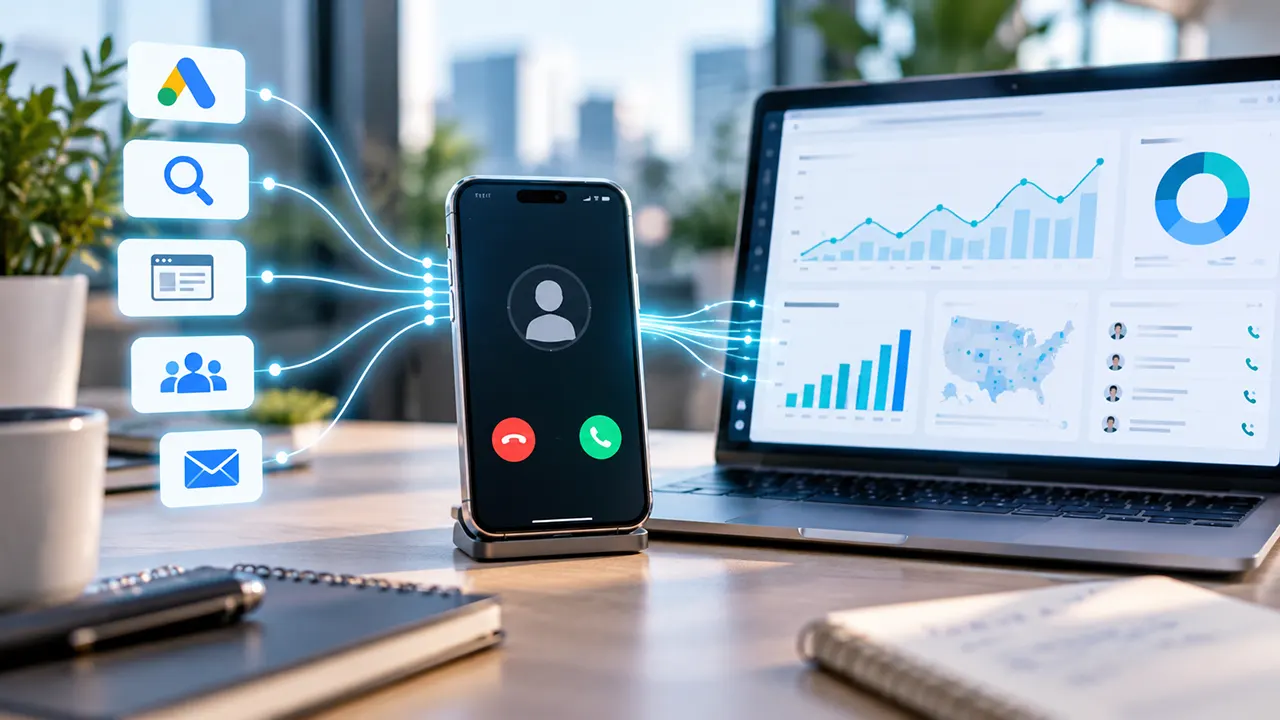
Phone calls can be some of a business’s most valuable leads. But without proper measurement, it can be difficult to know where those calls came from.
A customer might click a Google ad, visit a website, and call the business. Another might find the same business through organic search, social media, or an offline campaign.
Without call tracking, those calls can become disconnected from the marketing activity that generated them.
Call tracking helps solve that problem. It uses tracking technology to connect phone calls with marketing sources, campaigns, website visits, and other customer interactions.
What Is Call Tracking?
Call tracking is a marketing measurement method that helps businesses identify where incoming phone calls come from and connect those calls with marketing activity.
Depending on the setup, a call-tracking system can help associate a phone call with information such as:
- Marketing source
- Advertising campaign
- Website visit
- Landing page
- Keyword
- Call duration
- Call outcome
- Lead quality
The exact information available depends on the tracking method and technology being used.
The main purpose is not simply to count calls.
The more useful question is:
Which marketing activities generated those calls?
For example:
Google Ads → Website visit → Phone call
If the business can connect those events, it gains a clearer understanding of how its advertising produces leads.
How Does Call Tracking Work?
Call tracking works by adding a measurement layer between a customer and a business’s regular phone system.
The basic process looks like this:
Marketing source → Website or advertisement → Tracking number → Phone call → Attribution data
A business can use one or more tracking phone numbers. When a customer calls one of those numbers, the call is routed to the business while the tracking system records information about the interaction.
Tracking Numbers
A tracking number is a phone number used to measure incoming calls.
The number can be displayed in a specific marketing channel.
For example:
- Google Ads → Tracking Number A
- Organic Search → Tracking Number B
- Social Media → Tracking Number C
When someone calls one of these numbers, the business can identify the marketing source associated with that number.
This is a simple form of call attribution.
Call Forwarding
Businesses usually do not need to replace their existing business phone system.
Instead, a tracking number can forward the call to the business’s actual destination number.
The customer experiences a simple process:
Customer → Tracking Number → Business
Meanwhile, the tracking system can record information about the call.
This allows businesses to measure calls while continuing to receive them through their normal phone destination.
Call Attribution
Call attribution is the process of connecting a phone call with the marketing activity that generated it.
Depending on the system and configuration, attribution may identify information such as:
- Traffic source
- Campaign
- Advertising channel
- Landing page
- Website session
- Keyword
This turns a phone call from an isolated event into a measurable marketing interaction.
Instead of asking:
“How many calls did we receive?”
A business can begin asking:
“Which campaigns generated those calls?”
What Is Dynamic Number Insertion?
Dynamic Number Insertion (DNI) is a technology that automatically changes the phone number displayed on a website based on information about the visitor.
For example, imagine two people visit the same website.
Visitor A
Arrives through a Google Ads campaign.
Visitor B
Arrives through organic search.
With Dynamic Number Insertion, each visitor may see a different tracking number.
For example:
Google Ads visitor → Tracking Number A
Organic search visitor → Tracking Number B
When a visitor calls the displayed number, the call-tracking system can use that information to help attribute the call to the appropriate marketing source.
Call-tracking providers describe DNI as technology that dynamically displays tracking numbers based on the source of a website visit.
How Does Dynamic Number Insertion Work?
DNI typically uses website tracking technology to identify information about a visitor’s session.
The system then determines which tracking number should appear.
A simplified process looks like this:
Visitor arrives → Tracking technology identifies the source → Website number changes → Visitor calls → Call is attributed
DNI can provide more detailed measurement than simply placing one permanent tracking number on a website.
However, the accuracy of the data depends on the tracking implementation, browser behavior, cookies, and the specific technology being used.
Source-Level vs. Visitor-Level Call Tracking
Not every call-tracking setup provides the same level of attribution.
Two important approaches are source-level tracking and visitor-level tracking.
Source-Level Call Tracking
Source-level tracking uses a tracking number to represent a particular marketing source.
For example:
| Marketing Source | Tracking Number |
|---|---|
| Google Ads | Number A |
| Organic Search | Number B |
| Facebook Ads | Number C |
If someone calls Number A, the business knows that the call is associated with Google Ads.
This approach can be useful for simple attribution.
However, it may not provide detailed information about the individual visitor.
Visitor-Level Call Tracking
Visitor-level tracking attempts to connect a call with an individual website session.
This can provide deeper attribution information.
Depending on the system, the business may be able to connect a call with information such as:
- Marketing source
- Campaign
- Landing page
- Website session
- Advertising data
More advanced visitor-level systems can use a number pool, where multiple tracking numbers are available for website visitors.
The goal is to associate a visitor’s session with the tracking number displayed during that session.
What Information Can Call Tracking Measure?
Call tracking can measure different types of information depending on the technology and configuration.
Marketing Information
A system may identify:
- Traffic source
- Marketing channel
- Advertising campaign
- Landing page
- Referral source
Call Information
It may also record:
- Call time
- Call duration
- Answered or missed status
- Tracking number used
Lead Information
More advanced systems may help businesses analyze:
- Whether the caller was a potential customer
- Whether the call was relevant
- Whether the call resulted in an appointment
- Whether the lead eventually became a customer
However, an important distinction is necessary:
Call tracking does not automatically prove that every phone call generated revenue.
A tracking system may identify the marketing source of a call, but connecting that call to a completed sale may require additional CRM, sales, or offline conversion data.
Why Is Call Tracking Important?
Digital marketing platforms are good at measuring online actions.
Businesses can often see:
- Impressions
- Clicks
- Website visits
- Form submissions
Phone calls can be more difficult because the conversation happens outside the website.
This creates a measurement gap.
For example:
Google Ad → Click → Website Visit
The advertising platform may measure those events.
But what happens next?
Website Visit → Phone Call → Sales Conversation
Without call tracking, that part of the customer journey may be harder to connect with the original marketing activity.
Call tracking can help businesses bring phone interactions into their measurement process.
Better Marketing Attribution
Businesses can identify which marketing sources generate calls.
Instead of evaluating campaigns only by traffic, they can include phone leads in their analysis.
Better Advertising Decisions
A campaign with fewer clicks may generate more valuable phone conversations.
Without call data, the campaign could appear less successful than it actually is.
Better Return on Investment Analysis
Marketing decisions should ideally focus on meaningful business outcomes.
Call tracking can help connect advertising spend with lead generation.
Better Lead Analysis
Not all calls are equally valuable.
A business might receive:
- Wrong numbers
- Customer support calls
- Existing customer calls
- Sales inquiries
- Qualified leads
Measuring call volume alone does not explain the quality of those interactions.
The Call Tracking Measurement Ladder
A useful call-tracking strategy should go beyond simply counting phone calls.
Level 1: Call
Did someone call the business?
This is the most basic measurement.
Level 2: Source
Where did the caller come from?
Possible sources include:
- Google Ads
- Organic search
- Social media
- Referral traffic
- Offline advertising
Level 3: Campaign
Which marketing activity contributed to the call?
This may include:
- Campaign
- Ad group
- Landing page
- Advertisement
The available attribution depends on the system.
Level 4: Lead Quality
Was the call valuable?
For example:
- Was the caller interested in the business?
- Was it a new lead?
- Did the caller request a service?
- Did the conversation meet qualification criteria?
Level 5: Revenue
Did the lead become a customer?
This is the most valuable level of measurement.
The complete journey becomes:
Source → Call → Qualified Lead → Customer → Revenue
This approach helps prevent a common mistake:
Treating every call as an equally valuable conversion.
What Are the Different Types of Call Tracking?
Businesses can track phone interactions in several ways.
The right method depends on where the call originates and how much attribution detail is required.
Source-Level Call Tracking
A unique tracking number represents a particular marketing source.
Example:
Radio advertisement → Tracking Number
Google Ads → Different Tracking Number
This can work well for measuring broad marketing channels.
Website Call Tracking
Website call tracking measures calls generated after someone visits a website.
A visitor may:
- Find the website.
- View a phone number.
- Call the business.
Tracking technology can help connect the phone call with the website visit.
Visitor-Level Call Tracking
Visitor-level tracking provides a more detailed approach.
Instead of identifying only a broad source, the system attempts to associate the call with an individual visitor session.
This can provide more detailed marketing attribution.
Click-to-Call Tracking
Click-to-call tracking measures interactions with a phone number or call button.
For example:
Mobile visitor → Clicks “Call Now”
It is important to understand that:
A click-to-call event is not always the same as a completed phone call.
Google Ads distinguishes between tracking actual calls and tracking clicks on a phone number. Its documentation explains that mobile phone-number click tracking measures the click itself rather than the completed call.
Offline Call Tracking
Call tracking can also measure calls from offline marketing.
For example:
- Printed advertisements
- Billboards
- Radio advertisements
- Direct mail
- Flyers
A unique tracking number can be assigned to a specific campaign.
When someone calls that number, the business can identify the associated marketing activity.
How Does Call Tracking Work With Google Ads?
Google Ads provides several ways to measure phone-related conversions.
Google currently identifies multiple types of phone-call conversion measurement, including:
- Calls from ads
- Calls to a phone number on a website
- Clicks on a phone number on a mobile website
- Clicks on call ads or assets
- Imported call conversions
These methods do not all measure the same thing.
That distinction is important.
Calls From Google Ads
A customer may call directly from an advertisement that includes calling functionality.
Google Ads can measure qualifying calls generated from ads.
Businesses can define a minimum call duration for conversion measurement. Google states that calls lasting at least the configured duration can count as conversions when the relevant setup is active.
This can help advertisers understand which:
- Keywords
- Ads
- Ad groups
- Campaigns
generate valuable calls.
Calls From Website Visits
A person may:
Click Google Ad → Visit Website → Call Business
Google Ads can measure this type of call when the appropriate website call-conversion setup is implemented.
Google documents a system where a forwarding number can dynamically replace the website’s normal number for eligible visitors who clicked an ad. The setup requires the appropriate Google tag and website call-conversion implementation.
This is conceptually similar to Dynamic Number Insertion.
Click-to-Call Tracking
A mobile visitor may click a telephone link.
For example:
tel:+123456789
That click can be measured.
However, measuring the click does not necessarily confirm that a phone conversation took place.
Google explicitly distinguishes CLICK_TO_CALL tracking from WEBSITE_CALL tracking. The former measures phone-number clicks, while the latter can track actual calls using a dynamic forwarding number.
Imported Call Conversions
Businesses may track calls in another system and later import selected call outcomes into Google Ads.
This can provide more control over what counts as a conversion.
For example, a business might decide to import:
- Qualified leads
- Completed sales
- High-value consultations
rather than every incoming call.
Google says imported call conversions can be used when another system tracks the call details and outcomes.
Native Google Ads Call Tracking vs. Third-Party Call Tracking Platforms
Businesses using Google Ads do not always need a third-party call-tracking platform.
Google Ads has its own call reporting system. However, native Google Ads tracking and third-party platforms solve slightly different measurement problems.
The best option depends on what you want to measure.
How Native Google Ads Call Tracking Works
Google Ads can use Google forwarding numbers to measure calls generated by call assets, location assets, call ads, and supported website call conversion tracking.
The basic process is:
Google Ad → Google forwarding number → Customer calls → Business receives the call → Google Ads records call data
Google routes the call through a forwarding number to the business’s actual phone number.
Google Ads can then report information such as:
- Calls received
- Call duration
- Call start and end times
- Whether the call connected
- Caller area code in supported situations
- Campaign and advertising data associated with the call
Advertisers can also define a minimum call duration and count qualifying calls as conversions.
For example:
A business might decide that calls lasting at least two minutes are more likely to represent genuine leads.
It can then use that duration threshold as part of its conversion measurement.
The Advantages of Native Google Ads Call Tracking
Native tracking can be a good choice when the main goal is simply to measure calls generated directly by Google Ads.
Its main advantages include:
- No separate call-tracking platform may be required
- Direct integration with Google Ads
- Google forwarding numbers
- Call reporting
- Call-duration measurement
- Conversion tracking
- Google Ads optimization data
For a business running a relatively simple Google Ads campaign, this may be enough.
The Limitations of Native Google Ads Tracking
Native Google Ads call reporting focuses primarily on Google Ads-generated calls.
That creates a limitation.
A business may receive calls from many sources:
- Google Ads
- Organic search
- Google Business Profile
- Facebook or other social platforms
- Referral websites
- Email campaigns
- Direct traffic
- Offline advertising
Google Ads call reporting does not provide a complete cross-channel call-attribution system.
This is where third-party call-tracking platforms can become useful.
How Third-Party Call Tracking Platforms Differ
A third-party platform can provide broader attribution across marketing channels.
Instead of asking only:
Did Google Ads generate this call?
a business may be able to ask:
Which marketing source generated this call, and what happened before and after it?
For example, a visitor-level tracking system can associate a phone call with an individual website session.
CallRail’s visitor tracking, for example, uses a pool of phone numbers. A visitor can be assigned a number during their website session, allowing a later call to be associated with that visitor’s marketing source and website journey.
The broader process can look like this:
Marketing source → Website visit → Visitor session → Tracking number → Phone call → Attribution
Third-Party Platforms Can Add More Context
Depending on the platform and configuration, additional capabilities may include:
- Multi-channel attribution
- Dynamic Number Insertion
- Visitor-level tracking
- Tracking-number pools
- Call routing
- Call recording
- Transcription
- Lead qualification
- CRM integrations
- Form tracking
- Text-message tracking
- Conversation analysis
- API access
For example, CallRail’s current platform combines campaign attribution with call and text tracking and offers additional lead-journey and conversation-related capabilities.
Which Option Is Better?
Neither option is automatically better.
The right choice depends on the measurement problem.
| Business Need | Possible Solution |
|---|---|
| Track calls directly from Google Ads | Native Google Ads call reporting |
| Measure call duration | Google Ads or third-party tracking |
| Track website visitors before they call | Visitor-level third-party tracking |
| Compare multiple marketing channels | Third-party call tracking |
| Use Dynamic Number Insertion | Third-party call tracking |
| Connect calls with CRM workflows | Third-party platform integration |
| Analyze conversations | Platform with recording and analysis features |
| Track calls across campaigns and channels | Third-party call tracking |
The important question is:
What information do you need before making marketing decisions?
What Is Call Tracking Software?
Call tracking software is a platform that helps businesses measure incoming calls and connect those calls with marketing or operational data.
The software usually works by providing tracking numbers that forward calls to the business’s actual phone number.
A basic system might look like this:
Customer → Tracking number → Call tracking platform → Business number
The platform records information about the call.
More advanced systems can also connect the call with the marketing journey that generated it.
Common Features of Call Tracking Software
Different platforms provide different capabilities.
However, common features include the following.
Tracking Numbers
The platform provides phone numbers that businesses can use in advertising or on websites.
Different numbers can represent different marketing sources.
For example:
Google Ads → Number A

Organic Search → Number B

Facebook Ads → Number C

Offline Advertisement → Number D
When a customer calls, the number helps identify the marketing source.
Call Forwarding
The tracking number usually forwards the call to the business’s real destination number.
This means the business does not necessarily need to replace its existing telephone system.
The process may simply be:
Tracking number → Existing business number
Dynamic Number Insertion
Dynamic Number Insertion allows software to change the phone number displayed on a website.
The number shown to a visitor can depend on the visitor’s source.
For example:
Google Ads visitor → Google Ads tracking number

Organic visitor → Organic tracking number

Referral visitor → Referral tracking number
More advanced visitor-level systems use number pools to associate calls with individual website sessions.
Call Logs
Most call-tracking platforms provide a record of calls.
A call log may include information such as:
- Date
- Time
- Tracking number
- Call duration
- Caller information
- Call status
- Marketing source
The available data depends on the platform and configuration.
Call Routing
Some platforms can help route calls.
For example, calls may be directed based on:
- Business hours
- Location
- Department
- Caller information
- Marketing campaign
This can combine marketing measurement with call-management functions.
Call Recording
Some call-tracking platforms allow businesses to record calls.
This can help with:
- Sales training
- Quality assurance
- Lead evaluation
- Customer-service analysis
However, recording a call introduces separate privacy and legal considerations.
Businesses should understand the rules that apply to their location and customers before enabling recording.
Transcription and Conversation Analysis
Some platforms can convert calls into text transcripts.
Additional tools may analyze conversations to identify:
- Important topics
- Lead signals
- Customer questions
- Sales opportunities
- Common objections
This can add another layer beyond simple attribution.
Instead of measuring only:
Which campaign generated the call?
a business can potentially examine:
Which campaign generated a valuable conversation?
How to Choose Call Tracking Software
Choosing call-tracking software should not start with:
Which platform has the most features?
It should start with:
What measurement problem are we trying to solve?
A small local business and a large marketing agency may need completely different systems.
1. Identify What You Need to Track
First, identify the marketing channels that generate calls.
For example:
- Google Ads
- Organic search
- Microsoft Ads
- Social advertising
- Google Business Profile
- Referral websites
- Email campaigns
- Offline advertising
If Google Ads is your only important source, native Google Ads tracking may be sufficient.
If calls come from several channels, broader call-tracking software may provide more value.
2. Decide How Detailed Your Attribution Needs to Be
There is a major difference between these two questions:
Basic question:
How many calls came from Google Ads?
Advanced question:
Which campaign, keyword, landing page, and visitor journey generated this phone call?
The first requires less sophisticated tracking.
The second may require visitor-level tracking and Dynamic Number Insertion.
Do not pay for advanced attribution if your business will never use the additional data.
3. Check Platform Integrations
Call data becomes more useful when it connects with other systems.
Depending on your workflow, you may need integration with:
- Google Ads
- Google Analytics
- CRM platforms
- Marketing automation tools
- Reporting platforms
- Lead-management systems
Before choosing software, verify that the required integration actually supports the workflow you need.
Do not assume that two platforms being “integrated” means every type of data automatically transfers between them.
4. Consider Your Call Volume
Call volume affects both software requirements and costs.
A business receiving:
20 calls per month
may have different needs from an agency managing:
20,000 calls per month
Check how pricing works.
Possible pricing factors include:
- Number of tracking numbers
- Call minutes
- Text messages
- Number pools
- Users
- API usage
- Conversation-analysis features
A low advertised starting price does not always represent the final cost.
5. Consider Your Website Traffic
Visitor-level tracking often uses pools of phone numbers.
The number of required tracking numbers can depend on website traffic and concurrent visitors.
Higher traffic may require a larger number pool.
For example, CallRail explains that each phone number in a visitor-tracking pool is assigned to a visitor and later becomes available for another visitor. Each number in the pool also counts as an individual tracking number.
This means businesses should understand how number-pool sizing affects costs.
6. Decide Whether You Need Call Quality Data
Not every business needs recordings or conversation analysis.
However, a business may want to know more than:
Did someone call?
It may also want to know:
- Was the call answered?
- Was the caller a potential customer?
- Was the lead qualified?
- Did the call result in an appointment?
- Did the lead eventually become a customer?
If lead quality matters, look for tools that fit your broader sales and CRM process.
How to Set Up Call Tracking
The exact setup depends on the platform.
However, the overall process is similar.
Step 1: Define Your Tracking Goals
Before creating tracking numbers, decide what you want to measure.
For example:
- Google Ads calls
- Organic search calls
- Calls from social media
- Calls from Google Business Profile
- Calls from specific landing pages
Your tracking structure should follow your marketing goals.
Avoid creating unnecessary tracking numbers without a clear measurement purpose.
Step 2: Choose a Tracking Method
Select the appropriate tracking method.
Static source tracking
Use a unique tracking number for a specific source.
Example:
Newspaper advertisement → Tracking Number A

Radio advertisement → Tracking Number B
This is useful when each source has a dedicated number.
Dynamic website tracking
Use Dynamic Number Insertion when you need to change numbers based on website traffic sources.
Visitor-level tracking
Use a number pool when you need deeper website-session attribution.
The right method depends on how much detail you need.
Step 3: Create Tracking Numbers
The next step is to create the required tracking numbers.
Each number should have a clear purpose.
For example:
Google Ads Website Traffic

Organic Search

Facebook Campaign

Google Business Profile
Clear naming makes future reporting much easier.
Step 4: Configure Call Forwarding
Set the destination number.
The destination is where the incoming call should go.
For example:
Tracking number → Main business phone
Test the routing before using the number publicly.
A tracking system is not useful if customers cannot reach the business.
Step 5: Install Website Tracking
For website attribution, install the platform’s tracking technology.
This may involve:
- A JavaScript snippet
- A tag-management system
- A platform plugin
- Another supported implementation method
For example, CallRail’s setup documentation includes installing a JavaScript snippet as part of website call tracking.
After installation, verify that the tracking system is loading correctly.
Step 6: Configure Dynamic Number Insertion
If you are using DNI, identify the phone numbers on the website that should be replaced.
Then test the system.
Visit the website through different sources.
For example:
Google Ads → Expected tracking number

Organic Search → Expected tracking number

Referral → Expected tracking number
Make sure the correct number appears.
Step 7: Connect Advertising and Analytics Platforms
If your goal includes advertising attribution, connect the relevant platforms.
For Google Ads, the required configuration depends on the tracking system.
CallRail’s current Google Ads integration, for example, requires:
- Website JavaScript
- Visitor tracking
- Google Ads auto-tagging
Calls from the appropriate website pool can then be reported as conversions when the requirements are met.
Step 8: Define What Counts as a Conversion
This is one of the most important steps.
Not every phone call should necessarily be treated as a valuable conversion.
Consider:
- Minimum call duration
- First-time calls
- Repeat callers
- Qualified leads
- Sales opportunities
- Completed appointments
Your conversion definition should reflect actual business value.
Step 9: Test the Complete Journey
Never assume tracking is working.
Test the entire process:
Marketing source → Website visit → Number appears → Customer calls → Call reaches business → Call appears in reporting
For Google Ads:
Google Ads click → Website → Tracking number → Call → Attribution → Conversion reporting
Testing is essential because technical problems can create incorrect marketing data.
What Is a Qualified Call?
A qualified call is a phone call that meets criteria defined by the business as valuable.
This definition can vary.
A qualified call for a law firm may be different from a qualified call for an HVAC company.
Not Every Call Is a Good Lead
Consider these examples.
Call 1
A customer asks:
“Are you open today?”
The call lasts 20 seconds.
Call 2
A potential customer discusses a service and schedules an appointment.
The call lasts several minutes.
Both calls may appear in the call log.
However, they may not have the same business value.
That is why call volume alone can be misleading.
Ways to Define a Qualified Call
Businesses may use criteria such as:
- Minimum call duration
- New customer
- Relevant service request
- Correct geographic area
- Appointment request
- Sales opportunity
- Specific conversation outcome
A simple system might define:
Calls lasting more than 60 seconds = potential lead
However, call duration is only a proxy.
A long call is not automatically valuable.
A short call is not automatically worthless.
The best qualification system reflects actual business outcomes.
Call Duration vs. Lead Quality
Call duration can be useful.
Google Ads allows advertisers to use call duration as part of conversion measurement.
But duration should not be confused with lead quality.
For example:
Long call ≠ Guaranteed sale

Short call ≠ Automatically bad lead
A better measurement system may combine:
Call data + Lead qualification + Sales outcome
Business Use Cases for Call Tracking
Call tracking is most useful when phone calls play an important role in lead generation.
Home Services
Home-service businesses often receive calls from customers who need immediate help.
Examples include:
- Plumbing
- HVAC
- Roofing
- Electrical services
- Pest control
- Cleaning
A customer may search Google, click an advertisement, and immediately call.
Call tracking can help identify which campaigns generate those leads.
Law Firms
Legal services often involve high-value leads.
A single qualified client may have significantly more value than dozens of ordinary website visits.
Call tracking can help connect advertising activity with incoming consultations.
Healthcare and Medical Practices
Patients may call to:
- Ask questions
- Schedule appointments
- Confirm availability
- Contact a specific department
Call attribution can help practices understand which marketing channels generate inquiries.
However, healthcare organizations must pay particular attention to applicable privacy and compliance requirements.
Real Estate
Real estate professionals often depend on phone conversations.
Potential clients may call about:
- Property listings
- Viewings
- Consultations
- Buying opportunities
- Selling services
Tracking can help connect those inquiries with marketing campaigns.
Marketing Agencies
Agencies often manage advertising for multiple clients.
Call tracking can help agencies demonstrate:
Marketing activity → Leads
instead of reporting only:
Impressions → Clicks
For agencies, this can make reporting more closely connected to business outcomes.
Local Businesses
Local businesses frequently receive calls before a customer visits.
Examples include:
- Restaurants
- Clinics
- Repair services
- Professional services
- Automotive businesses
A customer may search locally and call directly.
Call tracking can help identify which marketing activity contributes to those calls.
Limitations of Call Tracking
Call tracking is useful, but it is not perfect.
Businesses should understand its limitations before making important decisions.
Attribution Is Not Always Perfect
Marketing attribution involves connecting actions across different stages.
A customer journey may look like this:
Google search → Ad click → Website visit → Leaves website → Returns later → Calls
Determining which interaction deserves credit can be complicated.
A customer may also interact with several channels before calling.
For example:
Google Ads → Organic search → Facebook → Direct visit → Phone call
Attribution systems use rules and available data to connect the journey.
They cannot always prove the complete decision-making process inside the customer’s mind.
Technical Setup Matters
Incorrect setup can produce incorrect data.
Common problems may include:
- Tracking script not loading
- Numbers not swapping
- Incorrect destination number
- Integration problems
- Auto-tagging disabled
- Incorrect tracking configuration
For example, CallRail’s Google Ads integration documentation specifies visitor tracking and Google Ads auto-tagging as requirements for its call-conversion workflow.
The lesson is simple:
Bad tracking setup = unreliable data.
Privacy and Legal Requirements
Call recording and transcription can introduce additional responsibilities.
Businesses may need to consider:
- Call-recording laws
- Consent requirements
- Privacy regulations
- Data retention
- Customer data handling
Requirements vary by location.
A business should obtain appropriate legal or compliance guidance rather than assuming one rule applies everywhere.
A Call Does Not Equal Revenue
One of the biggest mistakes is treating every call as a successful business result.
The complete journey may be:
Marketing source → Call → Lead → Opportunity → Customer → Revenue
Call tracking usually provides information about the earlier stages.
Additional systems may be required to connect calls with sales and revenue.
Tracking Can Become Expensive
Costs may increase with:
- More tracking numbers
- Larger number pools
- Higher call volume
- Call minutes
- Text messages
- Advanced analysis
- Additional users
Businesses should calculate the expected value of better attribution.
Call Tracking vs. Call Recording
These terms are often confused.
They are not the same thing.
| Call Tracking | Call Recording |
|---|---|
| Measures where a call came from | Captures the conversation |
| Focuses on attribution | Focuses on call content |
| Can connect calls with marketing sources | Allows later review of the conversation |
| Helps measure campaigns | Helps analyze quality and conversations |
What Call Tracking Answers
Call tracking can answer:
Where did this call come from?
For example:
- Google Ads
- Organic search
- Referral traffic
- Offline campaign
What Call Recording Answers
Call recording can help answer:
What happened during the call?
For example:
- Did the customer ask about a service?
- Was the call answered properly?
- Was the lead qualified?
- Did the customer schedule an appointment?
Some platforms provide both features.
CallRail, for example, lists call monitoring and recording features alongside its tracking capabilities.
However, a business does not need call recording simply because it uses call tracking.
Does Your Business Need Call Tracking?
Not every business needs a call-tracking platform.
The answer depends on the importance of phone calls in your customer journey.
Your Business May Need Call Tracking If:
- Phone calls generate important leads.
- You spend money on advertising.
- You do not know which campaigns generate calls.
- Customers frequently call after visiting your website.
- You manage multiple marketing channels.
- You need to measure offline lead activity.
- You want better attribution for advertising decisions.
You May Not Need Advanced Call Tracking If:
- Your business receives very few calls.
- Most conversions happen through forms.
- Phone calls are not important to sales.
- Your advertising campaigns are small.
- Basic native advertising tracking answers your questions.
The goal should not be:
Use the most advanced tracking system.
The goal should be:
Use the simplest measurement system that provides reliable information for better decisions.
Frequently Asked Questions About Call Tracking
Call tracking is a method of measuring phone calls and connecting them with information about the marketing source or customer journey that generated them.
Businesses often use tracking phone numbers to identify where calls originate.
A tracking number is displayed to a customer.
When the customer calls the number, the call is routed to the business.
The tracking platform records information about the call and, depending on the configuration, connects it with a marketing source.
The basic process is:
Marketing source → Tracking number → Phone call → Attribution data
Call tracking measures the source and details of a call.
Call recording captures the conversation.
A business can use call tracking without recording calls.
Yes.
Google Ads provides call reporting using Google forwarding numbers for supported call assets, location assets, call ads, and related call measurement. Advertisers can review call data and count qualifying calls as conversions.
Not always.
Native Google Ads call reporting may be sufficient when you mainly need to measure calls generated directly by Google Ads.
A third-party platform may be useful when you need broader attribution, Dynamic Number Insertion, visitor-level tracking, multi-channel reporting, or additional integrations.
Dynamic Number Insertion, or DNI, is a technology that changes the phone number displayed on a website based on information about the visitor.
For example, a Google Ads visitor and an organic-search visitor may see different tracking numbers.
This helps connect calls with marketing sources.
A qualified phone call is a call that meets criteria defined by the business as valuable.
The criteria might involve:
Lead relevance
Call duration
Service interest
Location
Appointment potential
Sales opportunity
Call tracking can provide useful attribution when it is configured correctly.
However, attribution is not perfect.
Accuracy depends on:
Tracking setup
Website implementation
Marketing-platform configuration
Visitor behavior
Available attribution data
Always test the system before relying on the data.
Yes.
A call-tracking platform can potentially associate website calls with organic-search traffic when the appropriate tracking and attribution configuration is used.
The exact method depends on the platform.
Yes.
Third-party call-tracking platforms can be designed to measure calls from multiple sources.
Possible sources include:
Paid search
Organic search
Social media
Referral traffic
Email
Offline campaigns
The available attribution depends on the platform and tracking setup.
Call tracking can be worth the cost when phone calls represent valuable leads and marketing decisions depend on understanding where those calls originate.
It may be less valuable for businesses that receive few calls or do not depend on phone leads.
The key question is:
Will better call attribution improve your marketing decisions enough to justify the cost and setup?
Call Tracking: The Bottom Line
Call tracking helps businesses connect phone calls with the marketing activity that generated them.
That makes it possible to move beyond basic metrics such as clicks and website visits.
Instead of asking:
How much traffic did this campaign generate?
businesses can ask:
How many calls did it generate?
And ideally:
How many qualified leads and customers did those calls produce?
The most effective call-tracking strategy follows a complete measurement process:
Marketing source → Website visit → Phone call → Qualified lead → Customer
Tracking numbers, Dynamic Number Insertion, visitor-level attribution, Google Ads call reporting, and third-party call-tracking software can all play different roles in that process.
The right solution depends on your business.
A simple advertiser may only need native Google Ads call reporting. A larger business or marketing agency may need multi-channel attribution, visitor-level tracking, CRM integration, and lead-quality analysis.
The important thing is not collecting more data.
It is collecting useful data that helps you make better marketing decisions.
If phone calls are an important source of leads, call tracking can close a major gap between:
Advertising activity and real customer conversations.