
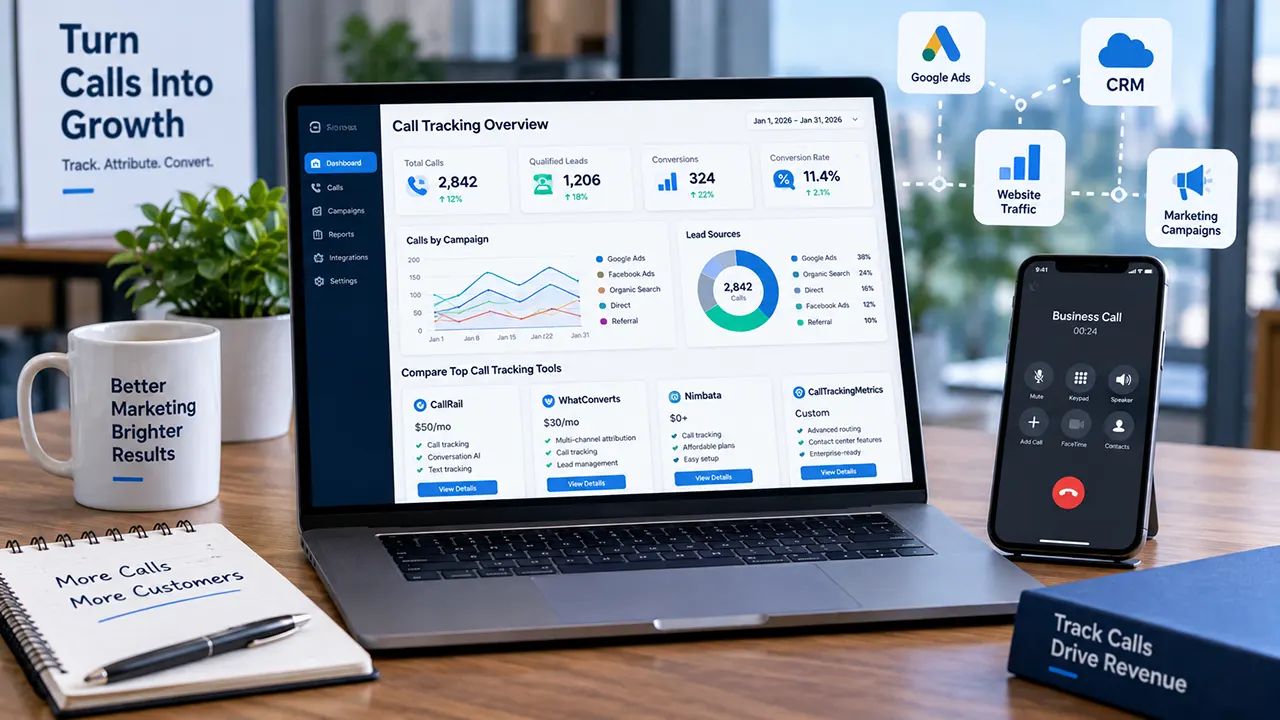
CallRail alternatives are software platforms that track business calls and connect them to marketing campaigns, leads, and conversions. The strongest alternatives in 2026 include WhatConverts, CallTrackingMetrics, Nimbata, Invoca, Ringba, PhoneWagon, and Convirza. The best choice depends on your call volume, attribution needs, integrations, budget, and whether you need advanced conversation or contact-center features.
Looking for a CallRail alternative? Start with what you want to fix
CallRail remains a strong option for businesses that want call tracking, marketing attribution, call recording, transcription, routing, and text tracking. Its current Lead Tracking plan starts at $50/month plus additional usage, includes five numbers and 250 minutes, and has a 14-day trial with no credit card required.
But a different platform may make more sense if your priority is lower entry pricing, broader lead attribution, enterprise conversation intelligence, contact-center functionality, or pay-per-call routing.
That is the real question behind a search for CallRail alternatives: not simply “Which tool has more features?” but “Which platform solves my particular problem better?”
This guide compares the leading options by use case, cost structure, features, and trade-offs so you can make that decision without assuming that leaving CallRail is automatically the right move.
Important: Pricing and features change frequently. Prices in this guide should be checked against the vendor’s current pricing page before purchase.
What about a Truecaller alternative?
A Truecaller alternative is usually a caller-ID or spam-identification app. A CallRail alternative serves a different purpose: CallRail focuses on marketing call tracking and attribution, including connecting calls and texts to campaigns and lead journeys.
So if your goal is to identify unknown callers, you need a different category of software. If your goal is to understand which marketing efforts generate phone leads, call-tracking software is the relevant category.
CallRail alternatives at a glance
The current competitive landscape includes platforms with very different strengths. WhatConverts emphasizes unified attribution, Invoca targets enterprise conversation intelligence, PhoneWagon competes on affordability, and Ringba focuses heavily on pay-per-call operations.
| Software | Best for | Main reason to consider it |
|---|---|---|
| WhatConverts | Multi-channel lead attribution | Tracks calls alongside other lead sources |
| CallTrackingMetrics | Advanced call management | Stronger fit for complex communications workflows |
| Nimbata | Budget-conscious marketers | Lower-cost call tracking |
| Invoca | Enterprise teams | Advanced conversation intelligence |
| Ringba | Pay-per-call businesses | Specialized call routing and performance tracking |
| PhoneWagon | Simple, affordable tracking | Straightforward call tracking |
| Convirza | Advanced call analytics | Deeper analytics and industry-focused capabilities |
Which CallRail alternative is closest to CallRail?
WhatConverts is one of the closest alternatives for marketers who want call tracking plus broader lead attribution. Its differentiation is that calls can sit alongside other lead sources, such as forms and other conversion events, rather than treating phone calls as the only major conversion channel. Current comparison research identifies WhatConverts as CallRail’s closest rival for unified attribution.
Why switch from CallRail?
The strongest reason to switch is not that CallRail is bad. It is that your requirements may have changed.
CallRail currently offers a broad set of features, including call and text tracking, attribution, recording, routing, transcription, automation, and website dynamic number insertion. Its platform has also continued expanding into AI-powered lead engagement.
Pricing and usage can matter more than the advertised monthly price
CallRail’s current pricing illustrates why comparing only subscription prices can be misleading.
The Lead Tracking plan starts at $50/month, but additional local minutes cost $0.06 each, additional local numbers cost $3 each, toll-free numbers cost $5 each, toll-free minutes cost $0.08 each, and SMS costs $0.03 per message.
That means your real monthly cost depends on how heavily you use the platform.
A better comparison is:
Monthly subscription + extra numbers + call usage + SMS + advanced features
A platform with a higher advertised starting price can sometimes be cheaper for a specific business once included usage and required features are considered.
Feature depth is not always the same as better value
More features only create value when your team uses them.
A small local service business may primarily need:
- Dynamic number insertion
- Call recording
- Basic attribution
- Call routing
- Simple reporting
An enterprise marketing team may instead need:
- Large-scale conversation intelligence
- Advanced attribution
- CRM integration
- Automated analysis
- Multi-location reporting
The mistake is choosing software based on the longest feature list instead of the smallest set of capabilities that solves the actual problem.
When CallRail is still the better choice
CallRail may still be the better choice if you want a mature SMB-focused call-tracking platform with broad marketing attribution, call and text tracking, recording, routing, transcription, and AI-powered conversation features. Its current product also continues to expand into AI lead engagement and CRM-connected workflows.
Switching simply because another product advertises a lower starting price can create unnecessary migration work.
WhatConverts vs CallRail: which gives marketers more?
WhatConverts is particularly compelling when you want to connect phone leads with other conversion sources. CallRail is a strong choice when call and text tracking, marketing attribution, routing, recording, and conversation analysis are central to your workflow. The better option depends on whether you primarily need call intelligence or broader lead attribution.
Attribution and lead-source tracking
CallRail connects calls and texts to marketing campaigns and provides lead-journey insights. Its dynamic number insertion technology can replace a website phone number with a tracking number based on the visitor’s source.
WhatConverts takes a broader attribution approach, making it attractive to marketers who want calls considered alongside other lead sources.
Calls, forms, chat, and other lead sources
This is where the two platforms can feel different.
If most of your valuable conversions happen by phone, CallRail’s focused call-tracking workflow can be a strong fit.
If your marketing team wants one attribution view across several lead types, WhatConverts deserves closer consideration.
Pricing and overall value
Current third-party comparison research lists WhatConverts at a lower starting price than CallRail, but pricing structures and included usage differ, so a direct monthly-price comparison can be misleading.
Before switching, compare the actual monthly usage your business expects, not just the advertised starting price.
Which one should you choose?
Choose CallRail when your priority is a mature call-and-text tracking workflow with marketing attribution and conversation capabilities.
Choose WhatConverts when broader lead attribution across different conversion types is more important.
The best CallRail alternatives for different business needs
There is no single winner for every business. The best CallRail alternative depends on what you need the software to accomplish.
WhatConverts – best for unified lead attribution
WhatConverts is a strong option for marketers who want to connect phone calls with other lead-generation channels.
Its key advantage over a narrowly focused call-tracking setup is the ability to evaluate different lead sources within a broader attribution workflow. Current comparison research specifically positions it as the closest CallRail rival for unified attribution.
Choose it if: your marketing team needs a wider view of lead generation.
Think twice if: your main requirement is simply reliable call tracking and you do not need broader attribution.
CallTrackingMetrics – best for advanced call management
CallTrackingMetrics is worth considering when call tracking overlaps with more complex communication and contact-center requirements.
It is a better candidate than a simple tracking tool when call handling, routing, and communications workflows are important parts of the buying decision.
Choose it if: your organization needs deeper call-management functionality.
Think twice if: you want the simplest possible setup for basic marketing attribution.
Nimbata – best for budget-conscious call tracking
Nimbata is frequently positioned as a lower-cost CallRail alternative. Current 2026 comparison coverage includes it among the leading options for businesses looking for alternatives to CallRail.
Choose it if: keeping call-tracking costs under control is a major priority.
Think twice if: you need enterprise-level conversation intelligence or complex communications workflows.
Invoca – best for enterprise conversation intelligence
Invoca is aimed at a different end of the market from a basic SMB call tracker.
Current comparison research positions Invoca as an enterprise-focused alternative, particularly for organizations handling large call volumes and requiring advanced conversation intelligence.
Choose it if: your organization has enterprise-scale attribution and conversation-analysis requirements.
Think twice if: you are a small business that only needs basic call tracking.
Ringba – best for pay-per-call businesses
Ringba is not simply a cheaper version of CallRail.
It is particularly relevant to businesses where call marketing and routing are central to the business model. Current comparison research describes it as a specialist platform for pay-per-call operations.
Choose it if: your business revolves around buying, selling, routing, or monetizing calls.
Think twice if: you simply need marketing attribution for calls generated by your website.
PhoneWagon – best for straightforward call tracking
PhoneWagon is positioned as an affordable option for businesses that want straightforward call tracking without necessarily moving into enterprise-level functionality.
Choose it if: simplicity and lower entry cost matter most.
Think twice if: you need sophisticated enterprise conversation intelligence.
Convirza – best for advanced call analytics
Convirza is another option for organizations that need deeper call analytics and specialized capabilities.
It belongs on a shortlist when analytics requirements go beyond basic “which campaign generated this call?” reporting.
Choose it if: advanced analytics are central to your requirements.
Think twice if: your business only needs basic call attribution.
Is there a free CallRail alternative?
There are limited options if by “free CallRail alternative” you mean a full-featured, permanently free call-tracking platform. Most serious call-tracking systems use paid plans, usage-based pricing, or free trials. CallRail currently offers a 14-day trial without requiring a credit card, rather than a conventional unlimited free plan.
Free plan vs free trial
These are not the same thing.
A free plan continues without payment as long as you stay within its limits.
A free trial gives temporary access to paid functionality before billing begins or access ends.
For business call tracking, a free trial can be more useful than an extremely limited free plan because you can test actual call attribution, routing, reporting, and integrations.
The cheapest way to start call tracking
If price is your biggest concern, compare:
- Monthly base fee
- Included phone numbers
- Included minutes
- SMS allowance
- Overage rates
- Required integrations
- Advanced-feature costs
Do not select a platform solely because its headline price is the lowest.
Why “cheap” can become expensive with usage fees
Imagine two services:
- Service A has a lower monthly subscription but expensive overages.
- Service B costs more upfront but includes substantially more usage.
If your business receives hundreds or thousands of tracked calls each month, Service B could produce the lower effective cost.
That is why cost per tracked lead can be more useful than simply comparing monthly subscription prices.
How CallRail compares on the features that matter most
CallRail is broader than simple phone-number tracking. Its current platform includes call and text attribution, recording, routing, transcription, automation, and dynamic number insertion.
Can CallRail track text messages?
Yes. CallRail supports tracking for business text messages alongside calls. Its current communication features allow businesses to send, receive, and track texts, while its pricing page includes SMS usage in its plans and lists additional SMS charges.
This matters if customers contact a business by both phone and text and the marketing team wants those interactions connected to lead activity.
Does CallRail track outbound calls?
Yes. CallRail documents support for recording inbound and outbound calls. The platform can maintain records of team calls so businesses can review conversations and understand which marketing efforts are producing leads.
Outbound-call requirements should still be checked against the exact CallRail configuration and applicable recording-consent rules in your location.
Is CallRail HIPAA compliant?
CallRail offers HIPAA-focused solutions and says it signs a Business Associate Agreement with healthcare clients. That does not mean every CallRail account or configuration is automatically compliant with every HIPAA requirement. Healthcare organizations should work with CallRail on the appropriate healthcare plan and BAA.
How does CallRail track calls to a specific website number?
CallRail uses dynamic number insertion (DNI) to replace a website phone number with a tracking number based on the visitor’s marketing source. Its JavaScript identifies phone numbers on the page and swaps them with the appropriate tracking number.
That lets marketers connect a phone call with information about how the visitor reached the website.
How to set up CallRail before deciding whether to switch
If you are evaluating CallRail because you are unsure whether your current setup is working correctly, it can make sense to audit the configuration before migrating.
Create a tracking number
CallRail’s setup process begins by creating an account and obtaining a tracking number. The company provides a setup workflow for creating numbers used to track calls.
Install dynamic number insertion
For website visitor tracking, install CallRail’s JavaScript snippet so the displayed phone number can change according to the visitor’s source.
Test the tracking setup
Place test calls from the marketing sources you want to measure.
Check that:
- The correct tracking number appears.
- The call reaches the intended destination.
- The source is attributed correctly.
- Recording works if enabled.
- Notifications arrive as expected.
Check call attribution and reporting
Do not judge a tracking platform until you have verified the complete journey:
Marketing source → website visit → tracking number → call → lead → conversion
A platform that captures calls but fails to connect them with marketing data solves only part of the attribution problem.
How much does CallRail cost per month?
CallRail currently lists Lead Tracking at $50/month plus additional usage. The plan includes five local numbers and 250 local minutes, while higher plans add features such as form tracking and advanced conversation intelligence. CallRail also offers a 14-day trial without requiring a credit card.
Current CallRail base pricing
CallRail’s current published plans include:
| Plan | Starting price | Main addition |
|---|---|---|
| Lead Tracking | $50/month | Calls, texts, attribution, recording, routing |
| Lead Tracking Complete | $95/month | Adds form tracking and multi-touch CPL reporting |
| Lead Conversion | $150/month | Adds Premium Conversation Intelligence |
| Lead Conversion Complete | $195/month | Combines form tracking with advanced conversation intelligence |
All listed plans have additional usage charges.
Included numbers, minutes, and SMS
The current plans include:
- 5 local numbers
- 250 local minutes
- 25 text messages
Additional usage is billed separately.
Additional usage costs
CallRail currently lists:
- $3 per additional local number
- $0.06 per additional local minute
- $5 per toll-free number
- $0.08 per toll-free minute
- $0.03 per SMS
- Additional form submissions and analysis minutes depending on the plan
How to calculate your actual monthly cost
Use this simple model:
Actual monthly cost = base plan + extra numbers + extra minutes + SMS + other usage
For example, a business receiving enough calls to exceed the included 250 minutes should calculate the additional minutes before deciding that the $50 starting price represents its likely monthly bill.
How to choose the right CallRail alternative
The right choice becomes much easier when you stop asking “Which software is best?” and instead ask “Which software fits my operating model?”
Choose based on call volume
Low-volume businesses can often prioritize simplicity and low fixed costs.
High-volume businesses should examine included minutes and overage rates closely.
Choose based on attribution needs
If phone calls are your main lead source, a specialized call-tracking platform may be enough.
If you need to compare calls, forms, chat, and other lead sources in one system, broader attribution platforms deserve more attention.
Choose based on CRM and advertising integrations
Your call-tracking platform should connect with the systems that already run your marketing operation.
Look at integrations with:
- Google Ads
- Analytics platforms
- CRM systems
- Lead-management tools
- Advertising platforms
The best tracking data is not very useful if your team cannot move it into the systems used for decision-making.
Choose based on agency or multi-location needs
Agencies and multi-location businesses have additional requirements.
Look for:
- Multiple accounts or locations
- Client reporting
- User permissions
- Campaign organization
- Flexible tracking numbers
- Centralized reporting
Choose based on compliance and industry requirements
Healthcare, legal, financial, and other regulated industries should evaluate compliance requirements before selecting a platform.
Do not treat a vendor’s general security statement as proof that a particular configuration meets your organization’s legal obligations.
How to switch from CallRail without losing tracking data
Switching call-tracking platforms is not just a software purchase. Your phone numbers, campaigns, reports, integrations, and historical data all need consideration.
Audit your existing numbers and campaigns
Create a list of:
- Tracking numbers
- Campaigns
- Landing pages
- Google Ads integrations
- CRM integrations
- Call flows
- Recording settings
- Reporting dashboards
Map tracking numbers to campaigns
Know exactly which number belongs to which campaign before changing anything.
This makes the migration easier to verify.
Run the new platform alongside CallRail
Where practical, test the replacement before cancelling the existing service.
Verify:
- Number routing
- Website replacement
- Campaign attribution
- Call recording
- Reporting
- CRM data
- Conversion tracking
Verify attribution before cancelling
A lower monthly bill is not a successful migration if your marketing attribution breaks.
The safest approach is to confirm that the replacement reproduces the measurements your marketing team actually relies on.
How to cancel CallRail
Before cancelling, export the historical information your team needs and document the tracking configuration.
Then review the current CallRail account and cancellation terms rather than relying on an old tutorial, because account workflows and policies can change.
Frequently asked questions about CallRail alternatives
1. What is the best call tracking software?
There is no universal winner. CallRail is a strong general-purpose option for SMB marketing call tracking, while WhatConverts is attractive for broader lead attribution, Invoca for enterprise conversation intelligence, and Ringba for pay-per-call operations. The best choice depends on call volume, attribution requirements, integrations, and budget.
2. Who are CallRail’s main competitors?
Major alternatives currently include WhatConverts, CallTrackingMetrics, Nimbata, Invoca, Ringba, PhoneWagon, and Convirza. They do not all compete with CallRail in exactly the same way: some emphasize affordability, some enterprise analytics, some contact-center capabilities, and others pay-per-call workflows.
3. Is CallRail worth it?
CallRail can be worth the cost when your business depends on phone leads and needs marketing attribution, call recording, routing, text tracking, and conversation insights. Its current Lead Tracking plan starts at $50/month plus usage. Whether it is worthwhile depends on how much revenue accurate attribution and lead intelligence generate for your business.
4. Why use CallRail?
Businesses use CallRail to connect calls and texts with marketing campaigns, track lead journeys, route calls, record conversations, transcribe calls, and analyze interactions. Its dynamic number insertion also helps identify the marketing source associated with website-generated calls.
5. What is the best app for call tracking?
For marketing call tracking, choose a dedicated call-tracking platform rather than a basic caller-ID app. CallRail, WhatConverts, CallTrackingMetrics, Nimbata, Invoca, and other specialized platforms offer capabilities designed to connect phone interactions with marketing activity. The best option depends on your required attribution depth and budget.
6. What is the cheapest call tracking software?
The cheapest option depends on actual usage, not just the advertised starting price. Current comparison research lists lower-priced alternatives such as PhoneWagon and WhatConverts, but their included usage and feature sets differ. Compare the monthly base price, numbers, minutes, SMS, overages, and required features before deciding.
The best CallRail alternative depends on what you want to fix
If CallRail already gives your business the attribution, call handling, text tracking, and conversation insights you need, switching simply because another platform is cheaper may not be worthwhile.
But if your priority is broader lead attribution, lower effective cost, enterprise conversation intelligence, advanced call management, or pay-per-call workflows, a specialized alternative may fit better.
The most useful next step is to compare your monthly call volume, required integrations, tracking features, and actual CallRail bill against two or three alternatives. That produces a much more reliable decision than choosing the platform with the lowest headline price.
Ready to replace CallRail? Start by identifying the one limitation you most want to fix, then choose the platform that solves that problem without adding features or costs you do not need.