
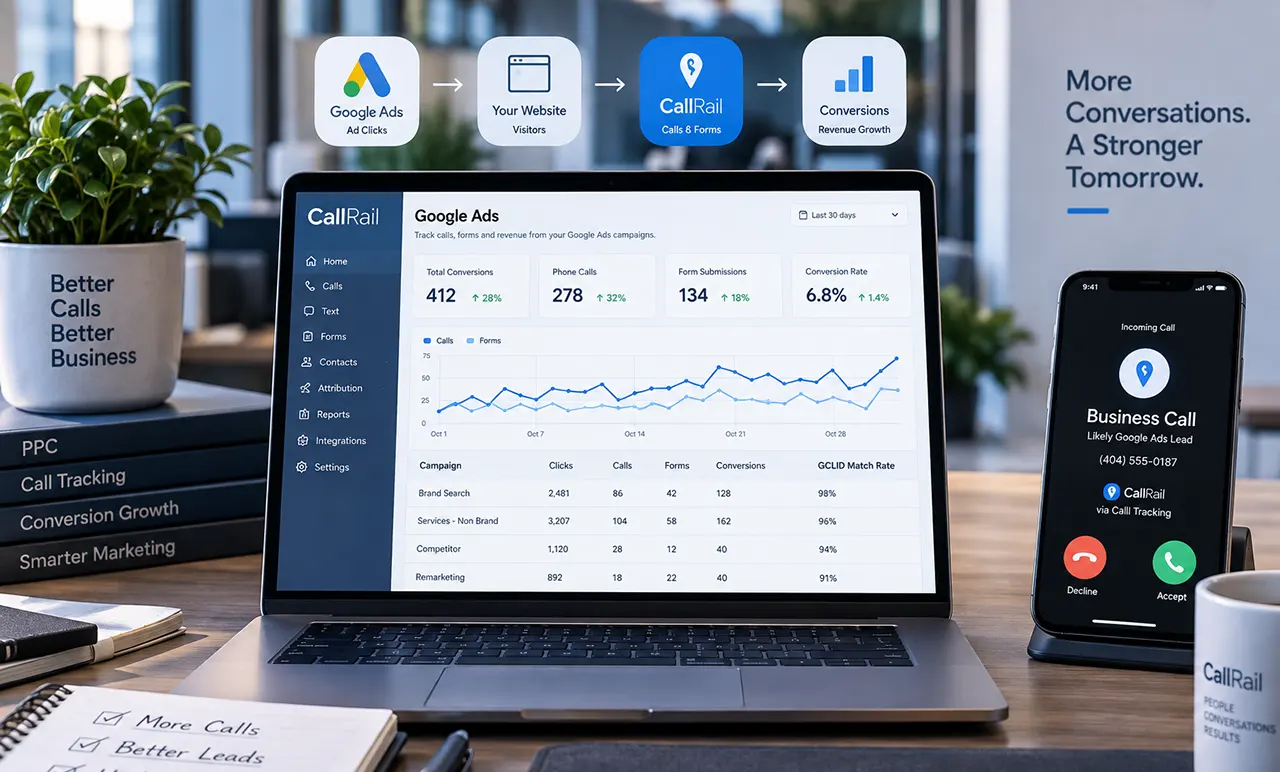
CallRail Google Ads integration, authorize your Google Ads account inside CallRail, enable the desired call and form conversions, and activate the integration. CallRail requires its JavaScript snippet, visitor tracking, and Google Ads auto-tagging. For calls generated directly from Google Ads call experiences, use Call Details Forwarding separately from the standard integration.
CallRail Google Ads integration starts with the right tracking path
If you use Google Ads to generate phone calls or leads, recording the call is only part of the job. You also need to know whether Google Ads can connect that conversion to the advertising interaction that generated it.
The CallRail Google Ads integration lets CallRail report eligible Google PPC calls and form submissions as conversions in Google Ads. For the standard integration, CallRail requires its JavaScript snippet, visitor tracking, and Google Ads auto-tagging.
There is an important distinction, though. Website calls and calls generated directly from Google Ads call experiences use different tracking paths. CallRail’s standard Google Ads integration handles website-based Google PPC calls and forms, while Call Details Forwarding (CDF) is used for calls from Google Ads call experiences.
This distinction is especially important in 2026 because Google has begun phasing out call-only ads. New call-only ads can no longer be created, and existing call-only ads are scheduled to stop receiving impressions in February 2027. Google recommends responsive search ads with call assets instead.
For most businesses, the goal is therefore not simply to “connect CallRail to Google Ads.” The goal is to build the correct path from ad click → website or call → conversion → Google Ads reporting.
How to set up the CallRail Google Ads integration
The standard setup takes place inside CallRail. You authorize the correct Google Ads account, select the CallRail company, choose which calls or forms should become conversions, and activate the integration.
Before starting, make sure the CallRail JavaScript snippet is installed on the website or landing page you want to track. Visitor tracking must also be active because CallRail requires it for calls to report as Google Ads conversions. Google Ads auto-tagging must be enabled as well.
Sign in to the correct Google Ads account
Sign in to the Google Ads account you want to connect before authorizing CallRail.
This is particularly important if you manage multiple client accounts, brands, or websites. Connecting the wrong account can make the integration appear technically successful while sending conversion data to the wrong advertising account.
Authorize Google Ads inside CallRail
In CallRail:
- Open Integrations.
- Select Google Ads.
- Choose the CallRail company you want to connect.
- Select Authorize.
- Complete the Google authorization process.
- Select the correct Google Ads account.
- Configure the conversion options.
- Select Activate.
CallRail’s current documentation says the integration is company-dependent, so repeat the setup for each CallRail company that needs its own Google Ads connection.
Choose calls, forms, or both
CallRail lets you configure which interactions should be reported to Google Ads.
You can choose calls, forms, or both.
For calls, you can either create one conversion for all calls or separate conversion actions for first-time and repeat callers. This distinction can be useful when a new customer call has greater business value than another interaction from an existing customer.
Activate the integration
After configuration, activate the integration.
CallRail creates the relevant conversion actions in Google Ads and begins reporting eligible conversions.
For accurate optimization, pay attention to whether the conversion action is configured as a Primary conversion in Google Ads. CallRail recommends Primary actions when you want those conversions reflected in reporting and used by automated bidding strategies.
Do not casually rename the conversion action created by CallRail. CallRail warns that changing the conversion name or changing the conversion source from Import from clicks can prevent CallRail from sending conversion data.
How CallRail uses GCLID to attribute Google Ads calls
The GCLID, or Google Click Identifier, is one of the key links between a Google Ads click and later conversion activity.
When Google Ads auto-tagging is enabled, Google adds a GCLID parameter to the landing-page URL after an ad click. Google describes GCLID as an identifier that associates the click with campaign and other click attributes for tracking and attribution.
CallRail’s current Google Ads integration also supports Google’s click identifiers, including GCLID, WBRAID, and GBRAID.
What a CallRail GCLID does
Think of the GCLID as an attribution bridge.
A simplified journey looks like this:
Google Ads click → GCLID → tracked website visit → CallRail attribution → phone call/form → Google Ads conversion
Without the necessary click information, Google Ads has a much harder time connecting a later conversion with the original advertising interaction.
Where auto-tagging fits
Google says auto-tagging is required for Google Ads website conversion tracking and that it adds the GCLID to ad-click URLs. Google also warns that redirects must pass the GCLID to the final landing page.
This makes redirects an important troubleshooting point.
If a Google Ads click reaches:
example.com/?gclid=123xyz
but a redirect sends the visitor to a final URL without the tracking information, the attribution chain can break.
Why a CallRail tracking number alone isn’t enough
A CallRail number can successfully record a phone call without necessarily proving that the call came from a particular Google Ads interaction.
The conversion problem is therefore different from the call-recording problem.
CallRail can know that a call happened. Google Ads needs enough attribution information to understand which advertising interaction generated the conversion.
That distinction is one of the most important concepts to understand before troubleshooting a missing Google Ads conversion.
CallRail integration vs. Google Ads Call Details Forwarding
The standard CallRail Google Ads integration and Call Details Forwarding solve related but different measurement problems.
The standard integration is primarily used to report website-based Google PPC calls and form submissions to Google Ads. Call Details Forwarding operates through Google Ads and provides call-related data for supported Google Ads call experiences.
| Capability | Standard CallRail integration | Call Details Forwarding |
|---|---|---|
| Website PPC calls | Yes | Different purpose |
| Website forms | Yes | No |
| Direct calls from Google Ads call experiences | Separate handling | Yes |
| Campaign/click information | Conversion attribution | Call-level advertising information |
| GCLID | Yes | Yes |
| Requires standard integration | N/A | No |
| Best use | Website conversion reporting | Calls originating from Google Ads call experiences |
CallRail says CDF does not require a prior Google Ads integration. However, without the standard integration, CDF can provide GCLIDs and campaign IDs but not keyword and campaign-name information. Activating the standard integration provides those additional details.
There is another important difference: CallRail does not post conversions to Google Ads for CDF calls. Google handles those conversions according to the call-conversion settings configured in Google Ads. Calls to CallRail website pools continue to use the normal CallRail Google Ads integration.
CDF also has a specific data limitation: calls to tracking numbers need to last at least 15 seconds for the enhanced CDF data to be captured. If someone copies a phone number from an ad and calls it later, Google does not replace the displayed number with a Google Forwarding Number, so that call will not receive CDF data.
The practical decision is simple:
- Website visitor clicks Google ad and calls your website number: standard CallRail integration.
- Visitor submits a tracked website form after a Google Ads click: standard CallRail integration.
- Person calls through a Google Ads call asset/call experience: use Call Details Forwarding.
- Need broader behavioral reporting: consider the CallRail GA4 integration as a complementary layer.
How to verify that Google Ads is receiving CallRail conversions
A successful authorization does not automatically mean the measurement setup is correct. Verification should follow the entire conversion path.
Check the integration status
Open the Google Ads integration inside the relevant CallRail company and confirm that the integration is active.
Also confirm that the correct Google Ads account is connected.
If you manage multiple companies or accounts, verify both sides rather than assuming the authorization went to the intended account.
Check the conversion action name and source
In Google Ads, inspect the conversion action created by CallRail.
Pay particular attention to the conversion name and source. CallRail warns that changing the generated conversion name or changing its source from Import from clicks can stop CallRail from reporting conversions.
Check Primary vs. Secondary conversion settings
A conversion can exist in Google Ads without being the conversion your bidding strategy is optimizing toward.
If CallRail conversions are important business outcomes, check whether the relevant conversion actions are configured as Primary according to your campaign strategy. CallRail recommends Primary actions when you want the conversions reflected in reports and used by automated bidding.
Allow for reporting delay
Do not test an integration and immediately assume it failed because the conversion isn’t visible.
CallRail says integration changes can take up to 24 hours to register in Google Ads. Its manual conversion-import documentation also notes that imported conversions can take time to appear.
A better testing process is:
- Verify configuration.
- Generate a legitimate test interaction.
- Confirm that CallRail recorded it.
- Wait for the applicable reporting window.
- Check the correct Google Ads conversion action.
CallRail Google Ads integration not working? Use this diagnostic path
When conversions are missing, avoid changing everything at once. Work through the attribution chain from the beginning.
The integration is inactive
First check the CallRail integration status.
If the integration was deactivated, CallRail will not continue reporting conversions to Google Ads.
The wrong Google Ads account is connected
Multiple accounts are a common source of confusion.
Check the Google Ads customer account connected to the CallRail company and compare it with the account containing the campaign that generated the lead.
Auto-tagging is disabled
Google says auto-tagging is required for website conversion tracking and adds the GCLID to the landing-page URL after an ad click.
Check:
Google Ads → Admin → Account settings → Auto-tagging
Google also notes that new accounts now have auto-tagging enabled by default, but it is still worth checking the actual account configuration.
The GCLID is being stripped
If your website uses redirects, tracking systems, URL rewriting, or other routing logic, make sure the GCLID survives until the final landing page.
Google specifically warns that redirects need to pass the GCLID to the final landing page for conversion tracking to work correctly.
Visitor tracking is missing
CallRail requires visitor tracking for calls to report as conversions through its standard Google Ads integration.
If the CallRail JavaScript snippet or required visitor tracking is missing from the relevant landing page, the call may be recorded without having the attribution information needed for Google Ads conversion reporting.
The conversion action was renamed
Check whether someone changed the conversion action generated by CallRail.
CallRail specifically warns that changing the Phone Call conversion name or changing its source from Import from clicks can prevent conversion reporting.
You’re checking the wrong Google Ads conversion
Do not assume every phone conversion appears under Google’s Calls from Ads conversion.
CallRail explains that calls reported through its standard integration use the CallRail-created conversion actions, while calls handled through Google Ads Call Details Forwarding are reported by Google through its call-conversion settings.
This distinction can make a perfectly functioning integration look broken if you’re checking the wrong conversion action.
You’re expecting old calls to appear
The standard integration is not a historical database import.
If calls occurred before the integration was activated or updated, they may not appear automatically as new conversions.
If historical data needs to be recovered, CallRail provides a Manual Conversion Import option for eligible calls and forms containing a Google Ads click ID. CallRail says this method can cover conversions from the previous 90 days.
That is a separate recovery workflow, not something the normal integration automatically performs.
Where GA4 fits into a CallRail and Google Ads setup
GA4 and Google Ads answer different reporting questions, so using both can make sense.
The simplest distinction is:
Google Ads: How are my advertising campaigns producing conversions?
GA4: How are users and interactions behaving across my website and other measured journeys?
CallRail: What happened around calls, forms, texts, chats, attribution, and lead activity?
CallRail’s GA4 integration sends call, text, chat, and form data to GA4 as events.
CallRail Google Analytics integration vs. Google Ads conversion reporting
Do not treat GA4 and Google Ads as interchangeable reporting systems.
Google Ads is designed around advertising performance and conversion optimization. GA4 provides broader analytics and event-based reporting.
You may therefore see legitimate differences between platforms because they use different reporting and attribution logic.
What CallRail sends to GA4
CallRail’s current GA4 integration can send information such as:
- Call ID
- Campaign
- Medium
- Source
- Landing page URL
- Tracking number
- First-time caller status
- Call duration
- Form information
- Device information
- Value
- Referrer
CallRail recommends using custom dimensions for many attribution fields and custom metrics for values such as call duration.
Why GA4 should not replace Google Ads conversion attribution
Sending CallRail events to GA4 does not mean you should remove the appropriate Google Ads conversion setup.
If your objective is to help Google Ads understand which advertising interactions generate valuable leads, maintain the appropriate Google Ads conversion path.
Use GA4 as a complementary analytics layer rather than assuming it is a drop-in replacement for CallRail’s direct Google Ads integration.
Common CallRail and Google Ads setup mistakes
Several mistakes repeatedly create misleading attribution or reporting problems.
Using the wrong Ads account
Always verify the Google Ads customer account before authorization.
Forgetting auto-tagging
Auto-tagging supplies the GCLID needed for the relevant Google Ads attribution path.
Installing tracking incompletely
A tracking number can work while the website attribution setup remains incomplete. Verify the CallRail JavaScript and visitor tracking on the actual landing pages receiving paid traffic.
Confusing website calls with calls from ads
A call made after visiting your website is not measured through exactly the same path as a call originating directly from a Google Ads call experience.
Renaming the imported conversion
Avoid changing CallRail-created conversion names or sources unless CallRail’s current documentation explicitly supports the change.
Looking for CallRail calls under “Calls from Ads”
The standard CallRail integration and Google Ads CDF use different conversion paths. CDF conversions are handled by Google Ads, while website-pool calls continue to use the normal CallRail integration.
Expecting historical calls to import automatically
The standard integration is not designed to retroactively turn previous calls into conversions. Use CallRail’s manual conversion-import workflow when appropriate.
Ignoring reporting delays
Give the systems enough time to process the conversion before diagnosing a missing conversion as a technical failure.
Treating GA4 and Google Ads as identical attribution systems
Different platforms can legitimately report different numbers. Compare the definitions, attribution paths, conversion actions, and reporting windows before concluding that one system is wrong.
What changes for CallRail users in Google Ads in 2026
The biggest Google Ads change for call-focused advertisers is the transition away from call-only ads.
Call-only ads are being phased out
Google removed the ability to create new call-only ads in February 2026. Existing call-only ads are scheduled to stop receiving impressions in February 2027.
If an older CallRail guide tells you to build your strategy around creating new call-only ads, that advice is outdated.
Call assets are the current direction
Google recommends using responsive search ads with call assets.
Call assets can display a phone number or clickable call option alongside eligible ads. Google also provides call reporting and call-conversion options for supported call assets.
For a CallRail user, this makes the distinction between website-pool tracking and Google Ads call experiences even more important.
Google’s 2026 conversion infrastructure changes
Google is also continuing to update its conversion and data infrastructure in 2026.
The important lesson for this article is not to build a tracking architecture around an old screenshot or outdated Google Ads interface. Recheck the current Google Ads and CallRail documentation whenever you change conversion settings or rebuild campaigns.
The cleanest CallRail + Google Ads setup for most businesses
For most businesses, the simplest architecture is to assign each interaction type to the measurement system designed to handle it.
| Lead interaction | Recommended tracking path |
|---|---|
| Google Ads click → website → phone call | CallRail Google Ads integration |
| Google Ads click → website → form | CallRail Google Ads integration |
| Google Ads call asset → phone call | Call Details Forwarding / Google Ads call reporting |
| Call and form analysis across broader website behavior | CallRail + GA4 |
| Custom data warehouse or application workflow | CallRail API |
Website calls → CallRail Google Ads integration
If someone clicks a Google ad, visits your website, and calls a CallRail tracking number, the standard CallRail Google Ads integration is the primary path.
Visitor tracking and auto-tagging are essential parts of that setup.
Website forms → CallRail Google Ads integration
For tracked website forms generated from Google Ads traffic, the standard integration can report qualifying form submissions as conversions.
Make sure the form occurs within the tracked website journey and that the necessary Google Ads click information is preserved.
Direct calls from Google Ads call assets → Call Details Forwarding
For calls generated directly through Google Ads call experiences, use the Google Ads Call Details Forwarding workflow.
CallRail states that CDF operates independently of the standard Google Ads integration, although the standard integration adds keyword and campaign-name information to CDF data.
Broader behavioral reporting → GA4
If you want to analyze calls alongside website engagement, forms, chats, SMS, landing pages, campaigns, and other event data, connect CallRail to GA4.
CallRail’s current integration supports these interaction types and provides additional attribution fields for analysis.
Advanced data workflows → CallRail API
The API becomes useful when your organization needs data that isn’t covered by a native integration or when you need a custom connection to an internal application, CRM, or data warehouse.
CallRail’s REST API can provide access to data including calls, forms, companies, tags, integrations, text messages, trackers, and lead timelines.
For most businesses, though, an API should not be the first solution. Use the native integration when it already solves the problem.
Frequently asked questions about CallRail and Google Ads
Open Integrations → Google Ads in CallRail, select the appropriate company, authorize the correct Google Ads account, configure calls and/or forms, and activate the integration. Before doing so, make sure CallRail visitor tracking is installed and Google Ads auto-tagging is enabled.
Start with the integration status, connected Google Ads account, auto-tagging, CallRail JavaScript, visitor tracking, conversion-action settings, and GCLID preservation. Also make sure you’re checking the correct conversion action. CallRail notes that integration changes can take up to 24 hours to register.
Yes. CallRail’s Google Ads integration uses Google’s click identifiers, including GCLID, WBRAID, and GBRAID. Google describes GCLID as a click identifier used for ad tracking and campaign attribution.
Yes. CallRail has a dedicated GA4 integration that can send calls, texts, chats, and forms to GA4 as events. It can also send attribution information such as campaign, source, medium, landing page URL, and tracking number.
Yes. CallRail provides a REST API for retrieving and working with CallRail data. It can be useful for custom applications, internal systems, data warehouses, and integrations that aren’t covered by CallRail’s native integrations.
CallRail provides broader call-tracking and lead-attribution capabilities, while Google Ads provides advertising-specific call measurement. For website calls from Google Ads, CallRail’s standard integration reports conversions to Google Ads. For supported calls from Google Ads call experiences, Call Details Forwarding uses Google Ads call reporting.
Website calls reported through CallRail’s standard integration use CallRail’s conversion actions rather than Google’s separate “Calls from Ads” conversion. CDF calls follow Google’s call-conversion settings. Check which type of call you’re measuring before diagnosing the setup.
CallRail says changes to the Google Ads integration can take up to 24 hours to register in Google Ads. Reporting timing can vary by the specific conversion workflow, so avoid diagnosing a new configuration immediately after activation.
Yes. CallRail’s standard Google Ads integration can report qualifying Google PPC form submissions as conversions. The website needs the required tracking setup, including the CallRail JavaScript and Google Ads auto-tagging.
Yes. Google removed the ability to create new call-only ads in February 2026. Existing call-only ads are scheduled to stop receiving impressions in February 2027. Google recommends responsive search ads with call assets instead.
The best way to approach CallRail and Google Ads integration
The most reliable setup is not the one with the most tracking tools. It is the one where every conversion has a clear measurement path.
For website calls and forms generated from Google Ads traffic, use the CallRail Google Ads integration and make sure auto-tagging, visitor tracking, and the CallRail website script are correctly configured.
For calls originating directly from Google Ads call experiences, use Call Details Forwarding and configure Google Ads call reporting appropriately.
Then use GA4 when you need broader event and journey analysis, and consider the CallRail API only when native integrations cannot provide the data workflow you need.
If you are troubleshooting missing conversions, start with the click ID and tracking path rather than immediately changing conversion settings. A working phone number proves that a call was recorded; it does not necessarily prove that Google Ads received the attribution needed to count that call as the right conversion.
For broader context on call tracking, see what is call tracking. To understand CallRail’s broader tracking capabilities, see CallRail call tracking.
If you are comparing platforms rather than configuring CallRail, explore best call tracking software and CallRail alternatives.