
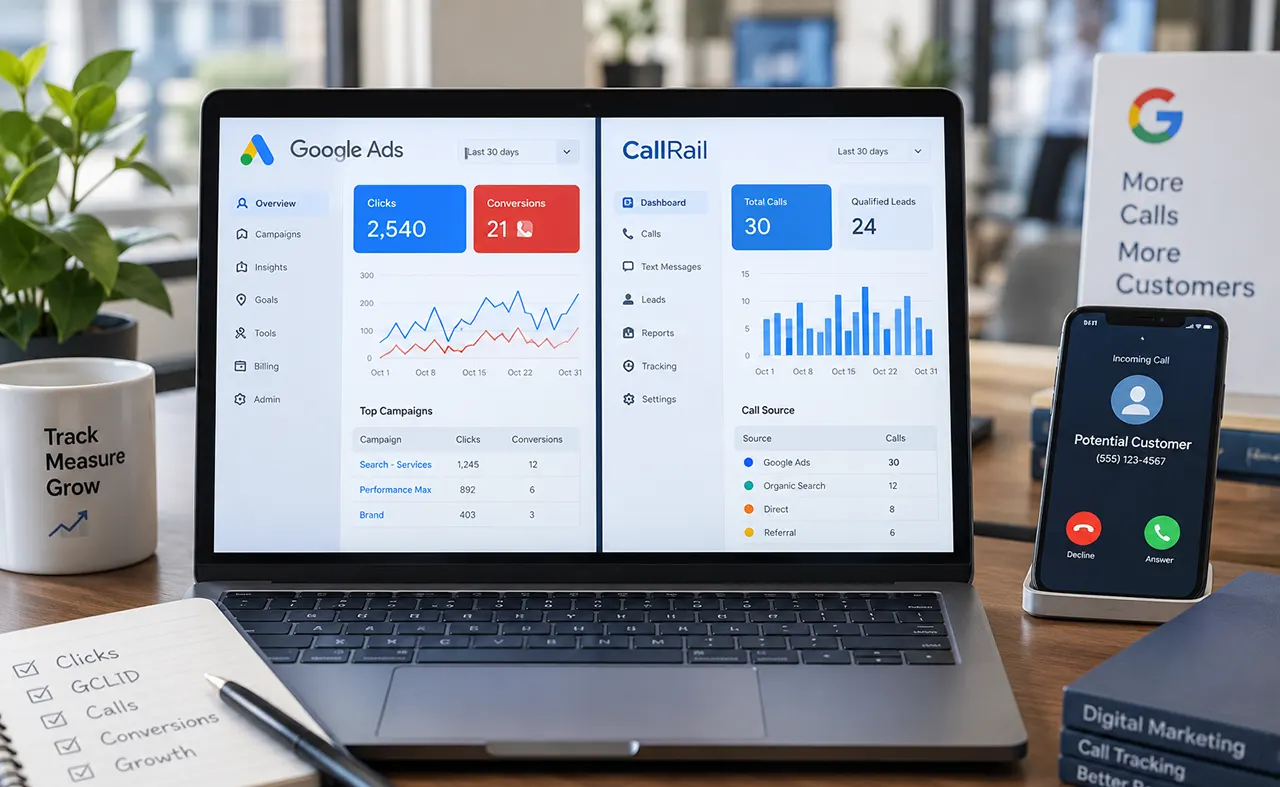
A CallRail Google Ads discrepancy usually happens because CallRail and Google Ads may use different conversion dates, counting rules, conversion windows, or attribution methods. A call recorded in CallRail does not automatically become a Google Ads conversion. Check the conversion action, click date, conversion window, website pool, Google click ID, and Primary/Secondary settings before treating the difference as a tracking error.
Why CallRail and Google Ads Show Different Conversion Numbers
A CallRail Google Ads discrepancy does not automatically mean your tracking is broken. CallRail and Google Ads can report different numbers because they may use different conversion dates, counting rules, conversion windows, attribution requirements, or conversion actions. The first step is to determine which reporting rule explains the difference before changing your tracking setup.
You open your CallRail dashboard and see 30 calls. Then you open Google Ads and see only 21 conversions. It is easy to assume that nine calls disappeared. In many cases, however, the platforms are not actually measuring the exact same thing.
That distinction matters. Changing tracking settings before identifying the cause can make reconciliation harder and can affect the conversion data your campaigns use for optimization.
This guide shows how to identify the source of the mismatch, determine whether it is normal, and fix genuine tracking problems.
How CallRail and Google Ads Track a Phone Conversion
Call tracking becomes easier to troubleshoot when you understand the path a Google Ads visitor can take before becoming a reported phone conversion.
From a Google Ads click to a CallRail call
A typical website call attribution path looks like this:
- A person clicks a Google ad.
- Google Ads associates the interaction with its advertising identifiers.
- The visitor reaches your website.
- CallRail’s visitor tracking and website pool identify the advertising source.
- The visitor calls the dynamically displayed tracking number.
- CallRail records the call and its attribution data.
- The eligible conversion information is sent to Google Ads.
CallRail’s Google Ads integration relies on visitor tracking and Google Ads auto-tagging to connect eligible website calls with Google Ads interactions.
The important point is that a call being recorded by CallRail does not automatically mean it should appear as a Google Ads conversion. The call must satisfy the relevant attribution and conversion settings.
Why the tracking path matters
Suppose CallRail records a call from someone who found your company through an organic search, direct visit, referral, or another source. That call can exist perfectly well in CallRail without becoming a Google Ads conversion.
The same applies when a Google Ads interaction cannot be connected to the call under the configured tracking conditions.
That is why comparing total CallRail calls with total Google Ads conversions is often an apples-to-oranges comparison.
The 8 Most Common Causes of a CallRail Google Ads Discrepancy
1. The call date and Google Ads click date are different
This is one of the most important causes of apparent discrepancies.
Google Ads can report a conversion according to the date of the ad interaction rather than the date the conversion actually happened. Google explains that if someone clicks an ad on one day and converts later, the conversion can be attributed to the earlier click date.
For example:
- Monday: customer clicks your Google ad.
- Wednesday: customer calls your business.
- CallRail: reports the call on Wednesday.
- Google Ads: can attribute the conversion to Monday.
If you compare Monday’s CallRail calls with Monday’s Google Ads conversions, or Wednesday’s numbers with Wednesday’s numbers, the totals may appear inconsistent even though attribution is working as configured.
This is a reporting-date difference, not necessarily a tracking failure.
2. Google Ads is counting one conversion instead of every conversion
Google Ads lets each conversion action use either One or Every as its counting method. With One, Google Ads counts only one conversion after an eligible ad interaction. With Every, it counts each qualifying conversion.
This matters for businesses where one person may call multiple times.
Imagine one ad click eventually leads to three qualifying calls:
- CallRail may record all three calls.
- Google Ads may report one conversion if the action is configured to count One.
- Google Ads may report three if it is configured to count Every and the calls meet the other requirements.
So a lower Google Ads number does not automatically mean CallRail missed calls.
3. The conversion window is too short
A conversion window determines how long after an ad interaction Google Ads can record a conversion.
Google says that if you do not customize the Search and Display conversion window, a 30-day default is used. Depending on the conversion source, Google Ads allows windows of up to 90 days.
Consider this situation:
- A prospect clicks an ad on January 1.
- The prospect calls on January 35.
- Your conversion action uses a 30-day window.
The call can be recorded in CallRail but fall outside the Google Ads conversion window.
The key lesson is simple: CallRail’s call history and Google Ads’ eligible conversion history do not necessarily have the same attribution boundary.
4. You are comparing CallRail with “Calls from ads”
Google Ads contains different call-conversion mechanisms, so make sure you know which one you are comparing.
A business can have:
- CallRail website call tracking
- Google Ads call reporting
- Call assets
- Other conversion actions
These should not automatically be treated as one dataset.
If your report combines different call-conversion sources, Google Ads may contain calls that do not correspond directly to the CallRail website-call conversion action.
5. Calls are not coming through an eligible website pool
CallRail’s website pool is important for dynamic number replacement and visitor-level attribution.
If the visitor does not receive the expected tracking number, the call may still reach the business, but CallRail may not have the information needed to associate it with the Google Ads interaction.
That creates a critical distinction:
A completed phone call and an attributable Google Ads phone conversion are not necessarily the same event.
When investigating a discrepancy, check whether the relevant visitor actually received the CallRail tracking number.
6. Auto-tagging or click-ID attribution is not working correctly
Google Ads attribution depends on information that connects an ad interaction with subsequent activity.
If auto-tagging is disabled or the relevant click information is lost during the journey from ad click to website visit, CallRail may be unable to associate the call with the Google Ads interaction.
This can happen when a website, redirect, tracking setup, or other implementation interferes with the attribution information.
Do not immediately replace the tracking system. First determine whether the advertising click can successfully reach the landing page while preserving the required attribution information.
7. The conversion action is configured incorrectly
Google Ads separates conversion actions according to how they are used for reporting and optimization.
Primary conversion actions are included in the main Conversions column and can be used for bidding. Secondary actions are generally used for observation and appear in All conversions instead.
That means a call conversion can exist in Google Ads without appearing where you expect it.
Check:
- Conversion action name
- Conversion source
- Primary or secondary status
- Account-default goals
- Campaign-level conversion goals
- Counting method
- Conversion window
Google specifically notes that the Conversions column represents primary conversion actions, while All conversions provides a broader view.
8. The integration or configuration was recently changed
A recently created or modified conversion setup may not immediately produce a clean historical comparison.
This is particularly important when someone has recently:
- Changed conversion actions
- Changed counting settings
- Changed conversion windows
- Modified campaign goals
- Changed website tracking
- Reconfigured CallRail
Do not judge a new configuration from one short reporting period. First establish when the change happened, then compare data from the appropriate period.
CallRail vs Google Ads: What Each Platform Is Actually Counting
The fastest way to diagnose a discrepancy is to stop comparing headline totals and compare the underlying definitions.
| What you are comparing | What to verify |
|---|---|
| CallRail calls | Are these all calls or only Google Ads-attributed calls? |
| Google Ads conversions | Are you looking at Primary conversions or All conversions? |
| Reporting date | Is the platform using call/conversion date or ad-interaction date? |
| Conversion count | Is the action set to One or Every? |
| Conversion window | How long after the ad interaction can the conversion qualify? |
| Conversion action | Are you comparing the same action? |
| Website calls | Is CallRail’s visitor tracking and website pool working? |
| Calls from ads | Are these coming from a separate Google Ads call mechanism? |
| Campaign reporting | Are campaign-level conversion goals filtering the data? |
Google itself recommends understanding the distinction between Conversions and All conversions, particularly when comparing Google Ads data with third-party systems. Google notes that All conv. (by conv. time) can be useful for comparisons because it reports conversions according to when they occurred rather than when the ad click occurred.
That makes the comparison much more meaningful than simply looking at two headline totals.
How to Diagnose a CallRail Google Ads Discrepancy
Step 1 – Confirm that you are comparing the same date range
Start with the simplest possible test.
Write down:
- CallRail reporting period
- Google Ads reporting period
- Time zone
- Call date
- Google Ads conversion date or interaction date
If you are comparing CallRail’s call date with Google Ads’ click-attributed conversion date, expect some calls to appear in different calendar periods.
For cross-platform reconciliation, Google Ads’ conversion-time reporting can provide a more useful comparison point.
Step 2 – Compare the same conversion action
Open the conversion actions in Google Ads and identify exactly which action represents the CallRail data.
Do not compare:
CallRail website calls
against:
Google Ads total calls
unless you have confirmed that both datasets represent the same call source.
Instead, identify the specific conversion action and compare it with the corresponding CallRail-attributed calls.
Step 3 – Check CallRail’s Google Ads source and website pool
Next, investigate the CallRail side.
Confirm that:
- Visitor tracking is active.
- The website pool is configured correctly.
- The expected tracking number appears to visitors.
- The relevant calls are actually attributed to Google Ads.
- The calls are not being classified under another marketing source.
A useful diagnostic question is:
“Does CallRail recognize this specific call as a Google Ads-attributed call?”
If the answer is no, the problem is upstream of Google Ads conversion reporting.
Step 4 – Check the conversion count setting
Open the relevant Google Ads conversion action and inspect Count.
If it is set to One, multiple conversions after one ad interaction may not produce multiple reported conversions.
If it is set to Every, qualifying conversions can be counted individually. Google confirms that these settings affect how conversions are reported, and changing the setting applies to future conversion reporting rather than rewriting historical data.
Do not change the setting merely to make the numbers match. Choose the counting method that represents what the business actually considers a valuable conversion.
Step 5 – Check the conversion window
Review the click-through conversion window for the relevant conversion action.
A shorter window can exclude legitimate later calls.
Google explains that conversions occurring after the selected window are not recorded for that conversion action.
For businesses with longer sales cycles, this check can be particularly important.
Step 6 – Check Primary and Secondary conversion settings
Look at whether the relevant CallRail conversion action is Primary or Secondary.
If it is Secondary, it generally appears in All conversions rather than the main Conversions column.
This single setting can make an apparently large discrepancy disappear once you compare the correct Google Ads column.
Step 7 – Check auto-tagging and click IDs
Verify that Google Ads auto-tagging is active and that the attribution information survives the journey to the website.
Look closely at:
- Redirects
- Landing pages
- URL changes
- Tracking scripts
- Consent implementations
- Cross-domain journeys
- Website changes
The goal is not merely to confirm that the page loads. You need to confirm that the advertising attribution information survives long enough for the call to be associated with the original interaction.
Step 8 – Check call assets and other call sources
If Google Ads contains more call activity than your CallRail website-call data, investigate whether those calls originate from another Google Ads call mechanism.
Do not assume that every phone conversion in Google Ads came through the same CallRail tracking path.
This is one of the easiest ways to create a misleading reconciliation report.
Step 9 – Allow for reporting delays
Finally, determine whether you are looking at a period that is too recent.
A newly configured conversion system may need time before the data becomes useful for reconciliation.
If the discrepancy occurs only in the most recent hours or day, wait for the relevant reporting systems to process the data before making major configuration changes.
A Simple CallRail Google Ads Reconciliation Checklist
Use this checklist whenever the numbers do not match:
- Same date range?
- Same time zone?
- Same conversion action?
- Same call source?
- CallRail call actually attributed to Google Ads?
- Same conversion-counting method?
- Conversion window long enough?
- Conversion action Primary or Secondary?
- Correct Google Ads reporting column?
- Website pool functioning?
- Auto-tagging working?
- Any recent tracking changes?
- Are you comparing website calls with a separate Google call source?
- Has enough time passed for reporting to update?
If the answer to all of these is correct and the discrepancy remains substantial, the investigation should move from reporting interpretation into technical tracking diagnostics.
When a CallRail Google Ads Discrepancy Is Normal
Not every difference requires a fix.
A discrepancy can be expected when the two systems apply different rules to the same customer journey.
For example, a prospect can click a Google ad on Monday and call on Wednesday. The call exists on Wednesday in CallRail, while Google Ads can attribute the conversion to the earlier ad interaction.
Similarly, one person can generate multiple calls after one ad click. If Google Ads is configured to count One, it can report fewer conversions than CallRail records as individual calls.
A conversion outside the selected conversion window can create another legitimate difference.
The practical lesson is important: matching numbers are not the definition of correct tracking. Matching definitions are.
When the Discrepancy Indicates a Tracking Problem
The situation becomes more concerning when the difference cannot be explained by an intentional reporting rule.
Investigate the implementation when you see patterns such as:
- CallRail consistently attributes eligible Google Ads calls, but Google Ads receives none.
- The website tracking number does not appear when expected.
- Google Ads click attribution is being lost before the visitor reaches the tracked page.
- The relevant conversion action is missing or incorrectly configured.
- A conversion action has unexpectedly moved from Primary to Secondary.
- Campaign-level goals exclude the relevant conversion.
- A tracking implementation was recently changed and conversions stopped afterward.
- The discrepancy begins abruptly rather than appearing as a normal reporting difference.
- Google Ads and CallRail are using different call sources without anyone realizing it.
The strongest diagnostic signal is not simply how large the discrepancy is. It is whether the discrepancy follows a logical pattern that can be explained by the platforms’ measurement rules.
How to Prevent Future CallRail and Google Ads Reporting Mismatches
Standardize conversion definitions
Before building a client report, define exactly what counts as a conversion.
For example:
“A Google Ads phone conversion means a qualifying website call attributed to an eligible Google Ads interaction.”
That definition is much more useful than simply saying “phone leads.”
Keep reporting dates consistent
Choose a standard reporting method for your agency or business.
If you compare CallRail call dates with Google Ads click-attributed conversion dates, document that difference rather than treating it as an error.
For cross-platform analysis, consider using reporting views that align conversions by conversion time where appropriate.
Document conversion-action settings
Maintain a simple record of:
- Conversion action name
- Source
- Primary/Secondary status
- Count setting
- Conversion window
- Campaign goal usage
- Call source
- CallRail tracking configuration
This makes future audits much faster.
Audit tracking after major Google Ads changes
Run a tracking check after significant changes to:
- Campaigns
- Conversion goals
- Landing pages
- Redirects
- Tracking scripts
- Call assets
- CallRail configuration
Do not wait until the monthly client report exposes a problem.
Build a client reporting layer above both platforms
For agencies, the best reporting system is rarely “copy whatever number Google Ads shows.”
Instead, define the business metric first and then explain how each platform contributes to it.
For example:
Ad interaction → attributed call → qualified lead → opportunity
That separates advertising measurement from business outcomes and gives clients a clearer view of what the numbers actually mean.
When to Get Help With CallRail and Google Ads Tracking
A simple discrepancy is often easy to diagnose once you know which reporting rule is responsible.
Professional tracking assistance becomes more valuable when the account involves:
- Multiple Google Ads campaigns
- Multiple tracking numbers
- Multiple locations
- Several conversion actions
- Complex website journeys
- Call assets alongside website call tracking
- Multiple advertising platforms
- Agency client reporting
- Lead-quality measurement
- Significant discrepancies that cannot be explained by reporting rules
The goal should not be to force CallRail and Google Ads to display identical numbers. The goal is to establish why they differ, which number answers which business question, and whether the underlying attribution is trustworthy.
If you need help auditing a CallRail and Google Ads setup, Scorup can use the tracking architecture, conversion configuration, and reporting definitions to identify where the measurement chain is breaking down.
Frequently Asked Questions About CallRail Google Ads Discrepancy
CallRail and Google Ads may use different attribution dates, conversion-counting rules, conversion windows, conversion actions, and call sources. A CallRail call can therefore exist without becoming a Google Ads conversion. First compare the same call source and conversion action before treating the difference as a tracking error.
No. A discrepancy can be completely normal when the platforms use different reporting rules. Date attribution, One versus Every counting, conversion windows, and Primary versus Secondary conversion settings can all create different totals. A tracking problem becomes more likely when the difference cannot be explained by any configured measurement rule.
The call may not qualify as a Google Ads-attributed conversion. Possible explanations include missing advertising attribution, an unsuitable conversion window, counting rules, conversion-action configuration, or the call coming from another source. Start by checking whether CallRail itself attributes that specific call to Google Ads.
Check whether you are comparing CallRail website calls with another Google Ads call source. Google Ads can contain different call-conversion mechanisms, so a total Google Ads call figure may not represent only calls tracked through the CallRail website integration.
It can affect whether a CallRail-attributed call becomes a Google Ads conversion. Google Ads records conversions only when they occur within the configured conversion window for the relevant conversion action. A call outside that window can remain visible in CallRail without being counted as a Google Ads conversion.
There is no universal setting that is correct for every business. Google Ads defines One as counting one conversion per ad interaction and Every as counting each qualifying conversion. The appropriate choice depends on whether repeated calls after one advertising interaction represent additional valuable conversions for the business.
They can represent different conversion mechanisms. A CallRail website call conversion and Google’s own call-reporting mechanisms should not automatically be treated as the same dataset. When reconciling numbers, identify the exact conversion action and call source before comparing totals.
If the tracking configuration was just changed, allow the relevant systems time to process the new data before drawing conclusions. For an established integration, however, a persistent discrepancy that has no explanation in dates, counting, attribution, conversion windows, or goal configuration deserves a technical audit.
Get Your Call Tracking and Google Ads Attribution Working Together
A reliable reporting system starts with a clear definition of what each platform is measuring. Once you separate attribution dates, conversion rules, call sources, and tracking configuration, most CallRail Google Ads discrepancies become much easier to diagnose.
If the numbers still cannot be reconciled after those checks, the next step is a structured tracking audit rather than another reporting adjustment.
Need help fixing your call tracking and Google Ads attribution setup? Contact Scorup for a professional tracking and conversion audit.