
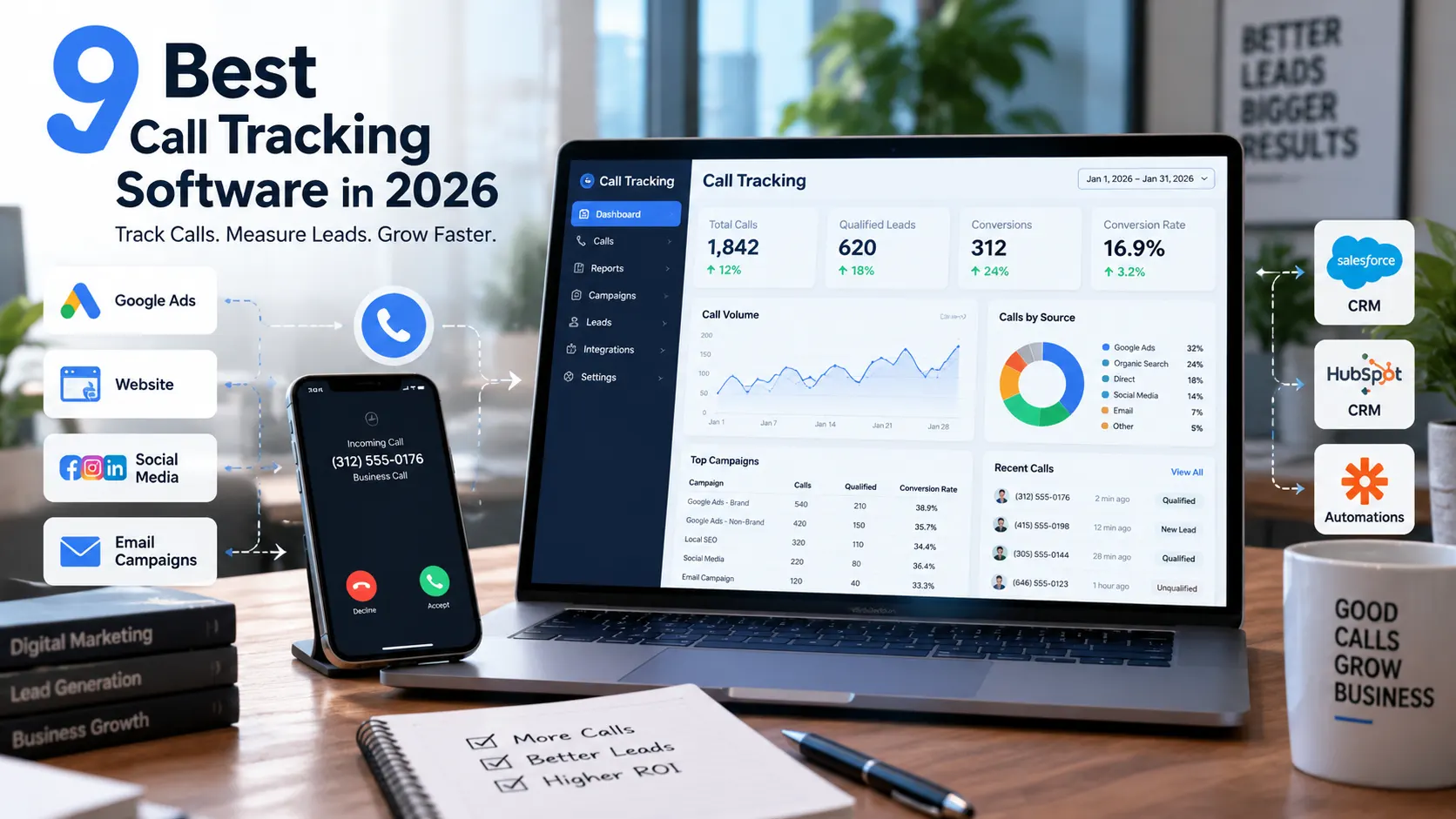
The best call tracking software for most small businesses and marketing agencies is CallRail. Because it combines marketing attribution, call recording, transcription, conversation insights, and integrations in one relatively accessible platform. However, WhatConverts is stronger for multi-channel lead attribution, while CallTrackingMetrics is better suited to contact centers and businesses needing advanced call routing.
Choosing call tracking software is really about tracking qualified leads
A marketing campaign can generate hundreds of clicks and still leave one important question unanswered: which campaigns actually produced valuable phone calls?
That is the problem call tracking software solves.
Modern platforms can connect an inbound call with information such as the marketing channel, campaign, keyword, landing page, and caller interaction. More advanced systems can then record, transcribe, analyze, and send call data into advertising platforms or CRMs.
The category has also moved well beyond simple phone-number swapping. Current platforms increasingly combine dynamic number insertion, conversation intelligence, AI summaries, lead qualification, call routing, and marketing attribution.
That makes choosing the right platform harder.
For example, a local service business may only need reliable campaign attribution and call recording. A marketing agency may need multi-client reporting and integrations. A contact center may care much more about IVR, routing, softphones, and real-time call handling.
There is no single platform that wins every scenario.
What this guide evaluates
This comparison focuses on nine call tracking platforms for businesses and marketers in the United States:
- CallRail
- WhatConverts
- CallTrackingMetrics
- Nimbata
- Invoca
- Ringba
- Convirza
- CallScaler
- Marchex
The selection is based on current product capabilities, pricing information, market positioning, use cases, and independent software-review sources. Capterra’s September 2026 data, for example, currently lists more than 200 call-tracking products and shows substantial differences in pricing, ratings, and positioning.
The wider market is also becoming more competitive. WhatConverts cites 114 call-tracking solutions on G2 and 214 on Capterra in its 2026 research, illustrating why simply choosing the first familiar brand may not produce the best fit.
Important: This comparison is research-based rather than a report of hands-on testing by the ScorUp team. Product capabilities, pricing, and availability can change, so verify the current vendor terms before purchasing.
A note about pricing
Call tracking prices can be misleading if you compare only the advertised monthly subscription.
Some platforms combine a base subscription with charges for tracking numbers, minutes, calls, recordings, transcription, or other usage. WhatConverts, for example, explains that its plans include usage credits and that additional tracking activity can generate extra charges.
So throughout this guide, starting price should be treated as an entry point, not necessarily your final monthly bill.
Best call tracking software in 2026
1. CallRail – Best overall call tracking software
CallRail is the strongest overall choice for many small businesses and marketing agencies because it combines marketing attribution with call tracking, recording, transcription, conversation analysis, and integrations without requiring an enterprise-level setup. Its current Lead Tracking plan starts at $50 per month plus additional usage and includes five numbers and 250 minutes.
CallRail is particularly compelling when the main goal is to answer a straightforward marketing question:
Which campaigns are generating calls, and which of those calls are worth pursuing?
The platform can connect calls with marketing activity and provides tools for analyzing conversations after the call. Its current offering includes call and text tracking, attribution, recording, routing, transcription, analysis, and automation features.
Why CallRail stands out
The biggest advantage is balance.
You do not have to choose between basic attribution and more advanced conversation intelligence. CallRail brings both into the same ecosystem.
Its current plans also include features such as call transcripts, keyword analysis, call summaries, sentiment analysis, conversation trend reports, and automatic conversion tagging on higher-tier offerings.
That makes it useful for marketers who want to move beyond counting calls.
A campaign that generated 50 calls is not necessarily better than one that generated 25. If the second campaign produces more qualified prospects, its marketing value may be much higher.
CallRail’s conversation-analysis capabilities can help marketers examine that difference rather than treating every call as an identical conversion.
Current pricing
CallRail currently lists Lead Tracking at $50/month plus additional usage, with five numbers and 250 minutes included. Its current pricing page also lists a 14-day trial. Higher-level offerings increase the available conversation and lead-conversion functionality.
Its AI Voice Assistant is a separate product starting at $95/month, with additional usage conditions.
Because CallRail uses usage-based pricing, businesses with substantial call volume should calculate their expected monthly usage rather than comparing the $50 starting price alone.
Who should choose CallRail?
Best for:
- Small and midsize businesses
- Marketing agencies
- Local service businesses
- PPC marketers
- Businesses that need campaign-level call attribution
- Teams that want conversation intelligence without moving immediately to an enterprise platform
Less suitable for:
- Organizations that primarily need sophisticated contact-center operations
- Businesses looking for the absolute lowest possible tracking cost
- Enterprise teams that require highly customized revenue intelligence
The trade-off
CallRail’s strength is its balance, but that also means it may not be the specialist winner in every category.
A business that needs sophisticated contact-center routing may get more value from CallTrackingMetrics. A large enterprise seeking advanced revenue intelligence may need a platform such as Invoca.
Verdict: Best overall for businesses and agencies that want a broad, mature call-tracking and marketing-attribution platform without starting with enterprise complexity.
2. WhatConverts – Best for multi-channel lead attribution
WhatConverts is a strong choice when phone calls are only one part of the lead-generation picture. It combines call tracking with other lead sources and is designed to help marketers connect leads with their original marketing sources, making it particularly relevant for agencies and marketers managing calls, forms, chats, and other conversions.
That distinction matters.
Imagine a home-service company receiving leads through Google Ads, organic search, website forms, live chat, and phone calls. A phone-only tracking platform can tell the company where its calls came from, but the marketing team may still need a separate system to understand the full lead mix.
WhatConverts approaches the problem from the lead rather than the phone call alone.
Why WhatConverts stands out
Its lead-management approach is the main differentiator.
WhatConverts says its platform tracks calls, forms, chats, and other lead activity and connects those leads to marketing sources. Its current pricing documentation also confirms that plans can include usage across calls, forms, and chats, with additional charges applying after included usage is exhausted.
That makes it particularly attractive for marketers who want to answer:
Which marketing activities generate leads, and what are those leads worth?
The distinction is important for agencies.
A campaign that produces many inexpensive form submissions but few qualified calls may deserve less budget than a campaign that generates fewer but higher-value leads.
WhatConverts’ current 2026 guide also reports that its scoring methodology uses more than 3,000 G2 reviews and evaluates areas such as standard features, advanced features, campaign insights, integrations, automated intelligence, and support.
Current pricing
Capterra currently lists WhatConverts with a starting price of $30/month.
However, that figure should not be interpreted as the complete cost for every business.
WhatConverts explains that each plan includes monthly usage credits, while additional calls, forms, chats, and optional features can create additional charges. Agency pricing is structured differently and can cover multiple accounts under a master account.
Who should choose WhatConverts?
Best for:
- Marketing agencies
- PPC marketers
- Lead-generation businesses
- Businesses tracking calls and web leads together
- Teams that care about lead quality and value
- Marketers who want broader attribution than phone calls alone
Less suitable for:
- Businesses that only need basic phone-call attribution
- Organizations primarily looking for advanced contact-center functionality
- Teams that do not need multi-channel lead tracking
The trade-off
WhatConverts becomes more valuable as the number of lead sources increases.
If your only question is “Which Google Ads campaign generated this phone call?”, you may not need the broader platform.
But if the question is “Which marketing channel generates the most valuable leads across calls, forms, and chats?”, its approach becomes much more compelling.
Verdict: Best for marketers and agencies that want to connect phone calls with the broader lead-generation journey instead of treating calls as an isolated conversion type.
3. CallTrackingMetrics – Best for contact centers and advanced call handling
CallTrackingMetrics (CTM) is the strongest fit when call tracking needs to extend into call management, routing, and contact-center workflows. Its current plans range from Marketing Lite at $79/month to enterprise offerings, with phone numbers and call minutes billed separately.
That makes CTM different from a platform chosen primarily for marketing attribution.
For a business with a simple sales phone line, many of its capabilities may be unnecessary.
For a business managing complex inbound calls, those capabilities can become the reason to choose it.
Why CallTrackingMetrics stands out
CTM combines marketing attribution with tools designed for handling calls.
Its current pricing structure includes separate plans for Marketing Lite, Marketing Pro, Sales Engage, and Enterprise. The published US pricing starts at $79/month for Marketing Lite when billed monthly, with annual prepayment reducing the listed monthly equivalent to $65. Local numbers and call minutes are additional usage costs.
This creates an important distinction:
Call tracking tells you where the call came from. Call-management functionality helps determine what happens after the call arrives.
That difference matters for organizations with multiple teams, locations, queues, or routing rules.
Current pricing
CTM currently lists:
- Marketing Lite: $79/month
- Marketing Pro: $179/month
- Sales Engage: $329/month
- Enterprise: $1,999/month
Annual prepayment lowers the listed monthly equivalents for the first three tiers, while phone numbers and minutes are additional.
Capterra currently lists CTM’s starting price at $79/month.
Who should choose CallTrackingMetrics?
Best for:
- Contact centers
- Multi-location businesses
- Sales teams
- Organizations needing advanced routing
- Businesses combining attribution with call handling
- Teams that need more customization than a basic call-tracking platform provides
Less suitable for:
- A small business that only needs campaign attribution
- Marketers looking for the simplest possible setup
- Very price-sensitive users with low call volume
The trade-off
CTM’s additional capabilities can solve problems that simpler platforms cannot.
But those capabilities also add complexity and cost.
If a local business receives 20 calls a month and only wants to know which advertising channel generated them, paying for sophisticated call-management functionality may not make economic sense.
If hundreds or thousands of calls move through different teams, locations, or routing paths, the calculation changes.
Verdict: Best for businesses that need call tracking plus sophisticated call handling, routing, and contact-center capabilities rather than attribution alone.
4. Nimbata – Best for predictable call-tracking costs
Nimbata is a strong choice for businesses and agencies that want call attribution without traditional per-minute billing. Its current plans start with a free Entry tier, while Pro starts at $39/month plus usage. Nimbata charges based on answered calls rather than call duration, although its terms include a fair-use adjustment for unusually long average calls.
The pricing model is Nimbata’s clearest differentiator.
Traditional usage-based call tracking can become difficult to forecast when call lengths vary. A two-minute call and a 20-minute call can consume very different numbers of billable minutes.
Nimbata instead centers its usage model around answered calls. That can make budgeting easier for businesses where call duration fluctuates significantly.
Why Nimbata stands out
Nimbata combines call attribution with marketing and AI features.
Its Pro plan currently includes unlimited call flows and dynamic number insertion, AI tagging and scoring, Google Ads, GA4, and alerts. Higher plans add form tracking, automations, CRM integrations, Salesforce, API access, and webhooks.
The platform also supports tracking across multiple locations and clients, which makes it relevant to agencies as well as multi-location businesses.
One useful distinction is that Nimbata’s AI functionality is built into the platform rather than presented solely as an optional add-on. Its current feature set includes classification, sentiment analysis, custom AI notes, call and agent ratings, and AI data capture.
Current pricing
Nimbata currently lists:
- Entry: $0 + usage
- Pro: $39/month + usage
- Marketing: $89/month + usage
- Agency: $149/month + usage
Annual billing lowers the listed monthly equivalents. Every plan includes a 14-day trial, and Nimbata says no credit card is required to start.
Nimbata also says it charges according to answered calls rather than minutes. However, its current pricing documentation notes that an additional fair-use charge can apply when average call duration exceeds 3.5 minutes.
Who should choose Nimbata?
Best for:
- Businesses wanting predictable call-tracking costs
- Marketing agencies
- Multi-location businesses
- PPC and SEO marketers
- Teams wanting built-in AI call analysis
- Businesses that dislike traditional per-minute pricing
Less suitable for:
- Organizations needing a large enterprise contact-center platform
- Businesses that require a very broad ecosystem of specialized integrations
- Teams whose usage pattern makes another pricing model more economical
The trade-off
Nimbata’s pricing model is attractive, but per-answered-call does not automatically mean cheaper.
The right comparison is the actual monthly cost at your call volume and call-duration pattern. Its fair-use provision is particularly important for businesses handling unusually long calls.
Verdict: A strong option for businesses and agencies that prioritize predictable call-tracking economics and want attribution plus built-in AI analysis.
5. Invoca – Best for enterprise conversation intelligence
Invoca is designed for larger organizations that need call attribution, revenue measurement, advanced routing, and enterprise-grade conversation intelligence. Its current platform supports dynamic call tracking, call recording, IVR, offline conversion and revenue imports, advertising integrations, APIs, and optional AI-powered conversation analytics. Pricing is quote-based rather than publicly listed.
Invoca therefore belongs in a different part of the market from entry-level call trackers.
The question is not simply whether it can tell you where a call originated. It is whether the organization can connect digital marketing activity, phone conversations, revenue outcomes, and customer interactions inside a larger marketing and contact-center ecosystem.
Why Invoca stands out
Invoca’s enterprise positioning is visible in its current plan structure.
Its Pro platform includes dynamic numbers, static and toll-free numbers, IVR, call recording, custom signals, offline conversion imports, revenue attribution, and integrations with platforms including Google Ads, Google Analytics 4, Microsoft Ads, Meta, HubSpot, and Slack.
Higher tiers add more digital advertising integrations, advanced IVR, SAML single sign-on, expanded reporting, sandbox environments, intelligent call routing, SIP integration, and affiliate-marketing functionality.
Its Signal AI suite can also provide transcription, summaries, keyword detection, sentiment analysis, redaction, and custom AI models for interpreting conversations.
That makes Invoca particularly relevant when call data is not merely a marketing metric but part of a larger revenue and customer-experience measurement system.
Current pricing
Invoca does not publish standard monthly prices on its current pricing page. Its Pro, Enterprise, Elite, and Performance plans use a Get Your Quote model.
That makes direct price comparison with products such as CallRail or Nimbata difficult.
For enterprise buyers, however, the more important consideration may be the total value of attribution, integrations, automation, analytics, and operational scale rather than the lowest subscription price.
Who should choose Invoca?
Best for:
- Enterprise brands
- Large marketing teams
- Multi-location organizations
- Contact centers
- Businesses with substantial inbound-call volume
- Organizations connecting calls with revenue
- Companies requiring sophisticated integrations and governance
Less suitable for:
- Small businesses
- Low-volume advertisers
- Teams wanting transparent self-service pricing
- Businesses that only need basic campaign-level call attribution
The trade-off
Invoca’s breadth comes with enterprise complexity.
A small business may gain little from capabilities designed for large organizations with sophisticated advertising, CRM, analytics, and contact-center infrastructure.
For an enterprise where phone conversations represent a major part of the customer journey, however, the additional capabilities can be much more meaningful.
Verdict: Best for enterprise organizations that need call attribution and conversation intelligence connected to revenue, advertising, CRM, and contact-center operations.
6. Ringba – Best for pay-per-call marketing
Ringba is built specifically for performance marketers and businesses that monetize inbound calls, making it a specialist choice rather than a general-purpose call tracker. Its platform includes call tracking, call flows, pixels and webhooks, partner subaccounts, caller profiles, routing, and advanced pay-per-call capabilities such as real-time bidding on higher plans.
That specialization matters.
A typical local business may simply want to know which Google Ads campaign generated a phone call. A pay-per-call operation may instead need to decide where each incoming call should go and what that call is worth.
Ringba is designed around the second problem.
Why Ringba stands out
Ringba’s current Business plan includes call tracking, pixels and webhooks, partner users, call flows, and instant caller profiles. Its Professional plan adds white labeling, ring trees, predictive routing, and revenue-recovery features. Enterprise adds real-time bidding and ping/post call trading.
That makes Ringba particularly relevant to:
- Pay-per-call marketers
- Lead buyers
- Lead sellers
- Performance marketing networks
- Businesses routing calls according to commercial value
The platform’s routing capabilities are therefore more central to its value proposition than they are for ordinary marketing attribution software.
Current pricing
Ringba’s current public pricing lists:
- Business: $147/month
- Professional: $297/month
- Enterprise: Custom
Annual billing lowers the listed monthly price for Business and Professional. Usage charges apply for tracking minutes, numbers, recording, transcription, caller profiles, and other services.
Ringba’s pricing page currently lists Business local tracking at $0.055/minute and local numbers at $3/month, with different rates available on higher plans.
Who should choose Ringba?
Best for:
- Pay-per-call marketers
- Performance marketing companies
- Lead buyers and sellers
- Businesses needing sophisticated call routing
- Organizations where individual calls have measurable commercial value
Less suitable for:
- Small local businesses needing basic attribution
- Teams that only want Google Ads call tracking
- Businesses looking for the lowest-cost entry-level platform
The trade-off
Ringba’s specialization is also its limitation.
If your business only needs dynamic number insertion, campaign attribution, and basic call analytics, much of Ringba’s advanced infrastructure may be unnecessary.
But when calls themselves are the product, lead, or monetizable asset, sophisticated routing becomes far more valuable.
Verdict: Best for pay-per-call and performance-marketing operations where routing, tracking, and monetizing individual calls are central to the business model.
7. Convirza – Best for call analytics and quality assurance
Convirza is a strong option for businesses that want call tracking combined with conversation analytics, automated reporting, and quality-focused call review. Its current plans start at $29/month, with higher tiers adding more favorable number and minute rates, while its platform supports AI-assisted call analysis and attribution.
Convirza occupies an interesting middle ground.
It is more analytics-focused than a basic tracking-number service, but it can also be substantially more accessible than enterprise-only platforms.
Why Convirza stands out
Convirza emphasizes the connection between marketing attribution and what happens during the call.
Its current Call Tracking product highlights the ability to identify which ads generate calls, use AI to track call and SMS origin and context, and review incoming calls. Automated reporting is also part of the platform.
That matters because call volume alone does not tell you whether marketing is working.
A campaign producing 100 calls can look impressive until you discover that most callers were looking for something you do not sell.
Conversation analytics can help separate activity from useful outcomes.
Current pricing
Convirza currently lists:
- Starter: $29/month
- Professional: $99/month
- Agency: $149/month
Additional costs apply for phone numbers and minutes. The Agency plan currently includes 600 prepaid minutes.
This makes Convirza one of the more accessible options for businesses that want more than basic call attribution.
Who should choose Convirza?
Best for:
- Businesses wanting call analytics
- Marketing teams
- Agencies
- Businesses that need call-quality insights
- Organizations interested in automated call reporting
- Vertical-focused businesses
Less suitable for:
- Organizations needing the deepest enterprise revenue intelligence
- Pay-per-call networks requiring sophisticated real-time trading
- Businesses wanting only the simplest possible call tracking
The trade-off
Convirza can offer more analytical depth than a basic call-tracking service, but buyers should still compare its exact integrations and AI capabilities with alternatives before committing.
Its strongest value comes when the business intends to use conversation data, rather than merely count calls.
Verdict: A compelling choice for businesses and agencies that want marketing attribution plus conversation analytics and call-quality insight without immediately moving to an enterprise-only platform.
8. CallScaler – Best budget option for high-volume tracking
CallScaler is worth considering when the main priority is keeping tracking-number and subscription costs low while still having core call-tracking capabilities. Its current pricing starts with a pay-as-you-go option, while its Pro plan is listed at $45/month and tracking numbers start at $0.50/month.
The appeal is straightforward: businesses managing many tracking numbers can become highly sensitive to per-number costs.
A platform that saves a few dollars per number may make a meaningful difference when dozens or hundreds of numbers are involved.
Why CallScaler stands out
CallScaler focuses on the economics of call tracking.
Its published pricing lists tracking numbers from $0.50/month, alongside a pay-as-you-go entry option and a Pro plan. The platform also offers core capabilities such as dynamic number insertion, recording, and routing.
That makes it particularly relevant for businesses where tracking-number volume is more important than having the broadest enterprise analytics suite.
Current pricing
CallScaler currently lists:
- Pay-as-you-go: from $0
- Pro: from $45/month
- Tracking numbers: from $0.50/month
Usage charges can apply, so the advertised starting price should not be treated as the complete cost.
Who should choose CallScaler?
Best for:
- Budget-conscious businesses
- Agencies managing many tracking numbers
- High-volume attribution use cases
- Marketers who prioritize basic tracking economics
Less suitable for:
- Enterprise teams needing advanced revenue intelligence
- Businesses requiring extensive conversation-analytics capabilities
- Organizations that need a very broad enterprise integration ecosystem
The trade-off
Low pricing is useful only if the platform still covers the workflow you need.
If your primary objective is tracking campaigns and numbers at scale, CallScaler’s pricing model can be attractive.
If you need sophisticated AI analysis, enterprise integrations, or complex contact-center functionality, paying more for a broader platform may make more sense.
Verdict: A practical budget-oriented option for businesses and agencies that prioritize inexpensive tracking numbers and core call attribution over enterprise-level analytics.
9. Marchex – Best for industry-specific conversation intelligence
Marchex is a strong choice for organizations that want to turn phone conversations into structured marketing, sales, and customer-experience insights. Its positioning centers on conversation intelligence and call analytics, making it more appropriate for organizations with meaningful call volume and a need to understand what happens during customer conversations.
Marchex is therefore less about simply counting inbound calls and more about extracting information from them.
Why Marchex stands out
The value of conversation intelligence appears when a business needs answers beyond:
“Where did this call come from?”
It may instead need to understand:
- What did the customer ask for?
- Did the conversation produce a sales opportunity?
- What objections appeared?
- How did the employee handle the interaction?
- Which marketing sources produce valuable conversations?
That makes conversation intelligence particularly relevant to organizations where phone interactions strongly influence revenue or customer experience.
Current pricing
Marchex does not present a simple public self-service pricing structure comparable with entry-level platforms such as Nimbata or Convirza. Buyers should therefore expect to contact the company for a quote based on their requirements and scale.
That makes direct price comparison difficult, but it also reflects Marchex’s positioning toward larger and more specialized deployments.
Who should choose Marchex?
Best for:
- Multi-location organizations
- Larger businesses
- Teams focused on conversation intelligence
- Businesses where call quality affects revenue
- Organizations needing deeper analysis of customer conversations
Less suitable for:
- Small businesses wanting simple call attribution
- Low-volume advertisers
- Buyers who require transparent self-service pricing
The trade-off
Marchex makes more sense when conversation data is strategically important.
For a small business that only wants to attribute calls to Google Ads, the additional sophistication may not justify the cost or implementation effort.
Verdict: Best suited to larger organizations that need deeper insight into customer conversations rather than basic call-source tracking.
Call tracking software pricing: what will you actually pay?
The advertised starting price is only one part of the cost of call tracking software. Your real monthly expense can include the platform subscription plus tracking numbers, call minutes, recordings, transcription, AI analysis, and other usage. Comparing those components at your expected call volume gives a much more useful picture than comparing headline prices alone.
For example, Ringba currently combines a monthly platform fee with separate charges for tracking minutes, numbers, recording, and certain AI services. Nimbata uses a different model centered on answered calls, while Convirza publishes separate number and minute charges alongside its subscription tiers.
The important question is therefore not:
“Which platform starts at the lowest price?”
It is:
“Which pricing model produces the best total cost for my actual call volume and workflow?”
Starting price vs. total monthly cost
A simple way to compare platforms is:
Estimated monthly cost = base subscription + tracking numbers + usage + optional features
The exact formula varies by vendor.
A business receiving 50 short calls per month may favor a very different platform from a contact center handling thousands of lengthy calls.
Per-minute, per-call, per-number, and flat-rate pricing
The main pricing models include:
| Pricing component | What you pay for | Why it matters |
|---|---|---|
| Subscription | Access to the platform | Usually the predictable base cost |
| Tracking numbers | Each number used for attribution | Important for agencies and multi-location businesses |
| Minutes | Call duration | Long calls can increase costs |
| Answered calls | Number of answered calls | Can be easier to forecast |
| Recording | Recorded call duration | May add usage costs |
| AI/transcription | Conversation processing | Advanced analysis can increase spend |
| Premium integrations | CRM or enterprise connections | May require higher plans or add-ons |
Nimbata explicitly markets its answered-call model as a way to avoid traditional per-minute billing, although its current documentation includes a fair-use provision for unusually long average calls.
Ringba, by contrast, publishes separate rates for tracking minutes, numbers, recording, and additional services.
That difference illustrates why pricing model deserves almost as much attention as the headline subscription price.
Which option makes sense at low, medium, and high call volume?
For low call volume, a low-cost plan with the features you actually need may be the sensible choice.
For medium call volume, integrations and conversation analysis become more important because the value of attribution increases as more leads enter the system.
For high call volume, pricing mechanics, routing, scalability, and automation deserve much closer scrutiny. A small difference in per-minute or per-call costs can become significant as usage grows.
The cheapest platform on the pricing page is not necessarily the cheapest platform for your business.
Which call tracking software is best for each use case?
The strongest choice changes when the business problem changes.
Best for marketing agencies
CallRail and WhatConverts are strong starting points for agencies, with WhatConverts particularly useful when clients generate leads through calls, forms, chats, and other channels. CallRail is a strong general-purpose option for agencies that want attribution and conversation intelligence.
Best for small businesses
CallRail is the strongest general-purpose choice for many small businesses because it combines attribution, call tracking, and conversation-analysis capabilities without requiring an enterprise deployment.
Best for lead generation
WhatConverts is especially attractive when the business needs to connect calls with forms, chats, and other lead sources rather than treating phone calls as a separate channel.
Best for Google Ads
CallRail, WhatConverts, and Nimbata are strong candidates because they support campaign-level attribution and Google Ads integrations. Nimbata’s current Pro plan explicitly includes Google Ads and GA4 integrations.
Best for service businesses
CallRail or Nimbata are sensible starting points for many service businesses. The better choice depends on whether the business prioritizes CallRail’s broader ecosystem or Nimbata’s answered-call pricing model.
Best for call centers
CallTrackingMetrics or Invoca are better fits when call routing, IVR, contact-center operations, and advanced call workflows matter.
Best for enterprise companies
Invoca is the strongest enterprise-oriented option in this shortlist, particularly when call attribution needs to connect with revenue, advertising, CRM, and contact-center systems.
Best for pay-per-call marketing
Ringba is the specialist choice because its platform is designed around call routing, partner workflows, performance marketing, and advanced pay-per-call functionality.
Best budget option
CallScaler is worth considering when minimizing tracking-number and platform costs is the priority.
Which call tracking features actually matter?
The most valuable features depend on what you want to learn from a call. A basic advertiser may only need source attribution, while an agency or enterprise team may need conversation intelligence, CRM synchronization, routing, and revenue attribution.
Dynamic number insertion
Dynamic Number Insertion (DNI) replaces a website’s phone number according to the visitor’s source or session.
That lets the platform connect a call with marketing information that would otherwise disappear when a visitor switches from browsing to calling.
Keyword and campaign attribution
Campaign attribution connects the phone call to marketing activity such as:
- Search campaigns
- Keywords
- Landing pages
- Organic traffic
- Referral sources
- Advertising channels
This is the foundation for measuring phone leads as marketing conversions.
Call recording and transcription
Recording preserves the conversation, while transcription converts it into searchable text.
Together, they make it easier to review calls without relying only on duration or a manually entered outcome.
AI call scoring and conversation intelligence
AI capabilities can include:
- Call classification
- Keyword detection
- Transcription
- Summaries
- Sentiment analysis
- Lead scoring
- Outcome detection
- Custom data extraction
But these capabilities should not be treated as interchangeable.
A platform that summarizes calls is doing something different from one that can identify qualified leads and send conversion data back into advertising systems.
CRM and advertising integrations
Integrations determine whether call data remains trapped inside the call-tracking dashboard or becomes part of the wider marketing system.
Look for compatibility with the platforms your business already uses, such as Google Ads, GA4, Salesforce, HubSpot, Microsoft Ads, or Meta.
Call routing and IVR
Routing and Interactive Voice Response (IVR) become important when multiple teams, departments, locations, or sales representatives handle inbound calls.
They are much less important if every call simply rings one business phone.
Reporting and conversion tracking
A good call-tracking platform should help answer more than how many calls occurred.
The useful questions are:
- Which marketing source generated the call?
- Was the call answered?
- Was it qualified?
- Did it convert?
- What revenue resulted?
- Which campaigns should receive more or less budget?
That is where call tracking becomes a marketing measurement system rather than simply a phone-number service.
How to choose the right call tracking software
Start with the business problem, then work backward to the features.
Start with your call volume
Estimate:
- Monthly inbound calls
- Average call duration
- Number of locations
- Number of campaigns
- Number of tracking numbers required
Those figures can materially change the best-value platform.
Decide whether you need attribution or call management
If you only need to know where calls originated, prioritize attribution.
If you also need IVR, routing, queues, softphones, or contact-center workflows, consider a platform built for those functions.
Check the integrations before signing up
A sophisticated call tracker is less useful if it cannot connect to your existing advertising, analytics, CRM, or reporting stack.
Check the integrations before evaluating the interface or AI features.
Calculate total cost instead of comparing headline prices
Build a simple estimate using your actual numbers.
For example:
Expected monthly cost = subscription + numbers + minutes/calls + recording/transcription + add-ons
Then compare the result across two or three finalists.
Match AI capabilities to the actual workflow
Do not pay for AI simply because a platform has an AI label.
Decide whether you actually need:
- Transcription
- Summaries
- Lead qualification
- Sentiment analysis
- Automated tagging
- Revenue attribution
- AI call answering
Those are different capabilities.
Check privacy, recording, and compliance requirements
Call recording and conversation analytics can involve privacy and consent requirements that vary by jurisdiction and situation.
Before enabling recording or automated analysis, review the applicable laws and the platform’s compliance controls for your business and customers.
Common call tracking mistakes that waste money
Choosing based only on starting price
A $30 or $50 starting plan can look attractive until usage charges, numbers, recordings, or premium features are added.
Always estimate your real monthly usage.
Tracking calls without measuring lead quality
A call is not automatically a good lead.
The better measurement is often:
Marketing source → call → qualified lead → sale → revenue
That chain tells you far more about campaign value than raw call volume.
Buying contact-center features you do not need
If a small business only needs campaign attribution, paying for sophisticated routing and contact-center infrastructure can add unnecessary cost and complexity.
Ignoring usage-based charges
Read the pricing model carefully.
Look specifically for:
- Per-minute charges
- Per-call charges
- Number charges
- Recording charges
- Transcription charges
- AI charges
- Premium integration fees
Failing to connect calls with CRM and advertising data
A call tracker creates much more value when its data reaches the systems where marketing and sales decisions are made.
If the team still exports spreadsheets manually every month, much of the attribution benefit is being lost.
The best call tracking software depends on what you need to measure
If you want one broadly capable platform for marketing attribution, CallRail is the strongest overall starting point. If your business needs multi-channel lead attribution, consider WhatConverts; for sophisticated call handling, CallTrackingMetrics; for enterprise-scale revenue and conversation intelligence, Invoca; and for pay-per-call operations, Ringba.
The most important decision is not which platform has the longest feature list. It is whether the software can connect marketing source → phone conversation → qualified lead → business outcome at a cost that makes sense for your call volume.
Before subscribing, calculate your expected usage, confirm the integrations you need, and compare the final cost of your top two or three choices. That approach will usually produce a better decision than choosing the software with the lowest advertised starting price.
Quick comparison of the 9 best call tracking software platforms
| Software | Best for | Starting price* | Key strength | Main trade-off |
|---|---|---|---|---|
| CallRail | Best overall | From $50/mo | Marketing attribution + conversation intelligence | Usage costs can increase with call volume |
| WhatConverts | Multi-channel lead attribution | From $30/mo | Tracks calls, forms, chats, and other leads | Higher usage can increase total cost |
| CallTrackingMetrics | Contact centers & advanced routing | From $79/mo | IVR, routing, call handling, and analytics | More complex and usage-based |
| Nimbata | Predictable call-tracking costs | From $39/mo | Pay-per-answered-call model | Smaller integration ecosystem than major platforms |
| Invoca | Enterprise conversation intelligence | Custom | Advanced AI and enterprise integrations | No transparent public pricing |
| Ringba | Pay-per-call marketing | From $147/mo | Real-time routing and performance marketing | Overkill for ordinary local businesses |
| Convirza | Call analytics & QA | Custom | Conversation analytics and call scoring | Enterprise-oriented pricing |
| CallScaler | Budget/high-volume tracking | From $0 PAYG | Low-cost tracking numbers | Less enterprise depth |
| Marchex | Industry-specific conversation intelligence | Custom | AI-driven call analytics and attribution | Better suited to larger organizations |
*Starting prices are entry points, not guaranteed total monthly costs. Several platforms add charges for tracking numbers, minutes, calls, or other usage. Current published pricing varies by billing period and plan, so readers should verify the vendor’s pricing before purchasing.
How to Choose the Best Call Tracking Software for Your Business
The best call tracking software depends on what you need to measure after a phone call starts. A small business may only need keyword and campaign attribution. An agency may need client reporting across many accounts. A contact center may need IVR, routing, recording, and quality tools.
Use these questions to narrow the list.
1. Do you mainly need marketing attribution?
Choose CallRail, WhatConverts, or Nimbata.
These platforms are a strong fit when your main goal is to answer questions such as:
- Which ad generated this call?
- Which keyword drove the lead?
- Which landing page converted?
- Which marketing channel produces the best calls?
- How many calls became qualified leads?
For a typical small or midsize business, CallRail is the simplest starting point. WhatConverts becomes more attractive when you want to track calls alongside forms and other lead sources.
2. Do you need advanced call handling?
Look at CallTrackingMetrics (CTM) or Ringba.
CTM is better suited to businesses that need tools such as IVR, call routing, queues, and detailed call handling.
Ringba is more specialized. Its real-time routing and performance-marketing features make it a better fit for pay-per-call campaigns and high-volume lead distribution.
For a normal local business that simply wants to attribute calls to marketing campaigns, these platforms may offer more functionality than necessary.
3. Do you need enterprise-level conversation intelligence?
Consider Invoca or Marchex.
These platforms are designed for organizations that want to go beyond counting calls. They can help connect conversations with marketing, sales, revenue, and customer experience data.
They make more sense when:
- Call volume is high.
- Multiple teams use call data.
- Marketing attribution needs to connect with revenue.
- AI-based conversation analysis is important.
- The organization already uses a larger marketing or CRM stack.
For a small business, the additional complexity and sales-led pricing may not justify the investment.
4. Is keeping costs predictable your priority?
Consider Nimbata.
Nimbata uses a pay-per-answered-call model rather than charging primarily by talk time. This can make budgeting easier for businesses that receive many calls with different durations.
Still, compare the complete monthly cost – not just the advertised starting price. Number charges, usage, integrations, and additional features can all affect the final bill.
5. Do you need a lower-cost option?
Look at CallScaler or the entry-level plans from Nimbata and Convirza.
A low starting price can be useful when you are testing call tracking or managing a smaller campaign.
But price should not be the only deciding factor. A cheaper platform can become expensive if it lacks an integration, reporting feature, routing option, or automation that your business later needs.
6. Are you managing call tracking for clients?
Agencies should prioritize:
- Multi-account management
- Client reporting
- White-label options
- Campaign attribution
- CRM integrations
- Lead qualification
- Automated reporting
- Scalable number management
WhatConverts, CallRail, Nimbata, CTM, and Ringba can all make sense here, but for different agency models.
An SEO or PPC agency focused on attribution may prefer CallRail or WhatConverts. An agency handling complex call flows may prefer CTM. A performance-marketing agency working with pay-per-call campaigns should consider Ringba.
A Simple Decision Tree
If you want a quick way to choose, start here:
Need simple marketing attribution?
→ CallRail
Need calls + forms + multiple lead sources in one view?
→ WhatConverts
Need advanced IVR, routing, and contact-center features?
→ CallTrackingMetrics
Want a pay-per-answered-call pricing model?
→ Nimbata
Need enterprise conversation intelligence?
→ Invoca
Run pay-per-call campaigns?
→ Ringba
Need call analytics and quality monitoring?
→ Convirza
Want a budget-friendly tracking platform?
→ CallScaler
Need industry-focused conversation intelligence?
→ Marchex
What to Check Before You Buy
Do not choose call tracking software based only on its feature list. Check how the platform fits your existing marketing process.
Campaign Attribution
Make sure the platform can identify the sources that matter to you.
Depending on your strategy, this may include:
- Google Ads
- Organic search
- Microsoft Ads
- Social media
- Display advertising
- Landing pages
- Individual keywords
- Referral traffic
If you cannot connect calls to the marketing activity that generated them, the software will provide limited value.
Dynamic Number Insertion
Dynamic number insertion, or DNI, is important when you want to connect individual website visitors with phone calls.
It can help show different tracking numbers based on the visitor’s source, campaign, or other attribution data.
For SEO and PPC campaigns, this can be much more useful than using one static tracking number.
Call Recording and Transcription
Call recording can help sales and marketing teams understand what happens after a lead calls.
Transcription can make that information easier to search and analyze.
Before enabling recording, however, check the applicable laws and notification requirements in the locations where you operate.
Lead Qualification
A high call count does not automatically mean a successful marketing campaign.
Look for tools that can help separate:
- Qualified leads
- Unqualified calls
- Spam
- Existing customers
- Sales opportunities
- Missed calls
This gives you a much clearer view of marketing performance.
CRM and Analytics Integrations
Check whether the software works with the tools you already use.
Common integrations include:
- Google Analytics
- Google Ads
- CRMs
- Marketing automation platforms
- Web forms
- Webhooks
- APIs
A platform with fewer features but better integrations can be more useful than a feature-rich platform that does not fit your workflow.
Reporting
If you work with clients, reporting can become one of the most important features.
Look for:
- Automated reports
- Campaign-level reporting
- Lead-source reporting
- Call summaries
- Conversion reporting
- Multi-account management
- Custom dashboards
The goal is simple: turn call data into information that helps you make better marketing decisions.
The Most Important Pricing Lesson
Do not compare call tracking platforms by their monthly subscription alone.
The real cost can include:
Monthly plan + tracking numbers + minutes or calls + recordings + transcription + premium features + integrations
For example, a platform with a $30 starting plan may not remain the cheapest choice after you add usage and features. Likewise, a higher-priced platform may provide more value if it replaces several other tools.
Before buying, estimate your expected:
- Number of tracking numbers
- Monthly call volume
- Average call duration
- Recording needs
- Transcription needs
- Number of users
- Number of client accounts
- Required integrations
Then compare the estimated total monthly cost, not just the headline starting price.
Our Practical Recommendation
For most businesses starting with call tracking, start with the simplest platform that can accurately answer your attribution questions.
You do not need enterprise conversation intelligence if your only goal is knowing whether Google Ads, organic search, or another campaign generated a phone call.
As your call volume and marketing operation grow, you can move toward more advanced routing, lead qualification, conversation intelligence, and revenue attribution.
That approach keeps your initial setup simpler while leaving room to scale.
Frequently asked questions about call tracking software
For many small businesses and marketing agencies, CallRail is the strongest overall option because it combines marketing attribution, call tracking, conversation intelligence, and integrations. However, the best choice depends on the use case. WhatConverts is stronger for multi-channel lead attribution, while CallTrackingMetrics and Invoca are better suited to more complex call-management and enterprise requirements.
There is no single cheapest option for every business because providers use different pricing models. Nimbata currently has a $0 Entry plan plus usage, while WhatConverts starts at $30/month and Convirza starts at $29/month. Your actual cost depends on call volume, tracking numbers, minutes, and additional features, so compare total expected monthly cost rather than the advertised starting price.
Some providers offer free tiers or trials, but completely free call tracking with unlimited usage and full attribution features is uncommon. Nimbata currently offers an Entry plan at $0 plus usage and a 14-day trial across its plans. Free options are generally best for testing a workflow rather than assuming they will remain sufficient as call volume grows.
CallRail is a strong general-purpose choice for small businesses that want campaign attribution, call recording, and conversation insights. Nimbata can also be attractive when predictable answered-call pricing is important. The better choice depends on the business’s call volume, integrations, and need for advanced call-management features.
CallRail and WhatConverts are strong agency choices. CallRail provides broad call-tracking and conversation-intelligence capabilities, while WhatConverts is particularly useful when an agency needs to combine calls, forms, chats, and other lead sources. Nimbata is another option for agencies managing multiple clients and locations.
Neither is universally better. CallRail is generally easier to position as an all-purpose marketing attribution platform, while CallTrackingMetrics is stronger when advanced routing, IVR, and contact-center functionality are important. Choose CallRail for simpler marketing measurement and CTM when the phone operation itself requires more sophisticated management.
WhatConverts can be better when your marketing team needs to measure calls alongside forms, chats, and other lead sources. CallRail can be the better choice when call tracking, marketing attribution, and conversation intelligence are the primary requirements. The decision should follow the lead sources and reporting workflow your business actually uses.
Yes. Platforms using dynamic number insertion can associate website calls with digital-session information such as campaign and keyword data. Nimbata, for example, describes using DNI to connect calls with the session, campaign, and keyword that generated the visit.
Many call tracking platforms offer call recording, but recording is not necessarily enabled or included under every plan. Whether and how calls may be recorded also depends on applicable privacy and consent requirements. Before enabling recording, review the provider’s settings, terms, and the laws relevant to the locations where your business operates.